pixel stretch artwork
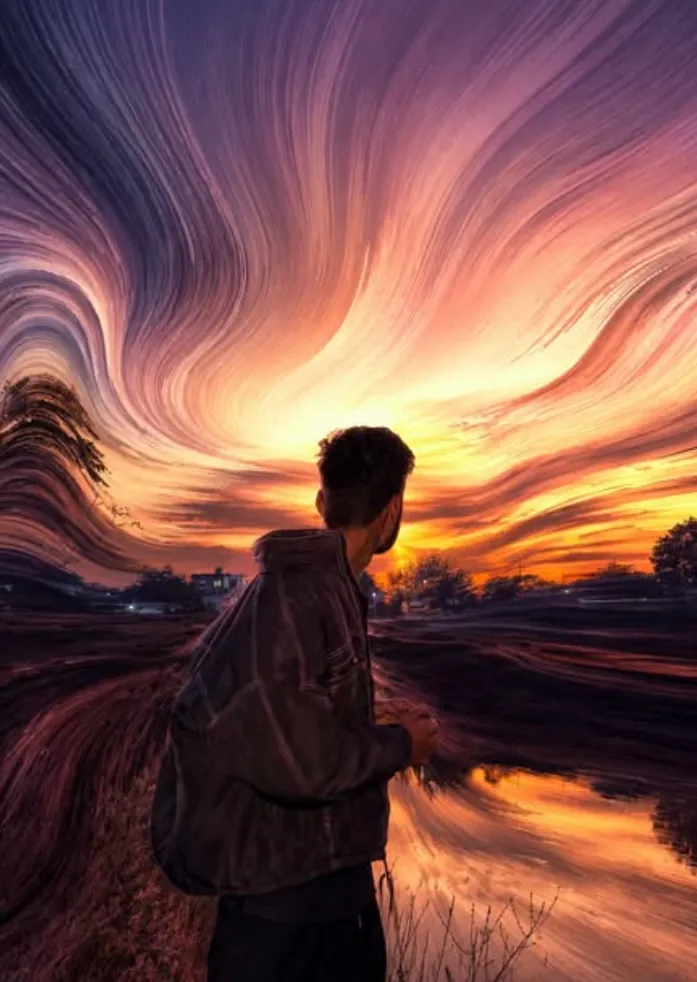
Om Editing Top ke saath Pixel Stretch Artwork kya hai?
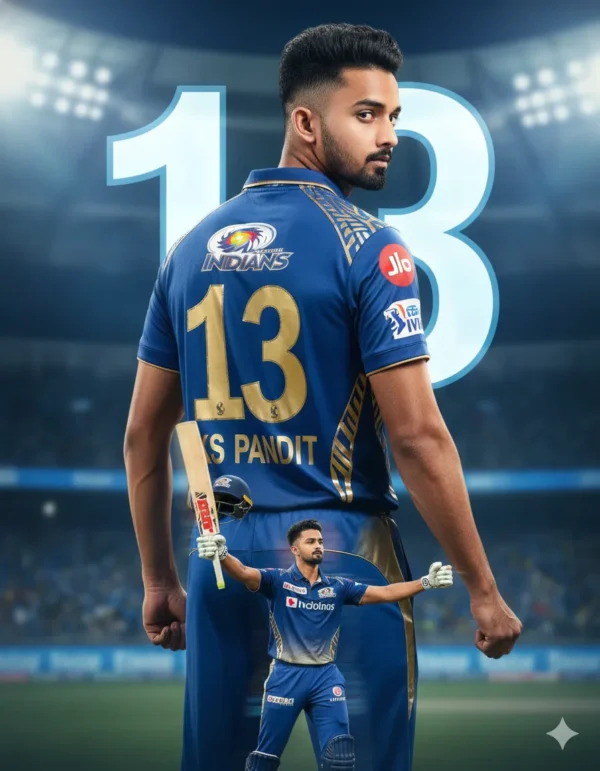
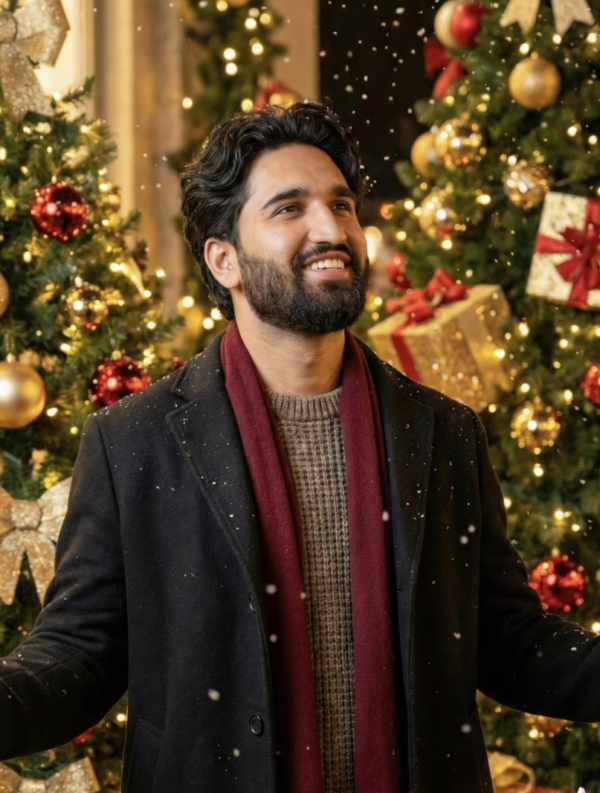
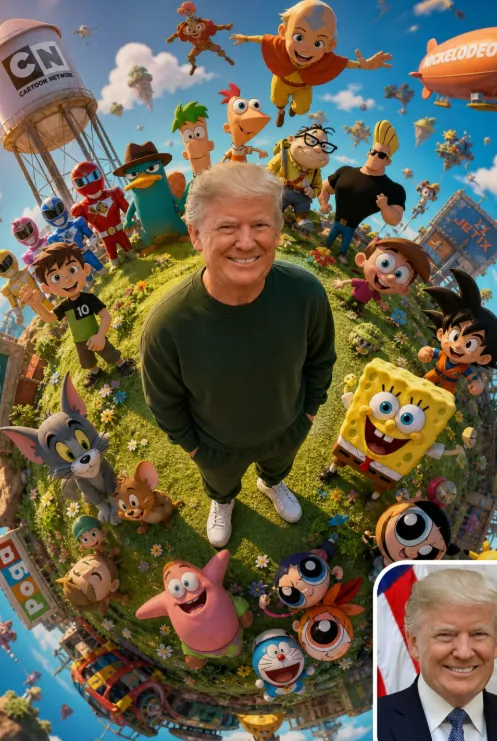
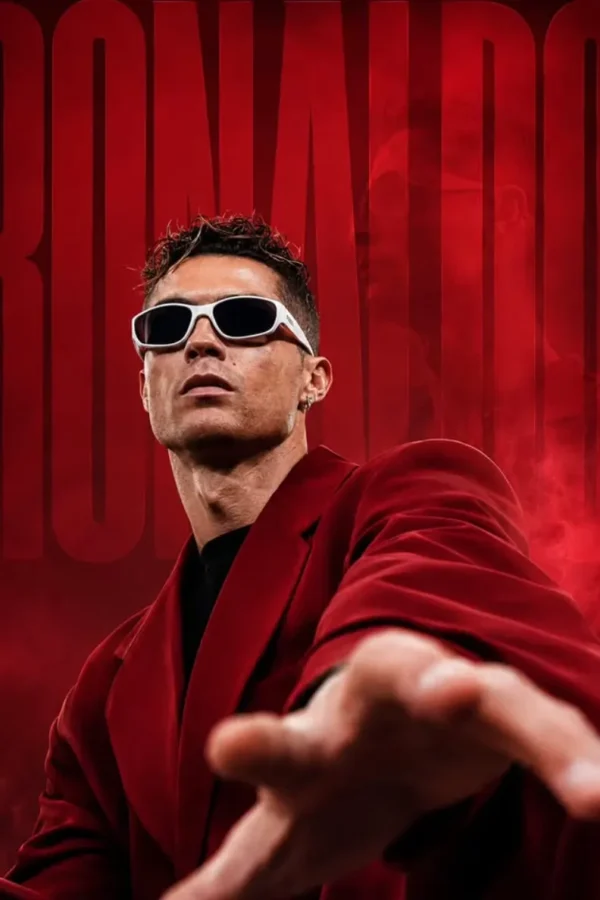
Om Editing Top style me pixel stretch artwork ek modern photo-editing trend hai jo ordinary image ko premium digital art look me change kar deta hai. Is effect me main subject ko sharp aur clear rakha jata hai, jabki uske around colors aur textures ko stretched, flowing ribbons ki tarah extend kiya jata hai. Result ek aisa visual hota hai jo cinematic, stylish aur social-media-ready lagta hai.
Read Also: cinematic-style realistic portrait | 2026 New Year
Ye style un logon ke liye perfect hai jo apni photos ko simple filter se zyada dramatic aur artistic banana chahte hain. Agar aap Instagram post, profile art, poster design, thumbnail, ya creative wallpaper ke liye kuch unique dhoondh rahe hain, to pixel stretch artwork ek strong choice ho sakta hai. Isme minimal composition ke saath luxury digital art feel aati hai, isliye ye modern creators ke beech kaafi popular hai.
Is effect ki sabse badi strength ye hai ki original photo ka subject recognizable rehta hai, lekin background aur edges ek fluid motion me transform ho jate hain. Matlab aapki image sirf edited nahi lagti, balki ek finished artwork jaisi feel deti hai. Om Editing Top ke context me ye style especially un users ko suit karta hai jo bold colors, clean detailing, aur high-end visual finish prefer karte hain.
Pixel Stretch Artwork me kya visual result milta hai?
Pixel stretch artwork ka output usually smooth, glossy aur dynamic hota hai. Isme subject ke colors ko pull karke elongated streaks banaye jate hain, jo dekhne me silk, paint, light trails, ya energy streams jaise lag sakte hain. Agar source photo strong ho, to final result aur bhi premium dikhta hai kyunki details crisp rehti hain aur stretched parts natural feel dete hain.
Is effect me lighting aur shadow ka role bahut important hota hai. Good editing me subject par realistic depth maintain hoti hai, aur stretched ribbons us light direction ke saath match karte hain. Is wajah se image fake ya messy nahi lagti. Instead, photo me cinematic contrast, vibrant tones, aur polished finish aati hai jo premium artwork ka impression create karti hai.
Ye style tab aur powerful lagta hai jab colors me harmony ho. Matlab skin tones, clothing colors, background shades, aur stretched elements ek dusre se clash na karein. Jab balance sahi hota hai, to final frame modern minimalist bhi lag sakta hai aur luxury digital art bhi. Yehi reason hai ki pixel stretch effect branding visuals, edits, and digital posters me kaafi use hota hai.
- Main subject sharp aur clearly visible rehta hai
- Colors ko smooth ribbons ya streaks me extend kiya jata hai
- Lighting natural aur cinematic feel deti hai
- Composition clean aur modern hota hai
- Final image high-end, artistic aur shareable lagti hai
Om Editing Top style pixel stretch effect kaise use karein?
Agar aap beginner hain, to sabse pehle apni photo ko carefully choose kijiye. Pixel stretch artwork me random image use karne se result weak ho sakta hai, isliye pehle aisi photo pick karein jisme subject saaf ho aur colors interesting ho. Mobile se edit karte waqt bhi aapko bas sahi image, sahi crop, aur clean composition par focus karna hota hai.
Process ko simple rakhein: photo upload karein, subject ko identify karein, aur phir stretched areas ko aise place karein ki motion natural lage. Aksar best result tab aata hai jab stretch effect subject ke outer edges ya background side me apply hota hai, taaki face ya main object detail lose na kare. Isse artwork stylish bhi lagta hai aur readable bhi rehta hai.
Beginner ke liye ek practical workflow ye ho sakta hai:
- Ek high-quality photo select karein jisme main subject center ya slightly off-center ho.
- Image ko crop karke unnecessary background hata dein.
- Subject ka focus clear rakhein taaki stretch effect ke baad bhi identity visible rahe.
- Colors aur texture ko smooth transition ke saath extend karein.
- Contrast, brightness, aur saturation ko fine-tune karein.
- Final image ko zoom karke check karein ki edges harsh ya glitchy na dikh rahe hon.
Mobile users ke liye ek aur useful tip ye hai ki edit karte waqt layers ya undo options ka use karein, especially jab aap stretching manually try kar rahe hon. Ek hi baar me perfect result nikalna zaroori nahi hai. Thoda experiment karke aap dekh sakte hain ki kaunsa direction, curve, aur color flow sabse zyada natural lagta hai.
Kaunsi photos pixel stretch artwork ke liye best hoti hain?
Best pixel stretch artwork wahi photo deti hai jisme subject clear ho aur image quality high ho. Agar source blurry hai, to stretched areas bhi muddy dikh sakte hain. Isliye low-light, noisy, ya heavily compressed photos avoid karna better hota hai. Sharp details, balanced exposure, aur visible subject outline final result ko premium banate hain.
Angle aur pose bhi important hai. Front-facing ya slightly side-angle portraits zyada achhe kaam karte hain kyunki face aur body structure clearly samajh aata hai. Agar subject ka silhouette strong ho, to stretched ribbons uske around naturally flow kar sakte hain. Action pose ya dramatic turn bhi achha lagta hai kyunki usme motion feel already hoti hai.
Background simple ho to effect aur clean dikhta hai. Plain wall, soft gradient, studio backdrop, ya out-of-focus background pixel stretch art ke liye ideal hota hai. Clothing me bhi bold but clean colors better rehte hain—jaise black, white, red, blue, or metallic tones—kyunki ye stretched ribbons me visually strong impact dete hain.
- Resolution: high-resolution photo use karein, taaki details crisp rahein
- Lighting: soft natural light ya studio light best hoti hai
- Angle: front ya slight side angle zyada effective hota hai
- Background: clean, simple, and uncluttered background choose karein
- Clothing: solid colors ya minimal patterns better results dete hain
- Subject clarity: face, hair, and outline clearly visible honi chahiye
Agar aap chahte hain ki Om Editing Top ka pixel stretch artwork truly premium lage, to photo me contrast aur depth pe pehle se dhyan dena bahut useful hota hai. Ek achchi source image effect ko nikharti hai, aur stretched colors ko aur zyada elegant, fluid, aur professional look deti hai.
Pixel Stretch Artwork ke liye Pro Tips for Best Results
Om Editing Top style ka pixel stretch artwork tab sabse zyada premium dikhta hai jab base image strong ho aur subject clearly visible ho. Agar aap chahte hain ki final output social media par instantly attention grab kare, to image selection, framing, aur color balance par extra dhyan dena zaroori hai.
Best result ke liye sharp portrait, clean background, aur high-contrast subject choose karein. Face ya main object jitna clear hoga, pixel stretch effect utna hi elegant lagega. Iske saath crop aisa rakhein ki stretched ribbons ko space mile, taaki composition crowded na lage aur artwork zyada cinematic feel de.
- High-resolution image use karein: Low-quality photo me details toot sakti hain aur stretch effect muddy lag sakta hai.
- Main subject ko center ya rule-of-thirds par rakhein: Isse focus strong rehta hai aur movement naturally guide hoti hai.
- Clean background prefer karein: Simple background pixel stretch ribbons ko aur classy banata hai.
- Lighting balanced rakhein: Too dark ya overexposed image me texture aur shadow harmony बिगड़ सकती hai.
- Color contrast ka use karein: Vibrant tones aur subtle shadows artwork ko luxury digital art feel dete hain.
- Motion direction plan karein: Stretched pixels ko aise curve dein ki eye flow smooth ho aur design organic लगे.
Om Editing Top result tab aur bhi strong lagta hai jab aap output ko use-case ke hisaab se shape karte hain. Example ke liye, profile picture ke liye tight framing best hoti hai, jabki poster ya thumbnail ke liye wider stretch aur bold motion zyada effective hoti hai.
Common Mistakes to Avoid in Pixel Stretch Artwork
Pixel stretch artwork banate waqt kuch common mistakes final image ki quality ko kaafi hurt kar sakti hain. Sabse badi galti hoti hai aise image ka use karna jisme subject already blurred ho, kyunki stretch effect us blur ko aur zyada visible bana deta hai. Result me artwork premium ke bajay messy lag sakta hai.
Ek aur problem hoti hai excessive distortion. Pixel stretch effect ka goal flow create karna hai, subject ko todna nahi. Agar ribbons ya stretched pixels bahut zyada jagged, random, ya disconnected ho jaayein, to composition ki elegance khatam ho jaati hai. Seamless transition aur smooth curves is style ki jaan hain.
- Too much cluttered background: Background busy hoga to stretched pixels ka impact weak pad jayega.
- Subject ko over-stretch kar dena: Main object recognizable rehna chahiye; warna artwork ka focus lose ho jata hai.
- Harsh edges aur glitches: Smooth transition na ho to image unfinished aur unprofessional lagti hai.
- Color mismatch: Random colors use karne se harmony toot ti hai aur premium look kam ho jata hai.
- Low detail image: Fine textures aur facial details absent hon to final stretch weak dikhta hai.
Om Editing Top approach me sabse important hai balance. Aapko motion, sharpness, aur color harmony teeno ko saath le kar chalna hota hai. Agar in teenon me se koi ek cheez off ho gayi, to output ka cinematic impact kam ho sakta hai.
Best Use Cases and Creative Ideas for Pixel Stretch Artwork
Pixel stretch artwork ka use kaafi versatile hai, aur isi wajah se ye Instagram-ready visuals ke liye ek popular choice ban gaya hai. Ye style especially un logon ke liye useful hai jo apni photos ko modern, artistic, aur luxury digital art look me transform karna chahte hain. Single portrait se lekar brand content tak, is effect ka range kaafi broad hai.
Profile pictures ke liye ye effect subject ko highlight karta hai aur instantly memorable look deta hai. Instagram posts aur stories me ye high-impact visual create karta hai, jabki reels covers aur YouTube thumbnails me motion aur contrast audience ka attention quickly grab karte hain. Portfolio artists is style ko apne digital art showcase me bhi use kar sakte hain.
- Instagram posts: Clean, bold, aur shareable visuals ke liye perfect.
- Profile pictures: Subject ko sharp rakhte hue unique identity create karta hai.
- Thumbnails: Scroll-stopping design ke liye strong color flow aur dynamic motion.
- Portfolios: Creative work ko premium digital art presentation deta hai.
- Reels covers: Series ko cohesive aur professional look dene ke liye useful.
Om Editing Top pixel stretch artwork ka ek aur smart use fashion, music, aur personal branding me hota hai. Artists, creators, aur influencers apne visual identity ko ek signature style dene ke liye is effect ka use kar sakte hain. Ye sirf photo edit nahi, balki ek visual statement ban sakta hai.
Variations You Can Try for a Fresh Pixel Stretch Look
Agar aap same style ko baar-baar use karenge to audience ko variation ki kami feel ho sakti hai. Isliye pixel stretch artwork me different moods, colours, aur settings try karna ek smart idea hai. Chhote changes bhi final output ko kaafi fresh aur unique bana dete hain.
Aap vibrant neon palette try kar sakte hain agar aapko futuristic vibe chahiye, ya muted pastel tones choose kar sakte hain agar soft aur dreamy look pasand ho. Background me city lights, studio lighting, abstract gradients, ya seasonal elements add karke composition ko aur interesting banaya ja sakta hai.
- Mood variations: Dramatic, dreamy, minimal, futuristic, cinematic.
- Colour variations: Neon blue, magenta, gold, emerald, pastel pink, monochrome.
- Setting variations: Studio backdrop, urban environment, dark space, light haze, abstract background.
- Seasonal ideas: Winter cool tones, summer bright tones, autumn warm shades, rainy mood effects.
- Composition changes: Vertical portrait, wide banner, close-up face, half-body framing.
Om Editing Top style me experimentation ka matlab randomness nahi hota, balki controlled creativity hoti hai. Har variation me subject ka clarity maintain rehna chahiye, aur stretched ribbons ko purposefully place karna chahiye taaki image premium aur intentional lage.
Om Editing Top Pixel Stretch Artwork Try Karne Ka Final Thought
Om Editing Top pixel stretch artwork ek modern aur eye-catching visual style hai jo simple photo ko bhi premium digital masterpiece me badal sakta hai. Jab aap clean subject, smooth motion, aur balanced color harmony ke saath kaam karte hain, to final result social media par naturally stand out karta hai.
Agar aap apni images ko fresh, artistic, aur high-end look dena chahte hain, to is effect ko different moods aur compositions ke saath experiment karein. Pixel stretch artwork ka real charm isi me hai ki ye subject ko sharp rakhte hue uske around movement aur energy create karta hai. Om Editing Top ke saath try karke dekhiye, aur apni favorite photo ko ek striking visual piece me transform kijiye.
FAQ: pixel stretch artwork
How do I use the "pixel stretch artwork" prompt?
Copy the prompt above, open Gemini or ChatGPT, upload a clear photo of yourself and paste the prompt. Generate the image and adjust the outfit or background if you want a variation.
Is this prompt free?
Yes. This prompt is free to copy and use for Instagram, reels, WhatsApp DP and profile pictures.
Which photo works best?
A sharp, front-facing, well-lit photo with no filter. A clear face helps the AI keep your identity in the final image.
Last updated: 31 July 2026
💬 Comments