Christmas Outdoor Portrait AI Prompt
Man Standing Outdoors Christmas AI Prompt: What Is This Style?
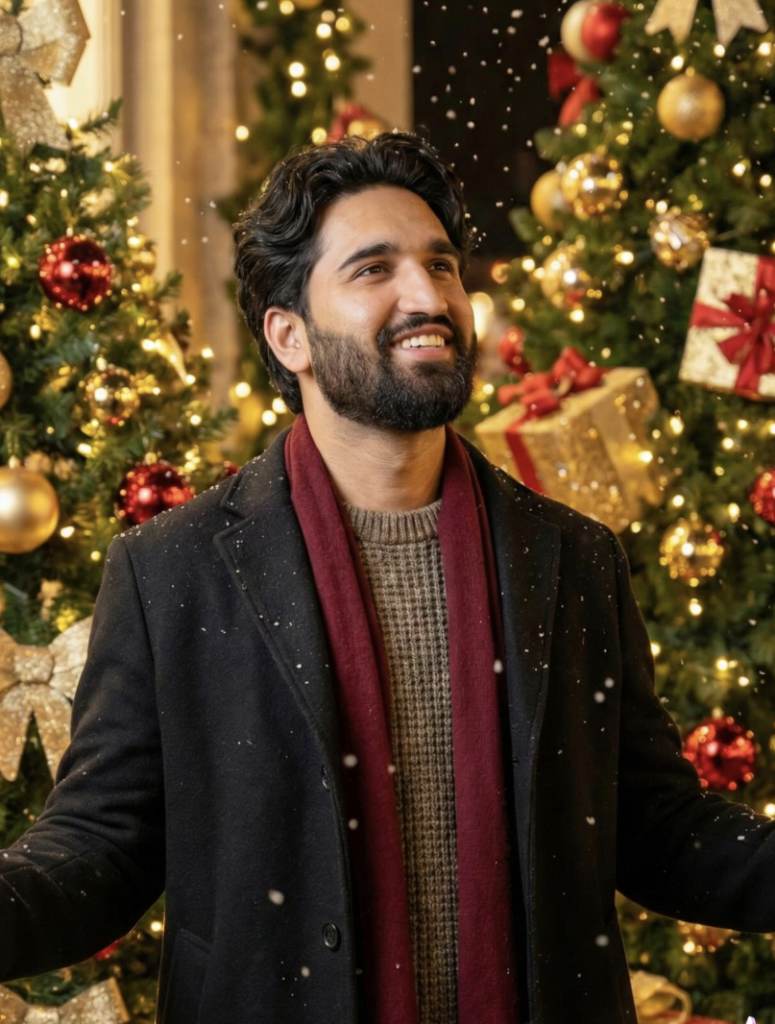
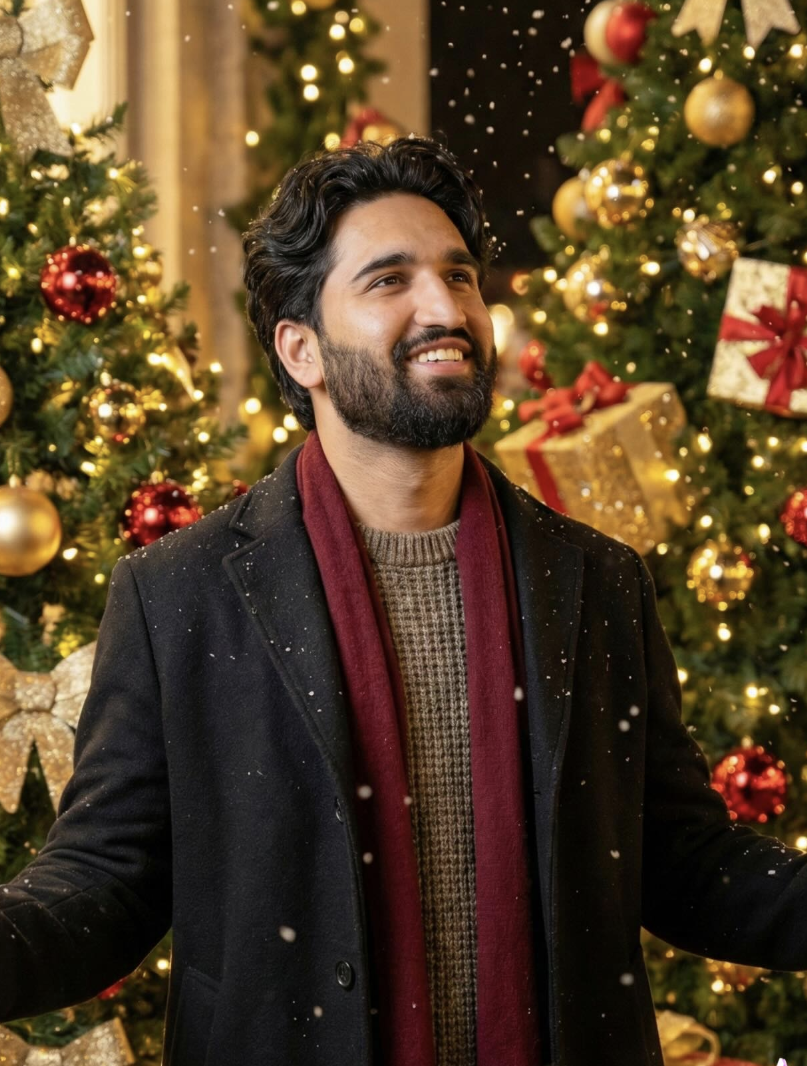
This festive editing style turns a normal portrait into a warm, cinematic, photorealistic Christmas scene. The subject stands outdoors in front of glowing holiday decorations and Christmas trees, wearing a winter coat, sweater, and scarf while snow falls gently around him. It’s a popular look for winter and holiday-themed portraits.
Read Also: Cinematic Realistic Portrait AI Prompt | 2026 New Year AI Prompt
This prompt style is useful for anyone wanting a joyful, polished holiday portrait for Instagram, a profile picture, or a festive greeting card. The face stays natural while the surrounding scene becomes rich, warm, and full of holiday atmosphere.
What This Photo Style Gives You
The output has a photorealistic festive look with soft warm lighting, glowing bokeh, and rich holiday colors. Christmas trees decorated with gold and red ornaments, wrapped gifts, and falling snowflakes complete the scene. The winter outfit and cozy accessories help ground the subject naturally in the environment.
- Soft warm glow and festive bokeh lighting
- Realistic facial features with a joyful, natural expression
- Christmas trees, ornaments, and gift boxes in the background
- Winter outfit styling: coat, sweater, and scarf
- Gentle snowfall for a cinematic holiday atmosphere
How to Use This Style: Step-by-Step
- Choose a clear portrait photo with a visible, well-lit face.
- Crop so the subject’s upper body and pose stay visible.
- Apply the festive outdoor background with trees, lights, and snow.
- Keep lighting warm and soft to avoid harsh shadows.
- Add winter clothing details like a coat, sweater, or scarf.
- Check the final image for natural skin tones and clean edges.
Which Photos Work Best
- Angle: front-facing or slight side angle
- Resolution: sharp, high-quality, noise-free
- Lighting: balanced natural or soft indoor light
- Background: simple, uncluttered
- Clothing: winter-friendly coat, sweater, or scarf
- Expression: natural, warm, and joyful
Pro Tips for the Best Results
- Keep face details clear and natural for a believable result.
- Use a warm holiday palette: red, gold, green, and soft white.
- Balance snowfall and bokeh lighting so the scene doesn’t look overdone.
- Keep the pose relaxed and expression genuinely joyful.
- Match outfit tones to the festive environment for better realism.
Common Mistakes to Avoid
- Overloading the background with too many festive elements.
- Using harsh lighting that creates unnatural shadows on the face.
- Ignoring outfit-season mismatch, like summer clothes in a winter scene.
- Excessive snow or glow effects that reduce realism.
- Weak facial expression that dulls the festive mood.
Best Use Cases
- Instagram posts: festive holiday content and personal branding.
- Profile pictures: warm, polished seasonal identity.
- Greeting cards: festive wishes and holiday messages.
- Reel covers: eye-catching winter visuals.
Variations You Can Try
- Moods: joyful, calm, cinematic, cozy.
- Colours: warm gold, deep red, evergreen, icy blue.
- Settings: city street, park, garden, snowy path.
- Seasons: Christmas, New Year, winter holiday, festive evening.
Conclusion
This style is a simple but effective way to turn an everyday photo into a warm, festive, photorealistic portrait. With natural lighting, balanced colors, and thoughtful composition, it works well for holiday content across social media and personal branding.
FAQ: Christmas Outdoor Portrait
How do I use the "Christmas Outdoor Portrait" prompt?
Copy the prompt above, open Gemini or ChatGPT, upload a clear photo of yourself and paste the prompt. Generate the image and adjust the outfit or background if you want a variation.
Is this prompt free?
Yes. This prompt is free to copy and use for Instagram, reels, WhatsApp DP and profile pictures.
Which photo works best?
A sharp, front-facing, well-lit photo with no filter. A clear face helps the AI keep your identity in the final image.
Last updated: 10 September 2026
💬 Comments