Minecraft
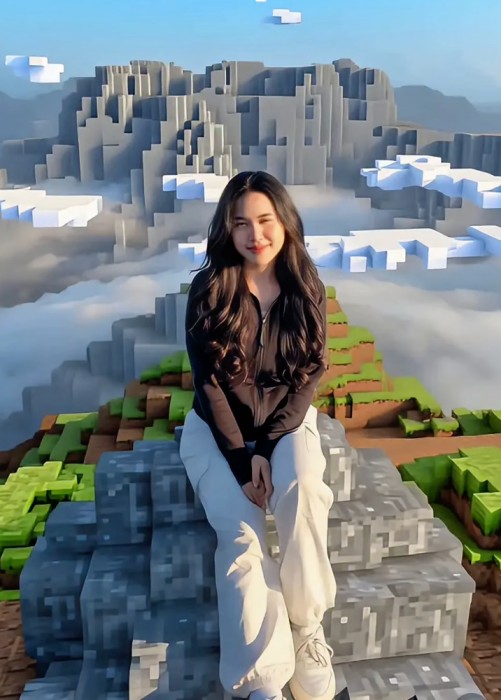
Om Editing Top: Minecraft Style Photo Editing Kya Hai?
Om Editing Top ka Minecraft style photo editing aaj kal kaafi popular ho raha hai, especially un logon ke liye jo apni normal photo ko ek cinematic, game-inspired look dena chahte hain. Is style mein real human subject ko natural aur photorealistic rakha jata hai, lekin background aur surrounding environment ko Minecraft ke blocky world jaisa convert kiya jata hai.
Read Also: cinematic-style realistic portrait | 2026 New Year
Yeh effect un creators ke liye best hai jo social media par unique, eye-catching edits share karna chahte hain. Agar aap gaming aesthetic, fantasy vibe, ya viral transformation-style content pasand karte hain, to ye prompt-style edit aapke liye bahut useful ho sakta hai.
Is type ke edit mein subject ka face, clothes, aur body real dikhte hain, jabki aas-paas ka scene voxel blocks, cubic trees, pixel-textured terrain, aur game-like lighting ke saath recreate hota hai. Result ek aisa visual hota hai jo realistic bhi lagta hai aur Minecraft universe se inspired bhi.
Is Prompt Se Kya Output Milta Hai?
Om Editing Top Minecraft prompt ka main goal hota hai photo ko ek mixed-media look dena. Yani aadmi ya insaan original photo jaisa hi rehta hai, lekin background mein block-based mountains, paths, grass, foliage, aur trees aate hain. Isse image ek fantasy game screenshot jaisi feel deti hai.
Lighting generally soft aur cinematic hoti hai, jisme gentle haze, balanced shadows, aur daylight vibe hoti hai. Colors zyada muddy nahi hote; unmein earthy greens, browns, aur sky tones ka achha mix hota hai. Agar reference photo foggy forest ya outdoor natural scene se li gayi ho, to result aur bhi realistic aur immersive lagta hai.
Composition ka bhi kaafi role hota hai. Agar camera angle original image jaisa maintain kiya jaye, to subject naturally scene mein fit ho jata hai. Ye effect especially tab strong dikhta hai jab human subject ke saath nearby objects jaise pet, tools, ya surrounding environment ko Minecraft-style banaya jata hai.
- Photorealistic subject with block-style background
- Cinematic Minecraft screenshot jaisa visual
- Voxel terrain, cubic trees, aur pixel-art textures
- Soft daylight, haze, aur game-like shadows
- Fantasy and gaming aesthetic ke liye perfect
This Style Minecraft Style Ko Mobile Par Kaise Use Karein
Agar aap beginner hain, to bhi is style ko use karna easy hai. Sabse pehle aapko ek aisi photo choose karni hogi jisme subject clearly visible ho aur background simple ya natural ho. Uske baad prompt ya editing tool mein image upload karke style transformation apply ki jati hai.
Mobile par edit karte waqt sabse important step hota hai reference photo ko sahi tarah select karna. Agar photo mein face blur hai, light bahut dark hai, ya background already cluttered hai, to Minecraft transformation उतना clean nahi aayega. Isliye clear aur balanced image use karna chahiye.
Step-by-step process ko simple rakho, taaki aap first try mein hi better result dekh saken. Har step ke baad output preview ko dhyan se check karein aur zarurat ho to photo replace karke dubara try karein.
- Apni best clear photo select karein.
- Image editing app ya AI transformation tool open karein.
- Reference photo upload karein.
- Minecraft style prompt ya similar transformation option choose karein.
- Camera angle aur framing ko same rakhne ka option enable karein.
- Output preview check karein aur jo parts off lag rahe hon unhe adjust karein.
- Final image save karke social media ke liye export kar dein.
Agar aap mobile use kar rahe hain, to stable internet aur enough storage hona bhi zaroori hai. Editing ke dauran high-resolution output choose karna better hota hai, kyunki Minecraft-style blocks aur textures tab zyada sharp dikhte hain.
Kaunsi Photos Iske Liye Sabse Achchi Hoti Hain?
Best result ke liye aisi photo choose karein jisme subject ka face clear ho aur body poori ya partially visible ho. Front-facing ya slight side-angle portraits aksar achhe result dete hain, kyunki unmein transformation subject ko scene ke andar naturally place kar pata hai. Very crowded group photos se better single-person images hoti hain.
Lighting bhi bohot important hai. Natural daylight ya soft outdoor light wali photo sabse achchi hoti hai. Bahut dark, noisy, ya overexposed images mein details lose ho sakti hain. Agar background forest, park, path, ya open outdoor space ka ho, to Minecraft environment recreate karna aur easy ho jata hai.
Clothing ke liye simple aur clearly visible outfits zyada effective hote hain. Solid colors, clean textures, aur distinct shapes edit mein achhe lagte hain. Background agar plain ho ya thoda blurred ho, to AI ko subject aur environment ko separate karne mein help milti hai.
- High-resolution image, ideally sharp aur clear
- Face visible ho, motion blur na ho
- Natural daylight ya soft lighting
- Outdoor background: forest, path, garden, ya open area
- Simple clothing with clear shapes and colors
- Single subject photos are best for clean transformation
Pro Tips for the Best Om Editing Top Results
To get the most polished Om Editing Top look, start by keeping the subject clean and realistic while letting the Minecraft world do the heavy lifting. The best results usually come from a balanced composition where the person stays the visual anchor and the environment feels fully transformed into a voxel-style scene.
Use lighting, background texture, and color harmony to make the edit feel intentional instead of random. If the original photo has strong framing or a clear pose, preserve that structure so the final image still looks natural and cinematic. That’s what makes Om Editing Top stand out in profile edits, social posts, and gaming-style visuals.
- Choose photos with a clear subject and uncluttered background so the transformation looks cleaner.
- Keep the camera angle consistent to preserve realism and make the Minecraft scene feel believable.
- Use soft haze, block shadows, and daylight tones for a cinematic Minecraft screenshot style.
- Make sure nearby objects are converted properly into block-based elements or mobs for a consistent world.
- Use the same color family across the scene so the edit feels unified and visually smooth.
Common Mistakes to Avoid in This Style
One of the biggest mistakes in Om Editing Top edits is over-processing the subject. If the person starts looking pixelated, blocky, or too heavily filtered, the whole mixed-media effect loses its impact. The human subject should remain photorealistic so the contrast between real and Minecraft feels sharp and premium.
Another common issue is mismatching the background with the subject’s pose or lighting. If the environment looks too busy, too dark, or too bright, the final result can feel unnatural. A good edit should look like the subject truly belongs inside the Minecraft world, not pasted on top of it.
- Do not apply block effects to the person’s face, clothes, or skin, because it breaks the realistic subject rule.
- Avoid mixing too many unrelated colors, since it can make the Minecraft environment look messy.
- Do not leave real-world objects untouched if they are close to the subject and should be converted.
- Avoid harsh contrast that makes the photo look edited in parts instead of fully blended.
- Do not ignore the original framing, because changing it can ruin the intended composition.
Best Use Cases for These Images
Om Editing Top style images work really well for Instagram posts because they immediately grab attention with a unique gaming-inspired aesthetic. The mix of a realistic subject and a Minecraft environment creates a strong scroll-stopping effect, especially for creators who want something different from standard portrait edits.
These edits are also great for profile pictures, YouTube thumbnails, reels covers, and portfolio showcases. If you want a bold visual that feels creative, modern, and recognizable, this style is a strong choice. It works especially well when the subject is centered, expressive, and framed in a way that highlights the transformation.
- Instagram posts: Perfect for eye-catching feed content and creative theme pages.
- Profile pictures: Works well when you want a unique gaming-style identity.
- YouTube thumbnails: Useful for Minecraft-related videos or transformation edits.
- Reels covers: Helps your short-form content stand out in the grid.
- Portfolios: Great for showing off editing skills and mixed-media creativity.
Variations You Can Try with This Style
One of the best things about this style is how easy it is to experiment with different moods and settings. You can keep the same core idea but change the atmosphere to make the image feel fresh each time. A brighter daytime scene will feel energetic, while foggy or dusk-toned variations can create a more dramatic vibe.
You can also play with seasonal settings, block colors, and background elements to give each version a different personality. This makes the style useful not just for one post, but for a whole content series where each image feels related yet distinct.
- Sunny daytime: Bright skies, clear shadows, and a cheerful Minecraft look.
- Foggy forest: Soft haze and muted tones for a cinematic, mysterious feel.
- Golden hour: Warm lighting that adds depth and a premium finish.
- Winter scene: Snowy blocks, icy textures, and cool blue tones.
- Nether-inspired mood: Darker colors and dramatic lighting for a bold fantasy look.
- Village-style background: Friendly block structures for a more playful, familiar setting.
Conclusion: Try This Style for a Standout Minecraft Look
If you want a creative edit that blends realism with a block-based world, this prompt is a strong style to try. It keeps the subject natural while turning the surroundings into a full Minecraft-inspired scene, which gives the image a striking and memorable finish.
Use the ideas, tips, and variations above to experiment with your own version and find the mood that fits your content best. With the right framing, lighting, and background detail, this look can turn a simple photo into something that looks truly unique.
FAQ: Minecraft
How do I use the "Minecraft" prompt?
Copy the prompt above, open Gemini or ChatGPT, upload a clear photo of yourself and paste the prompt. Generate the image and adjust the outfit or background if you want a variation.
Is this prompt free?
Yes. This prompt is free to copy and use for Instagram, reels, WhatsApp DP and profile pictures.
Which photo works best?
A sharp, front-facing, well-lit photo with no filter. A clear face helps the AI keep your identity in the final image.
Last updated: 17 August 2026
More Girls AI photo prompts
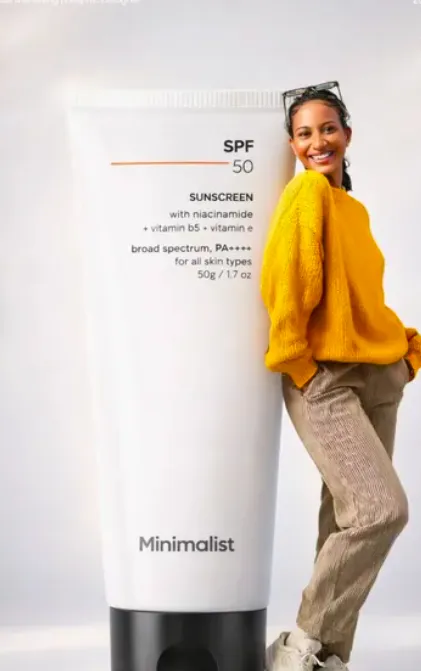 Girls SunShield Style
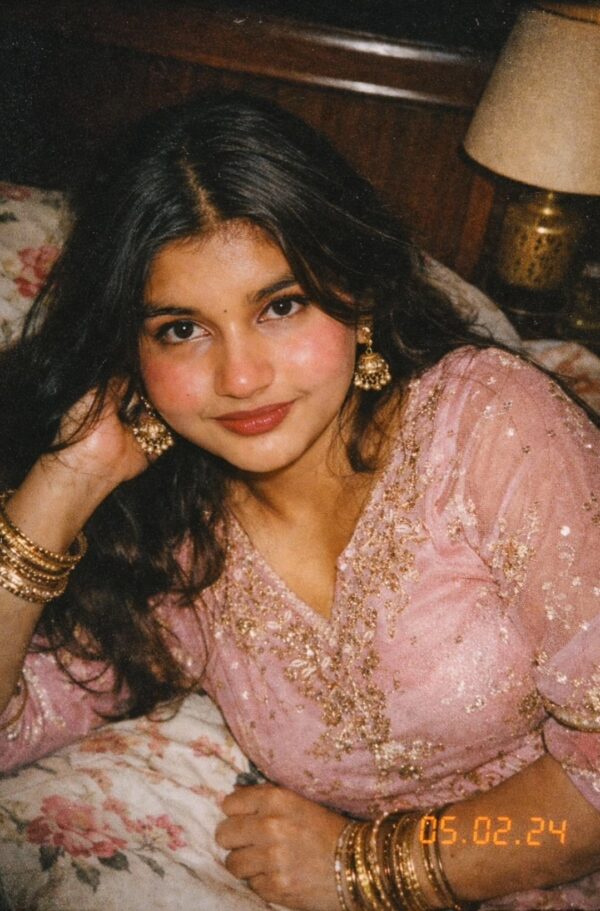 Girls Nostalgic Lo-Fi Portrait of an Indian Woman
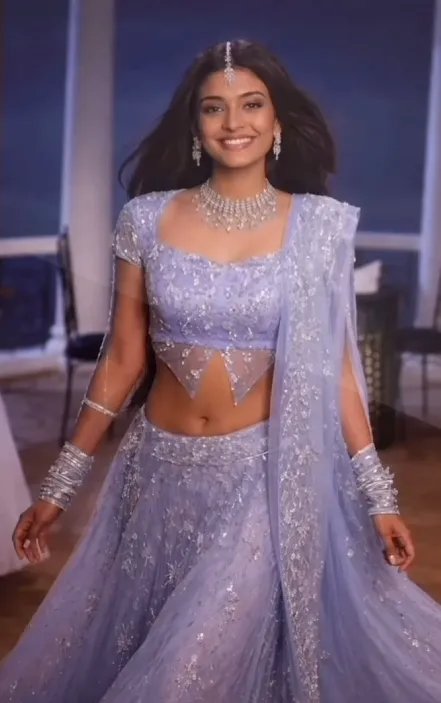 Girls Aishwarya rai trend
 Girls Yound Girl College photo trend
 Girls Varanasi Ghat Artist Portrait🎨✨
 Girls Happy Holi Vibrant Outdoor Portrait AI Prompt for Girls
 Girls Voluminous Dark Curly Hair AI Prompt
 Girls Eyes Focus AI Prompt
💬 Comments