Smoking Man AI Prompt
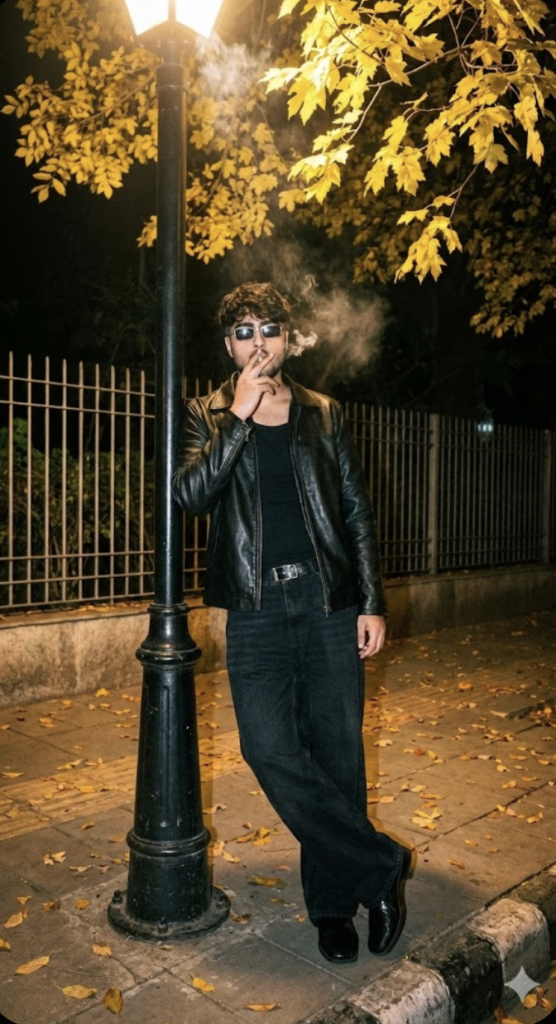
Smoking Man AI Prompt: What Is This Style?
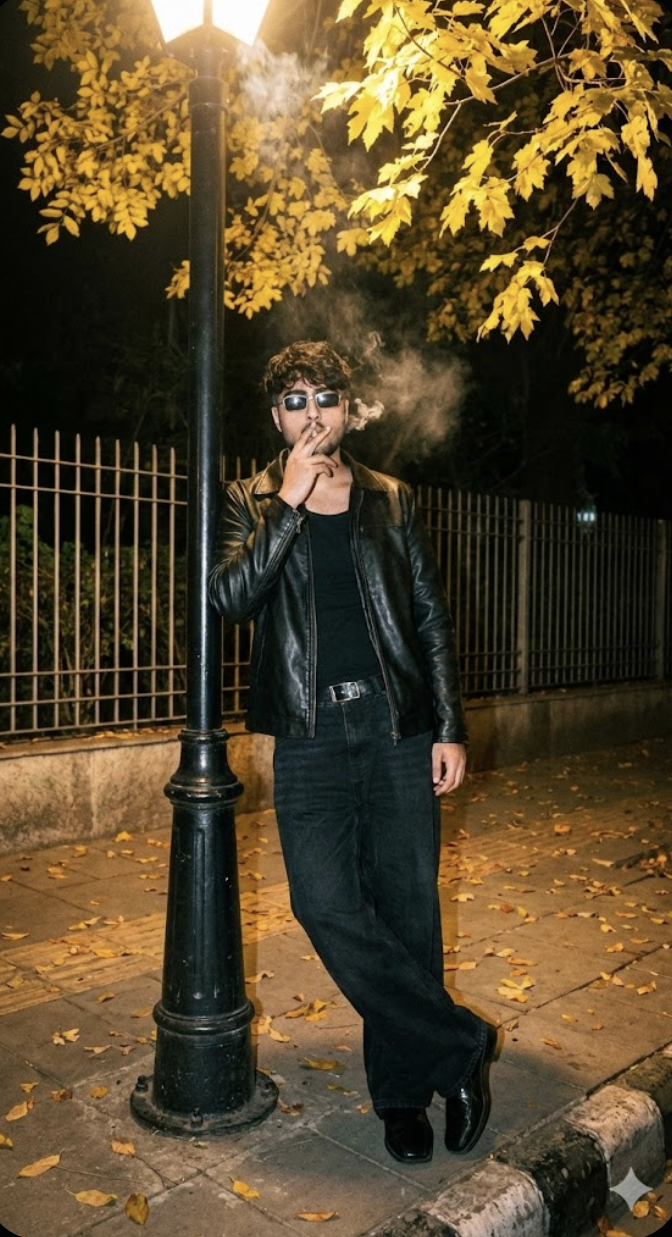
This “Smoking Man” look is a dramatic photo edit style that transforms an ordinary portrait into a cinematic, moody, stylish night-shot vibe. The subject’s attitude, dark outfit, smoke effect, and flash-lit background combine into a strong urban fashion portrait.
Read Also: Cinematic Realistic Portrait AI Prompt | 2026 New Year AI Prompt
This look is perfect for anyone who wants to make their profile photo, Instagram post, reel cover, or WhatsApp DP bold and premium. If you’re a beginner making an AI photo style on mobile, this prompt-style editing gives you a ready-made concept where pose, lighting, clothing, and atmosphere are all predefined.
This kind of edit’s main goal isn’t just adding smoke — it’s building a complete street-fashion portrait. The face looks sharp, the background feels natural, and the overall image carries a slightly raw, slightly retro, slightly cinematic mood.
How This Style Looks
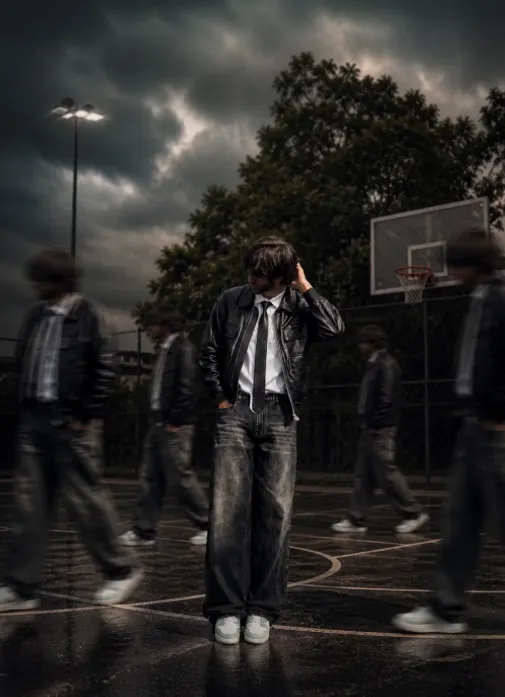
Smoking Man’s biggest strength is its lighting and mood. A direct flash-photography effect makes the subject look crisp and high-contrast, so both face and outfit clearly pop. Subtle cigarette smoke adds instant attitude and depth.
The color palette is usually dark, cool, moody. A black jacket, dark jeans, and a night background, combined with warm streetlight or yellow leaves for contrast, make the image visually rich — turning a plain snapshot into something that feels like a fashion poster.
Composition matters a lot too. The subject usually sits center or slightly off-center, with a lamppost, fence, trees, or road framing the background — giving the image a story feel, like a real night-street moment captured.
- Lighting: direct flash, strong subject focus, low-light background
- Mood: stylish, moody, urban, retro-cinematic
- Colours: black, dark grey, warm yellow, muted brown tones
- Composition: clean subject, textured background, natural depth
- Realism: sharp face details, believable clothes, subtle smoke effect
How to Use This Style: Step-by-Step
This style is surprisingly easy for beginners. Just select a clear photo and upload it to a tool that supports prompt-based edits — comfortably doable on mobile.
For best results, choose a photo where pose, outfit, and lighting already match the desired mood. If the base photo is already casual and dark-toned, the final result looks even more realistic and premium.
- Select a clear portrait photo where the face is fully visible.
- Avoid blur, heavy filters, or overexposure.
- Upload it to a platform that supports AI photo generation or style transformation.
- Choose the Smoking Man-type urban night look or a related style prompt.
- After generation, carefully check face, smoke, jacket, and background.
- If the image looks too dark, slightly adjust brightness and contrast.
- Save the final photo in HD for your DP, reel cover, or post.
Simple mobile tip: before uploading, crop the photo so the face is centered — this helps the AI or editor understand the subject clearly, giving a more balanced final portrait.
Which Photos Work Best
This look works best when the base photo is clean, sharp, well-lit. Front-facing or slightly angled portrait photos are more effective, since face expression and sunglasses-type accessories create a strong impact in this style. Half-body shots work well too.
A simple or neutral background gives a more realistic result. Dark shirts, black tees, jackets, or streetwear pieces work best for clothing. Soft natural light or an evenly lit indoor photo is most useful for lighting — very harsh shadow or a low-quality selfie can lose face details.
- Angle: front-facing or slight side angle
- Resolution: high-resolution, sharp face details
- Lighting: soft daylight, even indoor light, or balanced outdoor light
- Background: simple, uncluttered, low distraction
- Clothing: dark casual wear, jacket, streetwear, black tee
- Expression: confident, neutral, serious, stylish
Pro Tips for the Best Results
This style works best with clear visual guidance. Focus on face, pose, outfit, and background mood instead of just one short line — the more specific your description, the sharper and more realistic the edit.
- Describe the face clearly so identity stays natural and realistic.
- Use outfit details like jacket type, jeans style, shoes, and accessories.
- Specify the lighting, like flash photography, streetlamp glow, or soft shadows.
- Choose a mood — moody, cool, classy, retro, or cinematic.
- Include background elements like leaves, fence, road, park, or night street.
- Keep the pose simple and confident so the image looks believable.
Avoid overloading the prompt with too many conflicting ideas — one strong theme beats five mixed styles.
Common Mistakes to Avoid
- Using vague wording — “make it stylish” alone often doesn’t match the exact look you want.
- Mixing too many styles in one edit, like bright daytime, neon cyberpunk, and winter snow together.
- Mixing day and night settings unless you want a surreal effect.
- Overdoing accessories, since too many details can make the face less prominent.
- Choosing clashing colors that fight with the jacket, background, or lighting.
- Forgetting the pose, since pose strongly affects style and attitude.
Best Use Cases
- Instagram posts: perfect for stylish portrait posts, reels promos, and aesthetic grids.
- Profile pictures: works well for a sharp, confident display image.
- Thumbnails: useful for music, fashion, attitude, or edit-based video covers.
- Portfolios: good for showcasing AI portrait editing style.
- Reel covers: helps create a dramatic first impression for short-form content.
Variations You Can Try
- Mood variations: cool, intense, classy, rebellious, moody, or dreamy.
- Color variations: black and grey, warm amber, deep blue, neon contrast, or muted vintage tones.
- Setting variations: street corner, park bench, fence background, lamppost scene, or city walkway.
- Season variations: autumn leaves, rainy night, winter mist, or breezy evening.
- Style variations: retro flash photography, cinematic portrait, urban fashion, or film-like edit.
Conclusion: Try Smoking Man Looks
This is a strong choice if you want a smoking man portrait that feels realistic, fashionable, and visually powerful. With the right mix of pose, outfit, lighting, and background, you can create an edit that looks polished and ready for social media.
FAQ: Smoking Man
How do I use the "Smoking Man" prompt?
Copy the prompt above, open Gemini or ChatGPT, upload a clear photo of yourself and paste the prompt. Generate the image and adjust the outfit or background if you want a variation.
Is this prompt free?
Yes. This prompt is free to copy and use for Instagram, reels, WhatsApp DP and profile pictures.
Which photo works best?
A sharp, front-facing, well-lit photo with no filter. A clear face helps the AI keep your identity in the final image.
Last updated: 8 October 2026
💬 Comments