Mirror Selfie AI Prompt
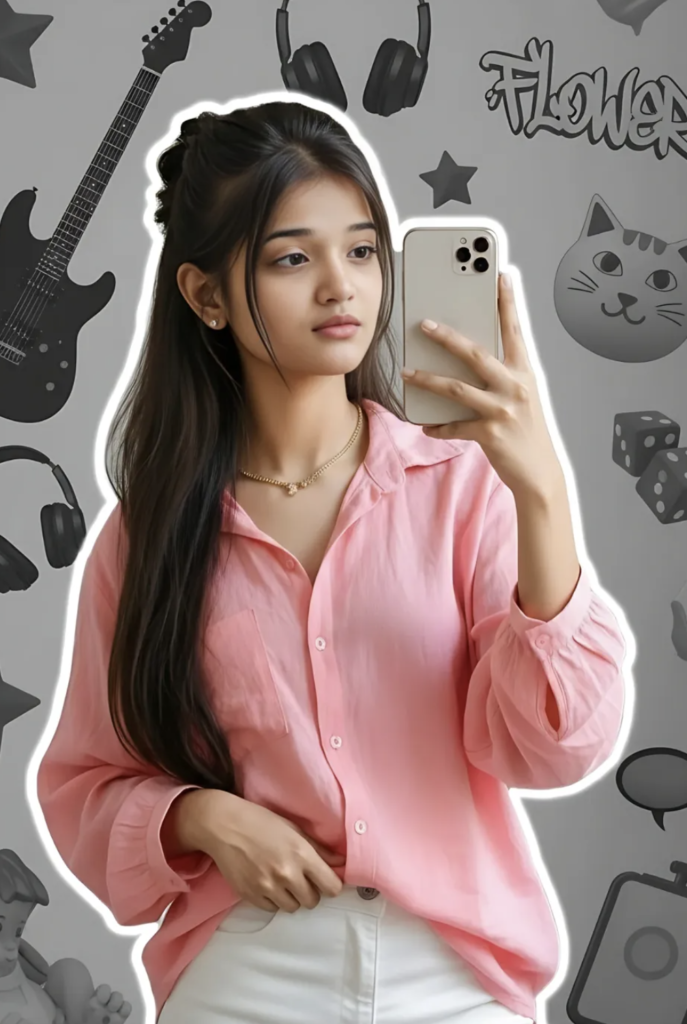
Mirror Selfie AI Prompt: What Is This Style?
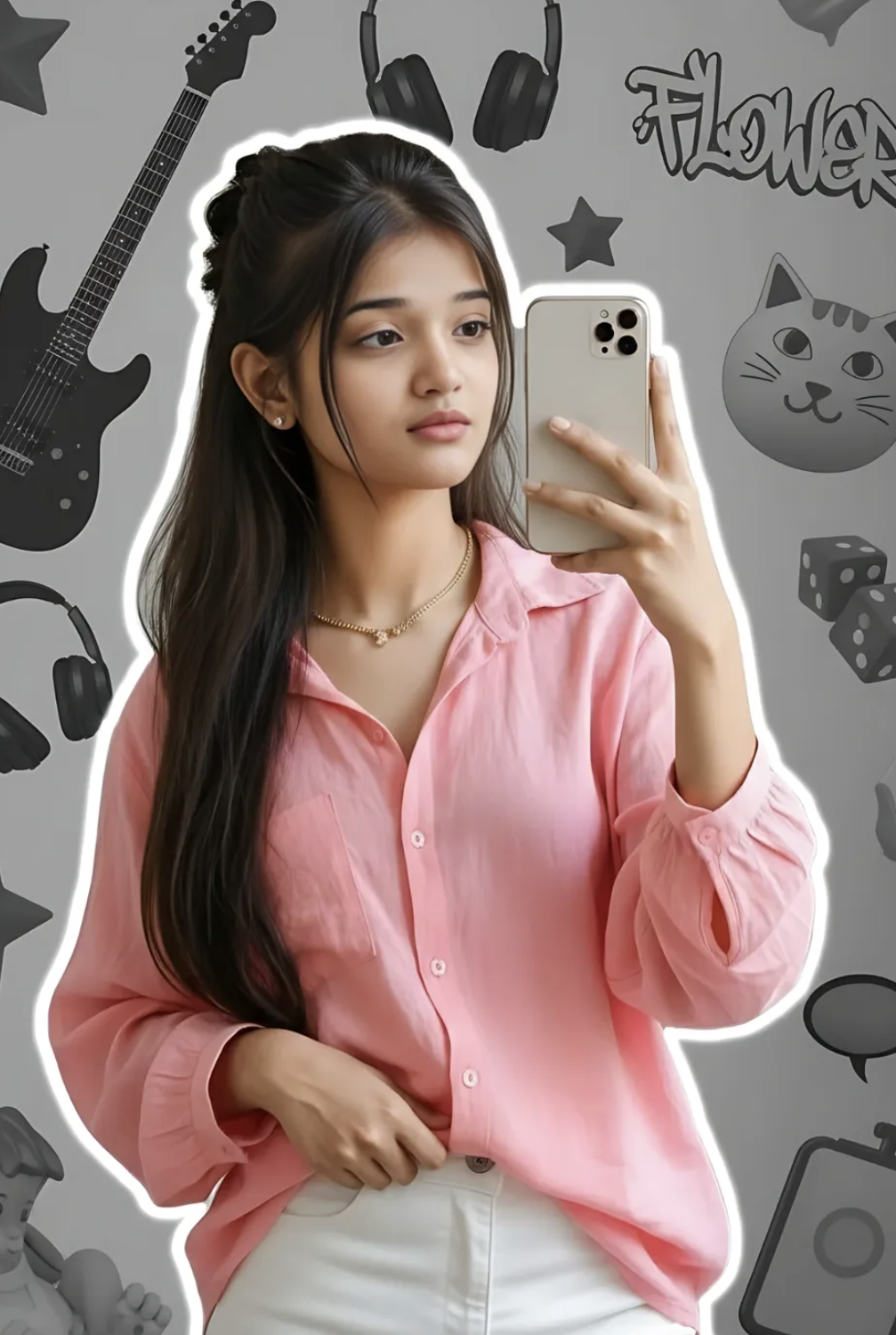
This mirror selfie style is built for anyone who wants to turn a simple selfie into a stylish, Instagram-ready edit. This look is especially useful for those who want a clean yet trendy result with fashion, attitude, an aesthetic background, and realistic lighting.
Read Also: Cinematic Realistic Portrait AI Prompt | 2026 New Year AI Prompt
This style is usually considered perfect for young creators, Instagram users, photo editors, and mobile editing beginners. If you want to give your normal mirror selfie a soft glow, a neat outfit focus, and a modern vibe, this edit style is genuinely useful.
The emphasis is on face clarity, outfit highlight, balanced composition, and trendy background elements — so the final image keeps the natural mirror selfie feel while adding a premium edited look.
What Result This Photo Style Gives
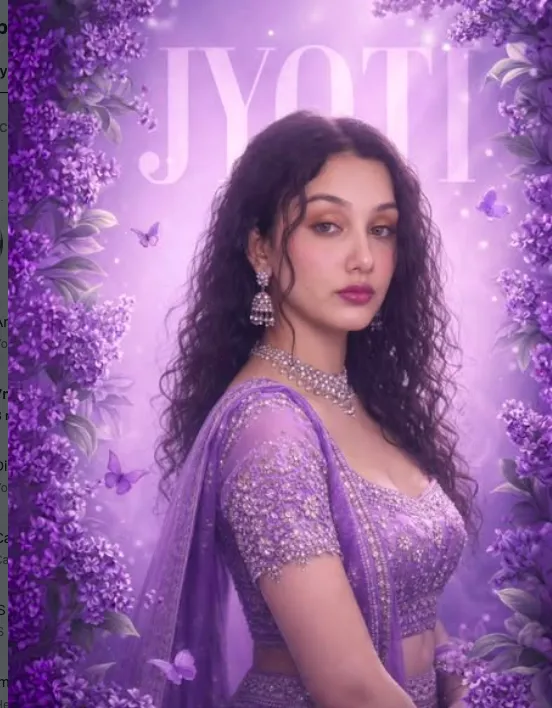
The biggest advantage is that it makes the photo clean, stylish, and eye-catching. You usually get soft realistic lighting, subtle glow, and a balanced color tone, so the subject looks both natural and polished.
This style mixes pastel shades, grayscale aesthetics, and trendy decor elements. The background often gives a modern collage vibe, keeping the photo from looking boring. Outfit details like shirt folds, pants texture, hair shape, and hand pose become more noticeable too.
If you want an Instagram reel cover, a profile post, a story edit, or a portfolio-style display, this look is very useful — it turns a casual mirror selfie into a creative editorial photo, without making it too heavy or overdone.
- Soft white glow and realistic lighting make the photo feel premium
- The mirror-selfie pose stays natural while editing refines it
- Outfit colors and hair detail pop more clearly
- Trendy background elements give the photo a modern aesthetic
- Instagram-style composition makes the image more engaging
How to Use This Mirror Selfie Prompt
Using this style is easy for beginners. Choose a good mirror selfie photo, then upload it into an editing app or AI-based editor and apply the style — easily manageable on mobile too.
First check the original photo — subject clear, face visible, pose natural. Then choose the prompt/style option suitable for the mirror selfie aesthetic. If the app has strength, quality, or enhancement settings, keep them moderate so the photo doesn’t feel artificial.
Check the preview afterward for balance in lighting, background, and skin tone. Adjust if the image looks too bright, dark, or over-sharpened. Always check the full-screen preview before final export.
- Select your best mirror selfie photo
- Upload the photo to your editor or AI app
- Apply the mirror selfie style
- Preview lighting, tone, and background effect
- Adjust sharpness and glow slightly if needed
- Save the final image in high quality
Which Photos Work Best
The best photos for this editing have a clear angle and the subject near the center of the frame. In a mirror selfie, face, outfit, and hand pose should be clearly visible, so the editor or AI style can apply well.
Resolution matters too — this style doesn’t look as good on a low-quality, blurry, or overly cropped photo. Natural daylight or soft indoor light is most suitable.
For clothing, simple but stylish outfits perform better. Baby pink shirt, loose fit tops, white pants, or clean casual wear look good in this type of aesthetic edit.
- Angle: mirror selfie front-facing or slightly tilted angle
- Resolution: use a high-resolution image, avoid blurred photos
- Lighting: soft natural light or evenly lit indoor light is best
- Background: clean, modern, less cluttered background is better
- Clothing: light colors, loose shirts, and simple stylish outfits look better
- Pose: a casual hand pose and relaxed expression keep the style natural
Pro Tips for the Best Results
Focus on image quality first. A high-resolution photo, clear face visibility, and good lighting instantly make the edit better. The pose should be naturally relaxed for a realistic output.
- Take the photo in natural light so skin tones stay soft and realistic.
- Keep the mirror reflection clean, since blur or glare weakens the final edit.
- Keep the outfit simple so AI styling elements can highlight well.
- Keep the pose casual and confident so the mirror selfie feels authentic.
- Keep unnecessary objects out of the background, leaving clean editing space.
- Don’t hide the face partially, especially for a strong face-match result.
Common Mistakes to Avoid
Many people ignore the base photo, then the output looks messy or unnatural. The most common issue is a low-light image, where face details get lost.
- Too dark photo: loses detail, making realistic editing difficult.
- Blurred face: weakens face match and can make the output look artificial.
- Busy background: distracts the main subject and makes composition feel unbalanced.
- Overediting: heavy glow or contrast can give the image a fake look.
- Poor pose: stiff body language breaks the mirror-selfie vibe.
- Mismatched outfit and theme: makes the overall aesthetic inconsistent.
Best Use Cases
- Instagram posts: a stylish feed aesthetic and engagement boost.
- Profile pictures: a clean, trendy, memorable avatar look.
- Thumbnails: a strong first impression for fashion, edit, or lifestyle content.
- Reel covers: consistent branding and an eye-catching preview.
- Portfolios: showcasing your personal style.
- Stories and highlights: a soft glam mood with shareable visual appeal.
Variations You Can Try
- Soft glam look: pastel shades, light glow, smooth skin tones.
- Trendy street vibe: bold contrast, urban elements, edgy styling.
- Minimal aesthetic: clean background, fewer objects, elegant simplicity.
- Dark moody edit: deeper shadows, cinematic tones, dramatic appeal.
- Seasonal version: winter cozy, summer bright, or festive colorful finish.
- Creative collage style: stars, music items, textures, and decorative accents.
Conclusion: Try This for a Stylish Mirror Selfie Look
If you want to make your mirror selfie modern, artistic, and Instagram-ready, this is a strong style choice. With the right base photo, balanced composition, and smart variations, you can turn a simple image into a premium-looking edit.
FAQ: Mirror Selfie
How do I use the "Mirror Selfie" prompt?
Copy the prompt above, open Gemini or ChatGPT, upload a clear photo of yourself and paste the prompt. Generate the image and adjust the outfit or background if you want a variation.
Is this prompt free?
Yes. This prompt is free to copy and use for Instagram, reels, WhatsApp DP and profile pictures.
Which photo works best?
A sharp, front-facing, well-lit photo with no filter. A clear face helps the AI keep your identity in the final image.
Last updated: 8 October 2026

💬 Comments