Bullet Trend AI Prompt – Colour Road Ride
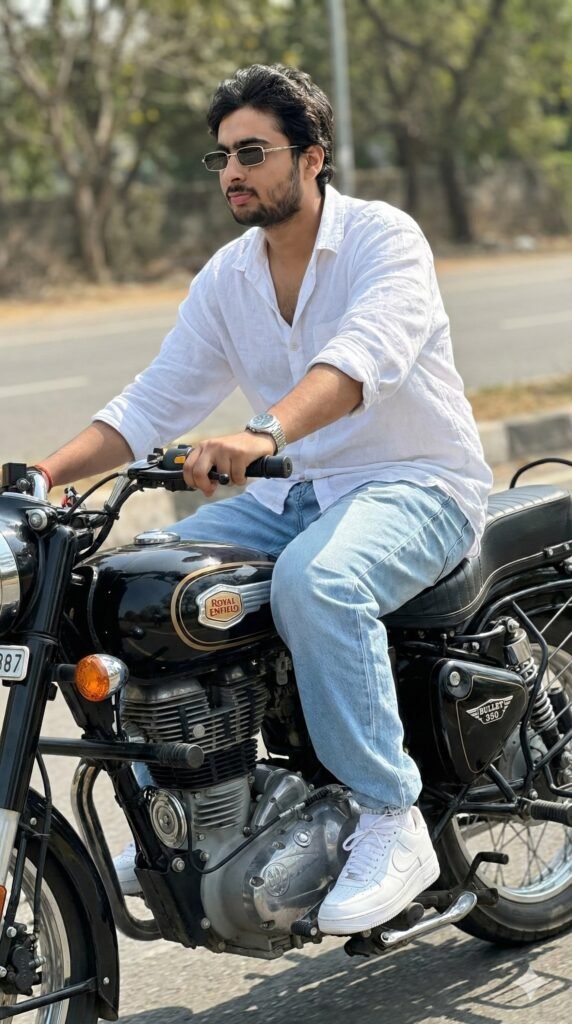
Bullet Trend AI Prompt: Royal Enfield Bullet Look for Stylish Photo Editing
This modern photo-editing trend is for anyone who wants to turn an ordinary bike photo into a cinematic, classy look. Bullet Trend has gotten popular on social media, especially among people who want a masculine, premium, confident vibe with a Royal Enfield Bullet 350.
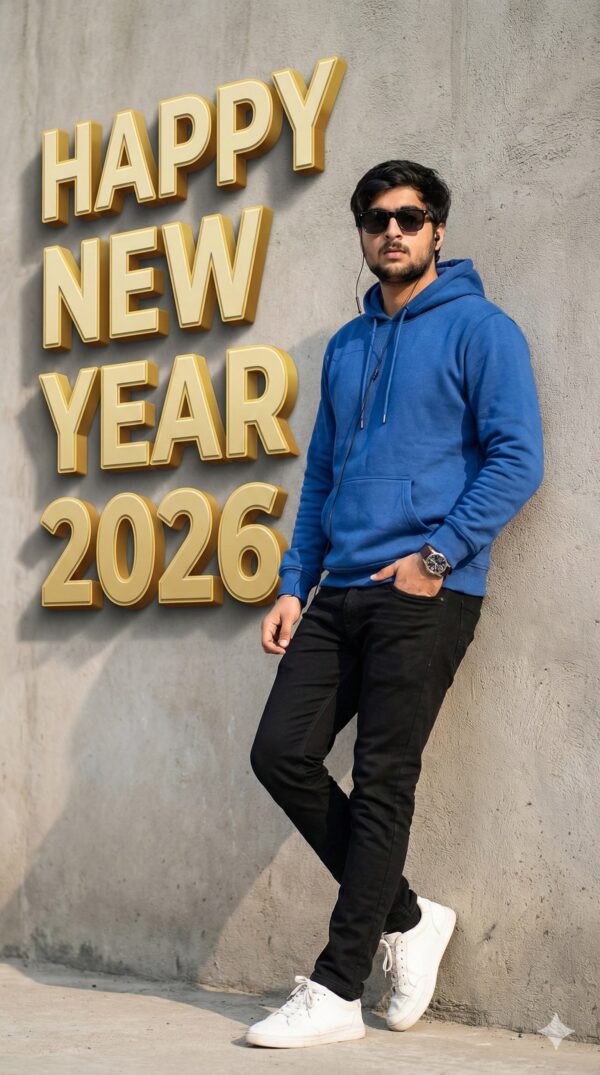
Read Also: Cinematic Realistic Portrait AI Prompt | 2026 New Year AI Prompt
This style turns a simple bike photo into a fashion-forward portrait, where the rider’s outfit, posture, lighting, and background combine into a strong visual story. If you want a standout look for Instagram, Facebook, WhatsApp status, or a YouTube thumbnail, this editing trend is genuinely useful.
This edit is perfect for anyone who values face visibility, clean styling, and realistic bike-shot composition — it’s not just a bike photo, it’s a complete personality-based visual statement.
What This Bullet Trend Photo Style Gives You
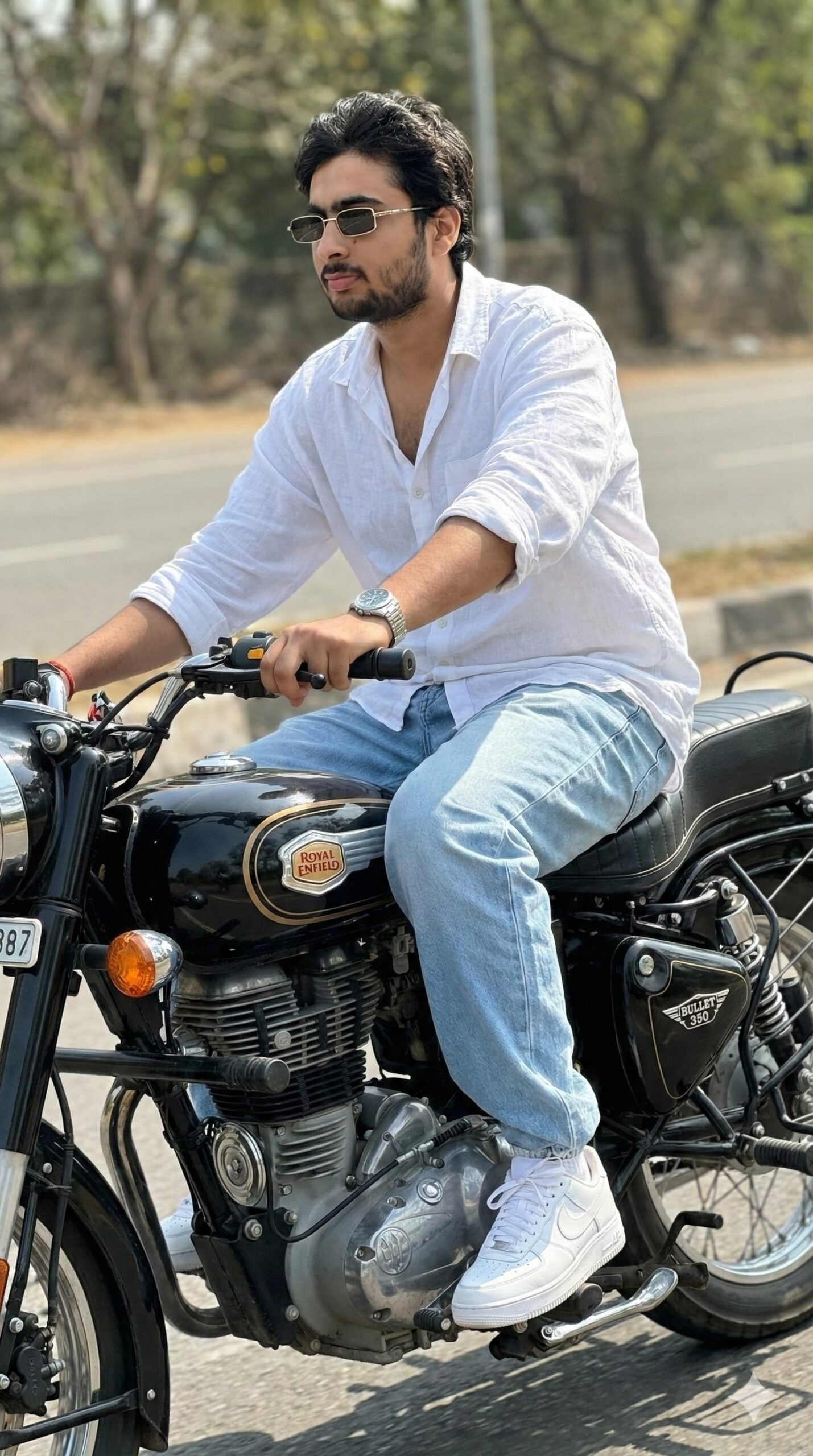
The strongest point of this trend is its premium, realistic feel. The photo usually uses natural daylight or soft cinematic lighting, keeping skin tones balanced while the bike’s black finish looks even sharper. The Royal Enfield Bullet 350’s dark body color creates great contrast in this style.
Compositionally, the subject sits center or at a slight side angle so both the ride’s motion and attitude show. A glance-to-the-side pose, hands on the handlebars, and a natural lean keep the image from looking forced — giving it an authentic, confident feel.
Color palette matters a lot too — a white shirt, light blue denim, clean white sneakers, and a dark bike create a visually balanced frame. Small details like a silver watch and sunglasses make the photo even classier, especially when the face is fully visible.
- Clean, premium biker aesthetic
- Realistic skin tones and natural shadows
- Strong color contrast with the black bike
- A mix of fashion and attitude
- High-impact visual for social media
How to Use Bullet Trend: Step-by-Step Guide
This style is easy to follow on mobile. Start with a clear photo where the bike, face, and outfit are all properly visible — a blurry or low-light photo won’t give as strong a result.
Open your editing app and crop and align the photo. The bike and rider frame should feel natural. Keep the background simple, and remove or soften any clutter so focus goes straight to the main subject.
Then adjust lighting and color. Slightly balance the brightness, boost contrast a bit, and keep shadows soft. If the outfit is white, maintain its cleanliness and crispness. Keep face details, watch shine, and sunglasses highlights subtle so the edit doesn’t feel overdone.
- Select a clear Royal Enfield Bullet photo.
- Check that the face is fully visible and the pose natural.
- Crop the photo to properly frame the rider and bike.
- Keep the background simple and distraction-free.
- Balance brightness, contrast, and shadow.
- Keep outfit colors clean and sharp.
- Zoom in and check details before final export.
Which Photos Work Best
The right angle and high resolution matter most for Bullet Trend. A photo taken from the front or slight side angle clearly shows both the bike’s design and the rider’s attitude. A side-facing pose also works well, especially with hands naturally on the handlebars.
Natural daylight is the best lighting, especially soft morning or late-afternoon light — it avoids harsh shadows on the face and keeps clothing details clean. Indoor or underexposed photos reduce realism, so bright, even lighting is preferable.
The background should be simple too — an open road, empty street, parking area, or subtle urban background works well with this trend. A white linen shirt, baggy jeans, and clean sneakers create a modern street-style vibe. Sunglasses, a wristwatch, and neat grooming make the photo more polished.
- Use a high-resolution image
- Front or slight side angle works best
- Face should be clear and fully visible
- Choose a photo taken in natural daylight
- Keep the background simple and uncluttered
- Outfit should be clean, fitted, and stylish
- You can add accessories like a watch and sunglasses
Pro Tips for the Best Results
Focus on composition first for a natural, premium look. The rider’s pose should be relaxed but the body language confident. Hands should sit comfortably on the handlebars, and the side glance should carry attitude while staying realistic.
- Keep the face fully visible so the expression reads clearly and the image feels natural.
- Keep the oversized shirt’s folds and jeans texture sharp but realistic.
- Lightly highlight details like the silver wristwatch and sunglasses.
- Keep the bike’s body shine controlled so the metal finish looks authentic.
- Don’t make the road or outdoor background too busy — keep focus on the subject.
Common Mistakes to Avoid
The biggest mistake is over-stylizing the pose. If the rider’s body angle looks unnatural or hands look rigid on the handlebars, the whole shot can feel artificial — the charm of Bullet Trend images is their effortless confidence.
- Too much contrast: can crush detail and make shadows harsh.
- Unnatural face edits: reduce facial realism, making the output look fake.
- Busy background: pulls viewer attention away from the rider and bike.
- Over-sharpening: can create an artificial edge on skin and clothes.
- Wrong proportions: a mismatch between bike, body, and perspective weakens the image.
Best Use Cases
- Instagram posts: perfect for fashion, biker, and attitude-themed feed visuals.
- Profile pictures: clear face visibility with a classy identity look.
- YouTube thumbnails: bold, eye-catching automotive or style content.
- Reel covers: uniform branding and a premium first impression.
- Portfolios: useful for model, editor, or AI-art presentation.
Variations You Can Try
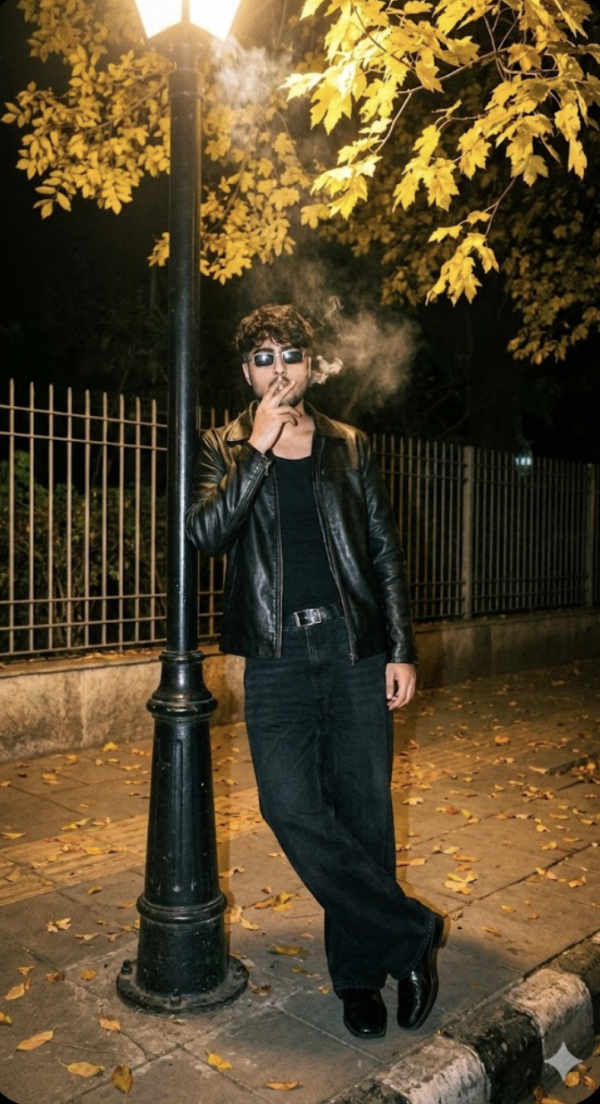
You can experiment with lighting and background for a lot of variety — a daylight version feels fresh and youthful, while a golden-hour edit gives a more cinematic, warm feel. Night street lighting with the same rider and bike can look even more dramatic and stylish.
- Moody edit: dark shadows, cooler tones, strong contrast.
- Sunny outdoor look: bright daylight with crisp whites and clear details.
- Golden hour vibe: warm highlights and a cinematic road feel.
- Urban style: city background, polished road, modern premium finish.
- Seasonal variation: summer freshness, monsoon drama, or winter cool tones.
Final Thoughts
The main appeal of this style is its confident yet natural biker look. The Royal Enfield Bullet 350, stylish outfit, visible face, and clean accessories combine into a visual that’s both premium and relatable. If you maintain a balance of composition, lighting, and subtle editing, the output gets even stronger.
FAQ: Bullet Trend
How do I use the "Bullet Trend" prompt?
Copy the prompt above, open Gemini or ChatGPT, upload a clear photo of yourself and paste the prompt. Generate the image and adjust the outfit or background if you want a variation.
Is this prompt free?
Yes. This prompt is free to copy and use for Instagram, reels, WhatsApp DP and profile pictures.
Which photo works best?
A sharp, front-facing, well-lit photo with no filter. A clear face helps the AI keep your identity in the final image.
Last updated: 8 October 2026
💬 Comments