Aesthetic Collage AI Prompt
Aesthetic Collage AI Prompt: What Is This Style?
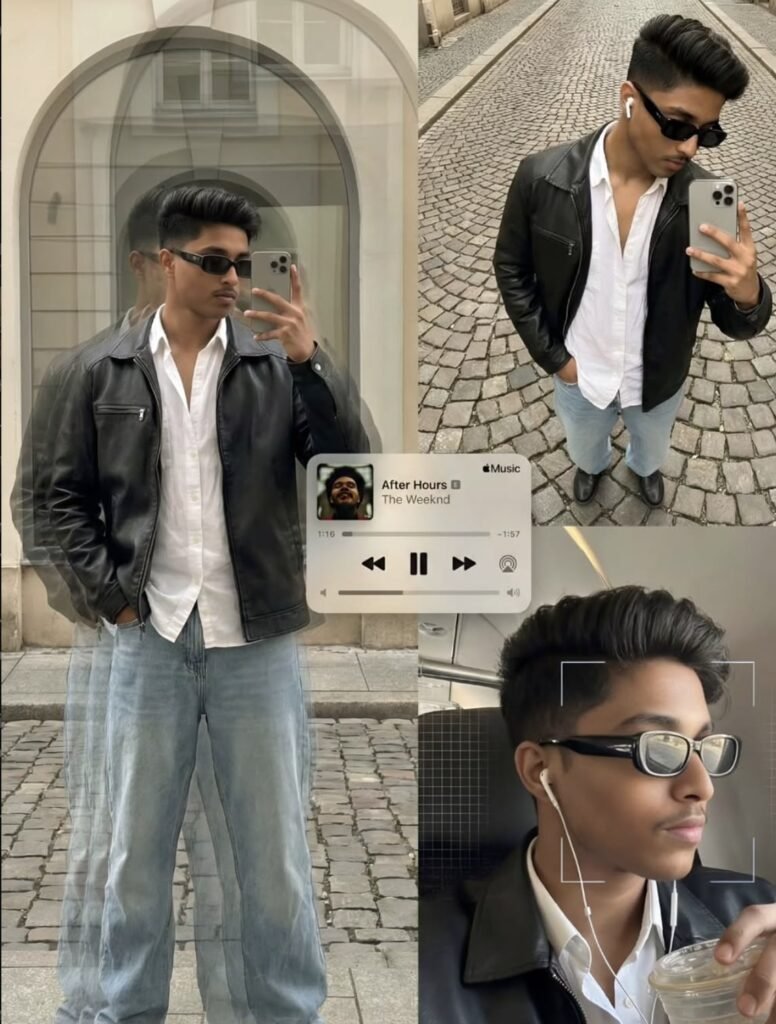
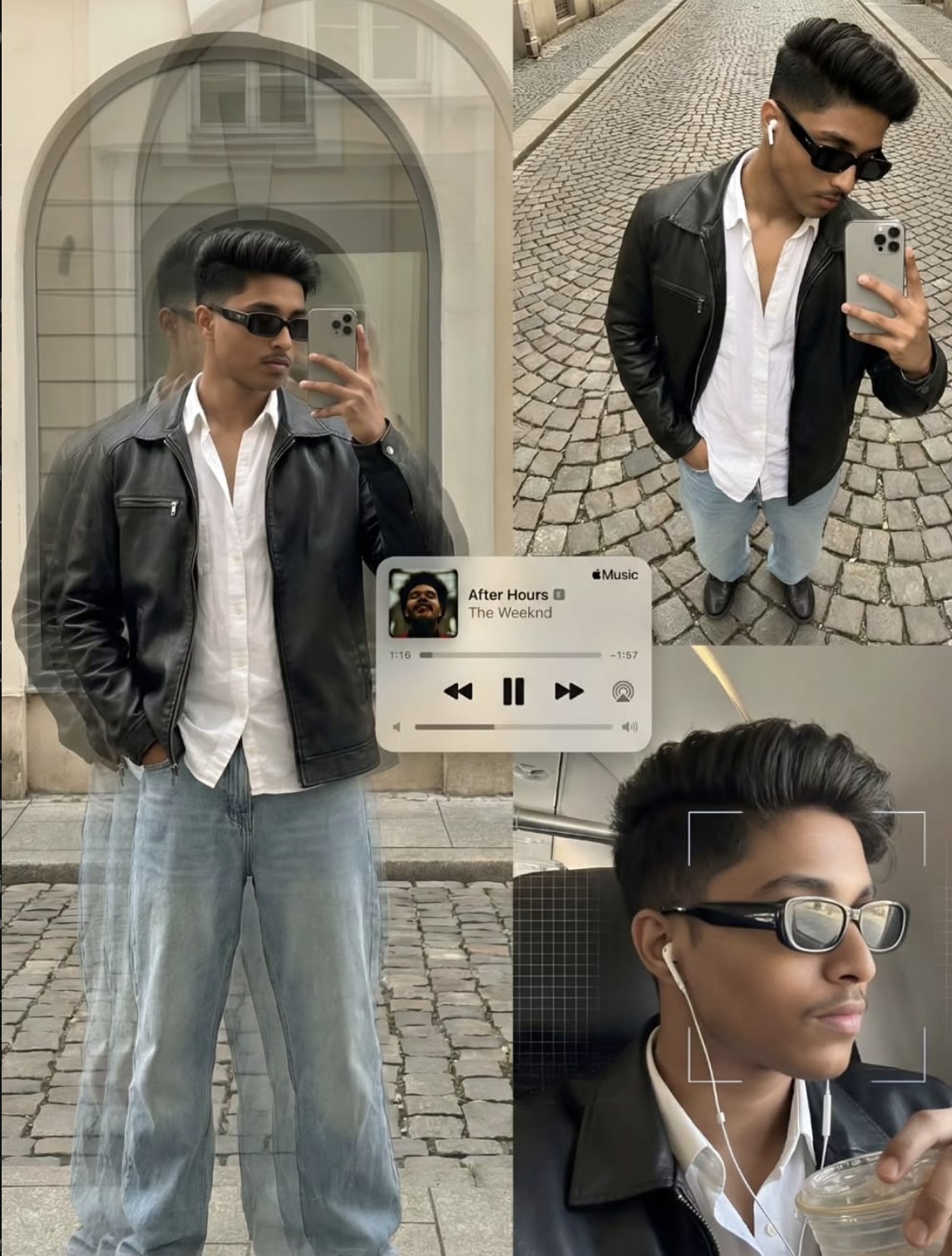
This editorial poster-style collage presents the subject across three asymmetric photographic frames, unified by a muted-brown urban streetwear aesthetic and a retro analog-digital mood. Reflective window shots, cobblestone street portraits, and intimate overhead selfies combine into one polished, story-like visual.
Read Also: Cinematic Realistic Portrait AI Prompt | 2026 New Year AI Prompt
This style is great for fashion edits, profile posts, reel thumbnails, and creative portfolio visuals where you want a plain photo to feel premium, layered, and editorial.
What This Photo Style Gives You
The output is a layered, editorial visual with multiple panels showing different angles and moods in one composition. Muted brown, black, grey, denim blue, and off-white tones keep the aesthetic strong, while asymmetric framing adds depth and visual rhythm.
- Editorial-style multi-panel layout
- Muted and moody color palette
- Realistic streetwear vibe
- Reflection, angle, and perspective distortion effects
- Premium, poster-like finish
How to Use This Style: Step-by-Step
- Choose a clear, well-lit portrait photo.
- Select a 2-3 panel collage layout.
- Use different crops or angles of the same photo for each frame.
- Keep color tones muted: brown, black, beige, grey, or faded blue.
- Check that all panels look balanced and readable together.
Which Photos Work Best
- Angle: front, side, or slightly top-down portrait
- Resolution: high-quality, sharp, uncropped source image
- Lighting: soft natural light, golden hour, or clean indoor light
- Background: street, wall texture, window reflection
- Clothing: black, brown, denim, white, streetwear pieces
- Expression: calm, confident, or candid mood
Pro Tips for the Best Results
- Maintain the same outfit palette across frames for a unified look.
- Vary the framing and emotion slightly while keeping subject identity clear.
- Use muted colors like brown, grey, black, and faded blue.
- Balance reflections and perspective distortion without overdoing them.
- Keep frame spacing and crop alignment neat, especially with asymmetric layouts.
Common Mistakes to Avoid
- Using too many filters or excessive saturation, which breaks the editorial feel.
- Inconsistent styling between frames, like mismatched color tones.
- Bad cropping that cuts off posture or expression.
- Cluttered backgrounds that pull focus from the subject.
- Repeating the same shot type across all panels, which feels boring.
Best Use Cases
- Instagram carousel posts: aesthetic storytelling.
- Profile pictures and highlights: stylish personal branding.
- YouTube thumbnails: bold poster look for higher click appeal.
- Creative portfolios: editorial editing skills showcase.
Variations You Can Try
- Urban night mood: neon reflections, darker street tones.
- Daylight editorial: soft shadows, neutral colours.
- Retro film look: grain, faded highlights, analog-inspired texture.
- Minimal monochrome: black, white, and grey palette.
Conclusion
This style is perfect for anyone who wants their photos to feel stylish, editorial, and story-driven. Subject, mood, color, and composition work together for a polished, eye-catching result that stands out on social media.
FAQ: Aesthetic Collage
How do I use the "Aesthetic Collage" prompt?
Copy the prompt above, open Gemini or ChatGPT, upload a clear photo of yourself and paste the prompt. Generate the image and adjust the outfit or background if you want a variation.
Is this prompt free?
Yes. This prompt is free to copy and use for Instagram, reels, WhatsApp DP and profile pictures.
Which photo works best?
A sharp, front-facing, well-lit photo with no filter. A clear face helps the AI keep your identity in the final image.
Last updated: 10 September 2026

💬 Comments