25 Dec Christmas AI Prompt

25 Dec Christmas AI Prompt: What Does This Style Mean?
This kind of Christmas edit style is best for anyone who wants to change their photo into a premium, hyper-realistic festive portrait. The face stays natural and sharp, but the overall look becomes festive, soft, and cinematic.
Read Also: Cinematic Realistic Portrait AI Prompt | 2026 New Year AI Prompt
This style is useful for anyone wanting to create Christmas-themed creative portraits for social media, a profile picture, or festive posts. Lighting, outfit, background, and expression all matter when turning a simple photo into a studio-quality winter portrait.
This edit’s main focus is clean composition, a bright holiday mood, and realistic details. If you want the image to look professional while the face stays original, this style is especially easy and effective for beginners too.
What Result This Christmas Photo Style Gives
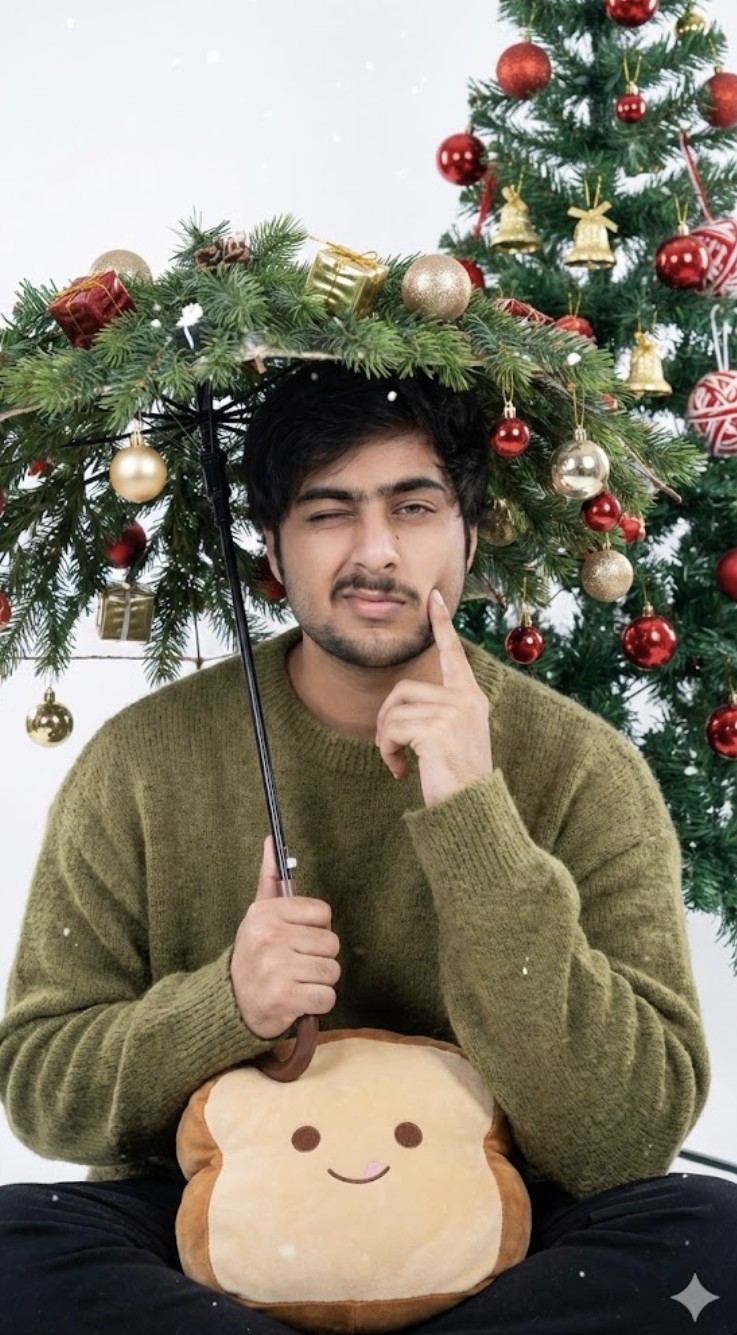
The output usually comes with soft lighting, fresh winter tones, and detailed festive objects. The overall mood is cool and elegant, with bright whites, olive-green, red ornaments, and golden accents creating a balanced look.
This style gives the subject a cozy but premium vibe. Facial expression can be playful or calm, like a wink, soft smile, or thoughtful pose, making the image feel natural and engaging. The Christmas tree and subtle snow effect in the background add festive depth.
Realism is this style’s strongest point. With a good input photo, skin texture, clothing detail, props, and bokeh effect all look quite polished in the final result — this edit can give even a casual selfie a studio portrait feel.
- Soft cool studio lighting for clean facial details
- Bright, festive color palette with red, gold, white, and olive tones
- Sharp focus with realistic skin and clothing texture
- Christmas tree, ornaments, and snow-like atmosphere
- Professional portrait framing with a premium holiday mood
How to Use This Photo Edit: Beginner-Friendly Steps
If you’re using this on mobile, first select a clear, high-quality photo. The cleaner the photo, the more realistic the result. The face should be visible and the image shouldn’t be blurry.
- Choose your best clear photo from the gallery.
- Make sure the face is straight or slightly angled.
- Upload the photo to your AI editor or editing app.
- Select the Christmas festive style or a similar portrait effect.
- Focus on keeping face, lighting, and background natural.
- After generation, review and save the image.
- If needed, adjust crop and brightness slightly.
Which Photos Work Best
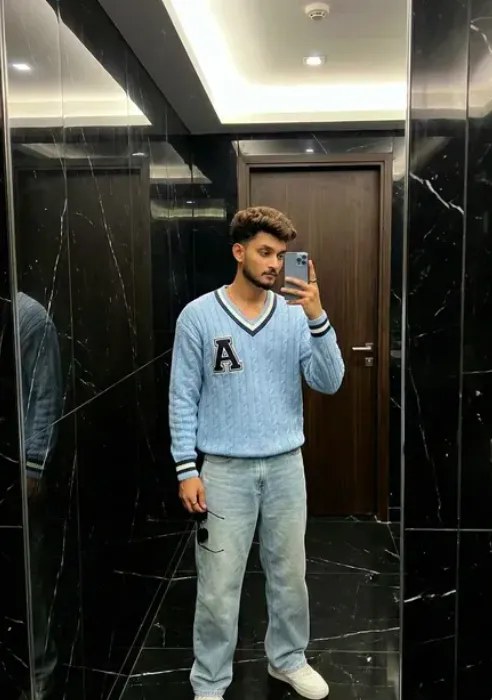
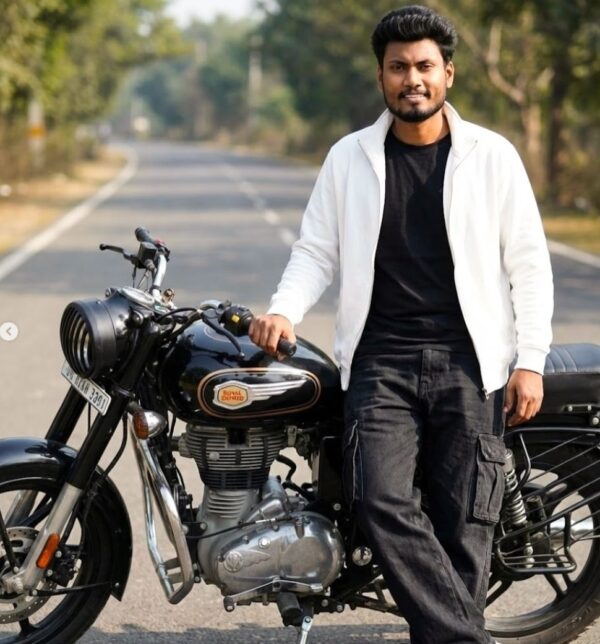
Photos with a clear face and even lighting work best for this style. A front-facing or slightly side-angle portrait gives a more natural result, since facial structure is easier to read. Extreme angles increase the risk of the face changing too much.
- Angle: front view or a mild side pose
- Resolution: high-resolution, with sharp facial detail
- Lighting: natural daylight or soft indoor light
- Background: plain, clean, or lightly blurred
- Clothing: simple colors, no heavy patterns
- Face visibility: eyes, nose, and jawline should be clear
Pro Tips for the Best Results
- Use a high-quality face reference so facial structure stays the same.
- Keep lighting soft and even, so shadows don’t look harsh.
- Keep Christmas props like ornaments, the tree, bells, and snow effect balanced.
- Keep outfit colors in the festive palette, like green, red, white, and gold shades.
- Keep framing from waist-up to knee, so both subject and props show properly.
Common Mistakes to Avoid
- Face mismatch — if the facial structure changes from the reference to the final output, the image looks artificial.
- Adding too many elements — when background, props, lights, and decorations are all overfilled, the main subject gets lost.
- Avoid changing face details, since it reduces originality.
- Avoid too much brightness or harsh contrast, since skin can look unnatural.
- Avoid background clutter, since it pulls focus away from the subject.
- Avoid outfit and prop mismatch, like summer clothing with a winter theme.
Best Use Cases
- Instagram posts: for festive feed and seasonal engagement.
- Profile pictures: for a stylish, sharp, polished display image.
- YouTube thumbnails: to make Christmas-themed content stand out.
- Portfolios: for showing editing skills and creative portrait samples.
- Reel covers: to make short-form content eye-catching.
Variations You Can Try
- Mood variations: cheerful, calm, dreamy, premium, cozy.
- Colour variations: olive green, deep red, white-gold, silver-blue.
- Setting variations: studio background, decorated room, snow-filled scene, festive corner.
- Seasonal variations: classic Christmas, winter holiday, New Year celebration, cozy December look.
- Accessory variations: ornaments, gift boxes, bells, fairy lights, pine branches.
Conclusion: Try This for a Premium Festive Look
If you want a realistic, stylish, festive portrait, this style is a great option. It combines Christmas mood, soft studio lighting, and elegant details to make the image feel premium.
FAQ: 25 Dec Christmas
How do I use the "25 Dec Christmas" prompt?
Copy the prompt above, open Gemini or ChatGPT, upload a clear photo of yourself and paste the prompt. Generate the image and adjust the outfit or background if you want a variation.
Is this prompt free?
Yes. This prompt is free to copy and use for Instagram, reels, WhatsApp DP and profile pictures.
Which photo works best?
A sharp, front-facing, well-lit photo with no filter. A clear face helps the AI keep your identity in the final image.
Last updated: 10 September 2026


💬 Comments