Skyline Portrait AI Prompt
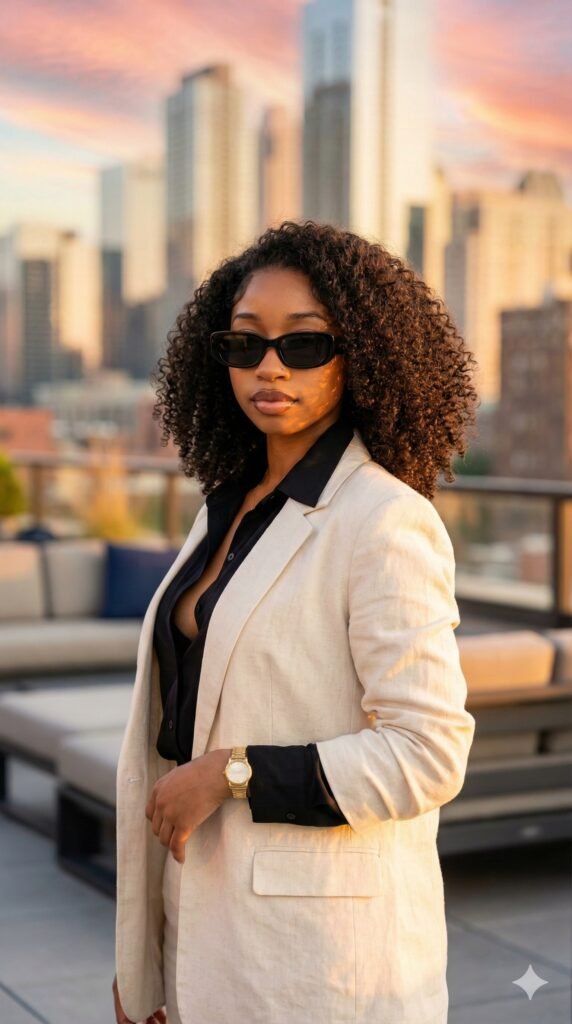
Skyline Portrait AI Prompt: What Is This Style?
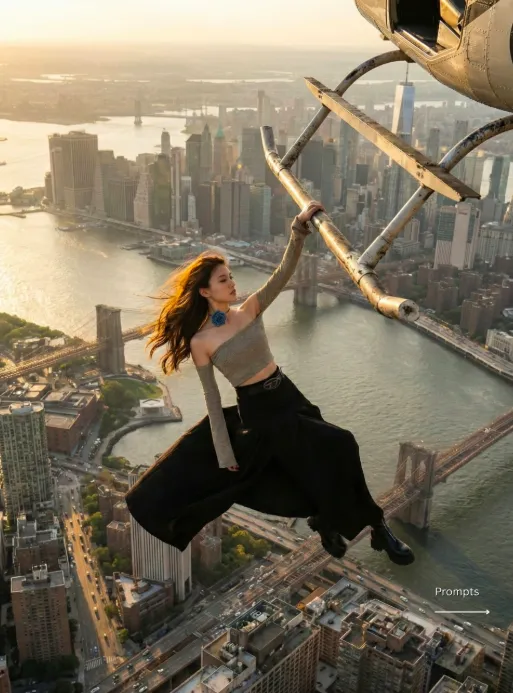
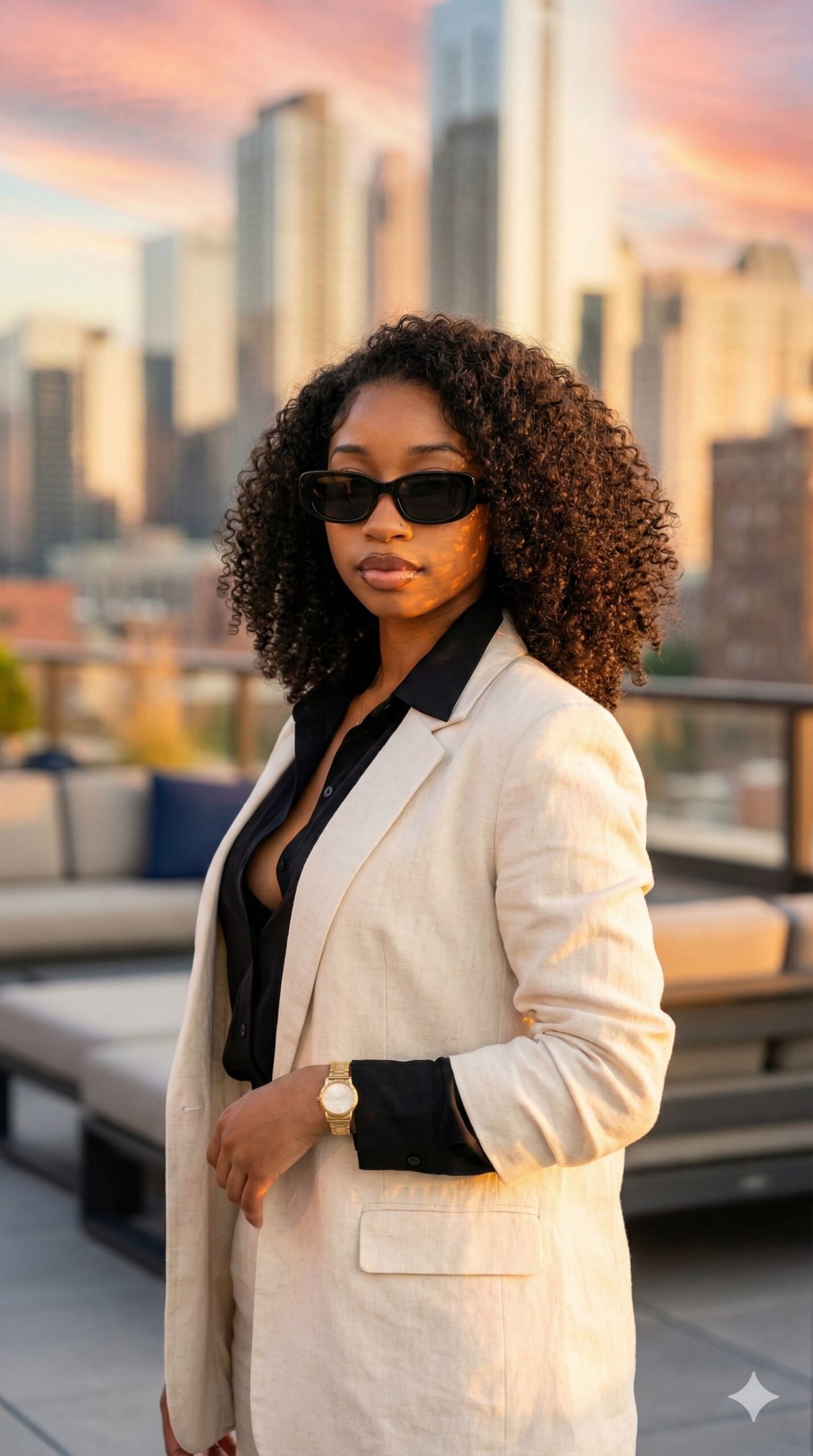
This skyline portrait AI prompt gives a premium, luxury portrait look that’s especially useful for anyone who wants their selfie to feel modern, classy, and editorial. It comes with a rooftop background, city lights, sunset tones, and a professional photography vibe that makes the photo feel more polished and cinematic.
Read Also: Cinematic Realistic Portrait AI Prompt | 2026 New Year AI Prompt
If you want a standout image for Instagram, a WhatsApp DP, a profile photo, or personal branding, this style is very useful. It keeps the face natural and original while making the overall image stylish, so the result feels realistic and high-end at the same time.
The biggest highlight of this photo style is its urban mood — open sky, distant buildings, soft warm light, and clean composition. It’s a look that instantly turns a normal selfie into a fashion editorial portrait, especially with the right outfit and lighting.
What This Prompt Style Gives You
The skyline edit usually comes out as a luxury rooftop portrait where the subject stays clear in the foreground while the city skyline softly blurs in the background. Sunset light adds a golden tone to the skin, making the face look warm and attractive.
Composition is often clean and balanced. The subject sits center or slightly to the side, with modern buildings and warm bokeh lights in the background, creating depth — making the photo feel far more professional than a casual selfie.
This style suits anyone who wants a premium fashion look without overdone effects. Key visual elements usually include:
- Soft sunset lighting and golden skin tones
- Modern city skyline background
- Clean, editorial photography feel
- Smart-casual outfit with a polished look
- Realistic face preservation for a natural result
How to Use This Style: Step-by-Step Guide
This style is simple to use, even on mobile. You can turn your best selfie into a luxury rooftop portrait as long as photo selection and the basic upload process are done right.
The most important thing is using a reference image with a clear face and good image quality — the output comes out more natural and detailed when the style is generated from that.
- Select a clear selfie or portrait photo.
- Make sure the face is front-facing or slightly angled and visible.
- Choose the photo from your gallery and upload it.
- Apply a skyline, rooftop, sunset, and editorial-look style.
- Preview the result and check that the face looks natural and matched.
- If needed, try a different photo or one with better lighting.
- Save the final image and export it for Instagram, DP, or portfolio use.
Best results come when the original image has a sharp face, clear sunglasses or outfit details, and no unnecessary background clutter. In short: the cleaner the original photo, the more premium the output.
Which Photos Work Best
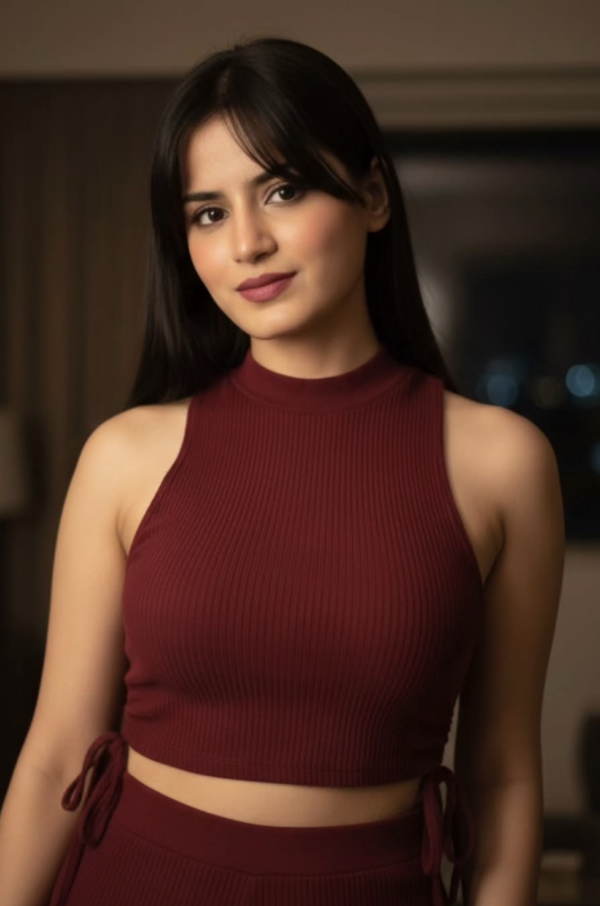
Not every photo works equally well for a skyline edit. Face clarity, lighting, and pose matter most. For a real, stylish result, choose a photo where the subject is clearly visible with the head, shoulders, or upper body captured well in frame.
Lighting should be naturally bright or soft. A very dark image, a blurry selfie, or a low-resolution photo can lose detail. The background should also be simple so skyline replacement or enhancement can be done cleanly.
- Angle: front-facing or slight side angle works best
- Resolution: use a high-resolution photo, avoid blurry images
- Lighting: natural daylight or soft indoor light is better
- Background: choose a plain or uncluttered background
- Clothing: a smart-casual look, shirt, blazer, or neat outfit suits it better
- Accessories: a watch, sunglasses, or clean styling adds a premium effect
A rooftop, terrace, balcony, or outdoor shot gives an even more realistic output, but an indoor selfie can work too, as long as the face is sharp and the light is proper.
Pro Tips for the Best Results
The balance between subject and background matters most for a premium rooftop portrait. A skyline shot looks strongest when the face is clear, the outfit polished, and the light feels natural.
- Keep face detail natural so the selfie likeness stays strong and authentic.
- Keep outfit elements like an open collar shirt, blazer, and watch prominent for a premium fashion feel.
- Choose sunset or golden-hour lighting — warm tones are flattering and cinematic on skin.
- Keep the skyline in soft bokeh, not sharp, so attention stays on the subject.
- Use vertical 9:16 framing, especially for an Instagram story, reel cover, or status-style portrait.
- Black sunglasses or a similar accessory add both attitude and a luxury vibe.
Avoid too much saturation — overly intense colors can make the portrait look artificial. Clean contrast, soft shadows, and professional polish matter more than overly dramatic effects.
Common Mistakes to Avoid
Over-editing the face is a common mistake — when skin texture completely disappears or features change, the selfie’s real feel is lost. The goal of a rooftop portrait is a classy, realistic, recognizable result.
- Making the background stronger than the subject — the skyline should support the portrait, not compete with it.
- Altering or heavily stylizing the face, which risks an identity mismatch.
- Keeping every element equally sharp instead of a realistic depth of field.
- Ignoring outfit details, leaving the smart-casual luxury vibe incomplete.
- Making the golden-hour tone too orange, which can make skin look unnatural.
- Cropping too tight, cutting off styling cues like the watch, blazer, or sunglasses.
Best Use Cases
- Creating a premium, confident look for an Instagram profile picture.
- Adding a luxury city vibe to reel covers.
- A polished portrait for a personal portfolio or about-me section.
- A classy, human-centered visual for thumbnail design.
- A stylish rooftop aesthetic for WhatsApp status, story posts, or social banners.
Variations You Can Try
Keeping the base style the same, you can create different skyline feels — a warmer sunset version, a cooler evening version, or a more dramatic twilight look.
- Mood variations: calm, confident, moody, cinematic, luxury, urban-chic.
- Colour variations: warm gold, soft amber, muted beige, cool blue, deep dusk tones.
- Setting variations: rooftop terrace, high-rise balcony, open deck, or city-view corner.
- Season variations: summer sunset, monsoon evening, winter dusk, or spring golden hour.
- Style variations: sunglasses on, sunglasses off, blazer open, a more formal shirt, or a more relaxed pose.
Conclusion
This style’s real strength is its clean, luxurious, realistic finish. When the original face stays preserved, the outfit is smart-casual, and the skyline background blends with soft golden bokeh, the result looks instantly premium.
FAQ: Skyline Portrait
How do I use the "Skyline Portrait" prompt?
Copy the prompt above, open Gemini or ChatGPT, upload a clear photo of yourself and paste the prompt. Generate the image and adjust the outfit or background if you want a variation.
Is this prompt free?
Yes. This prompt is free to copy and use for Instagram, reels, WhatsApp DP and profile pictures.
Which photo works best?
A sharp, front-facing, well-lit photo with no filter. A clear face helps the AI keep your identity in the final image.
Last updated: 8 October 2026

💬 Comments