Sit with lord Krishna
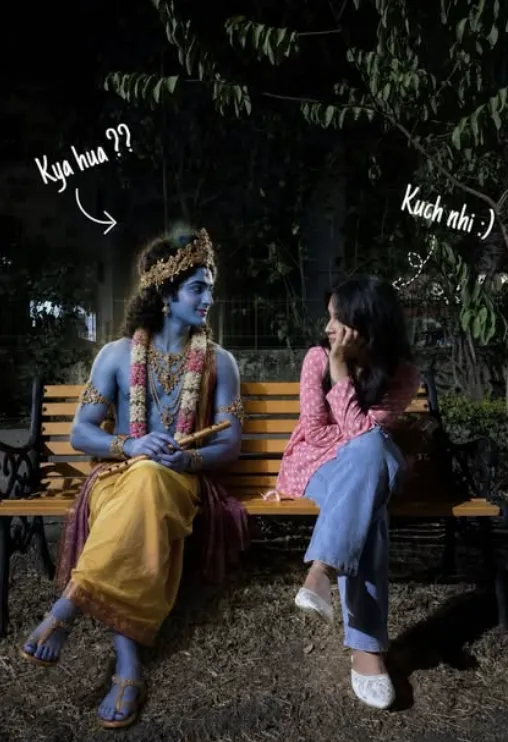
Om Editing Top: Sit with Lord Krishna Photo Editing Ka Detailed Intro
Om Editing Top style ka “Sit with lord Krishna” prompt un logon ke liye hai jo apni normal photo ko ek spiritual, emotional aur cinematic look dena chahte hain. Is edit me aapki original identity same rehti hai, lekin background aur scene ko aisa transform kiya jata hai jaise aap shaant evening park me ek wooden bench par baithe hain aur Lord Krishna aapke saath lovingly presence me hain.
Read Also: cinematic-style realistic portrait | 2026 New Year
Ye style especially un users ke liye useful hai jo devotional photo editing, AI image generation, ya social media ke liye unique religious portraits banana chahte hain. Isme focus face replacement par nahi, balki overall scene transformation par hota hai—yaani natural posture, realistic lighting, soft mood aur divine companionship ka balance. Isi wajah se ye edit emotionally strong bhi lagta hai aur visually premium bhi.
Is photo style ki sabse badi strength ye hai ki ye simple portrait ko ek meaningful story me badal deta hai. Aapki image ek calm, respectful aur spiritual moment ban jati hai, jahan viewer ko lagta hai ki scene real hai. Bench, park atmosphere, Krishna ka divine presence, aur evening light milkar ek aisa composition create karte hain jo devotional post, status, reel cover ya wallpaper ke liye perfect ho sakta hai.
Is Photo Style Me Kya-Kya Visual Effects Milte Hain
Om Editing Top ke is prompt style me output usually ultra-realistic hota hai, matlab image me fantasy feel hote hue bhi natural authenticity bani rehti hai. Evening park setting me soft warm light, subtle shadows aur peaceful background use kiya jata hai taaki scene serene lage. Wooden bench ka addition composition ko grounded aur realistic banata hai, isliye image over-edited nahi lagti.
Lord Krishna ko lovingly seated companion ke roop me place kiya jata hai, jahan unki blue glow, golden crown, peacock feather, ornaments aur flute ek divine focal point create karte hain. Krishna ka expression calm aur compassionate hona chahiye, taaki person ke saath unka interaction respectful aur emotional लगे. Is style me colors mostly soft aur balanced rehte hain—yellow dhoti, blue skin tones, natural greens, aur warm evening hues.
Ye prompt especially un logon ko pasand aata hai jo apni photo me spiritual depth, devotional symbolism aur aesthetic realism add karna chahte hain. Final image me composition ka main goal hota hai: person ka face unchanged rahe, scene natural लगे, aur Krishna ke saath sitting arrangement bilkul believable लगे.
- Soft evening light aur warm shadows
- Natural wooden bench and peaceful park background
- Realistic face, skin texture, aur original expression unchanged
- Divine Krishna with flute, crown, peacock feather, and garlands
- Balanced colors: blue, gold, yellow, green, and warm sunset tones
- Calm, spiritual, and emotionally connected mood
Om Editing Top Prompt Kaise Use Karein: Beginner-Friendly Step-by-Step Guide
Agar aap mobile par bhi is type ka edit banana chahte hain, to process kaafi simple hai. Sabse pehle aapko ek clear photo choose karni hogi jisme face visible ho aur body posture natural ho. Phir AI editing app ya photo editor me image upload karke prompt-based transformation apply karna hota hai. Om Editing Top style me exact base image ka idea bahut important hota hai, kyunki face aur pose ko same rakhna is edit ka core part hai.
Step-by-step kaam karne se result zyada clean aata hai. Prompt me scene transformation, Krishna placement, evening park background aur natural sitting posture jaise instructions ka balance maintain karna hota hai. Agar aap beginner hain, to pehle basic image upload karein, phir background replace ya scene generation feature ka use karein, aur finally output ko zoom karke check karein ki face, hands aur bench alignment sahi hai ya nahi.
Mobile users ke liye ye process aur bhi easy ho jata hai agar app me “photo edit,” “AI scene change,” ya “image enhancement” options available hon. Best results ke liye ek hi baar me perfect output expect na karein—kabhi kabhi 2-3 variations generate karke best version select karna padta hai.
- Ek clear, high-quality photo select karein jisme face seedha aur visible ho.
- Photo ko AI editing app ya editor me upload karein.
- Scene transformation ya prompt-based edit feature choose karein.
- Background ko evening park aur wooden bench style me set karein.
- Krishna ko same bench par peacefully seated companion ki tarah add karein.
- Output me face, posture, clothing aur skin texture unchanged hone ka check karein.
- Agar needed ho to brightness, shadows aur color balance thoda adjust karein.
- Final image ko save karke social media, wallpaper ya status ke liye use karein.
Kaunsi Photos Is Style Ke Liye Sabse Best Kaam Karti Hain
Is type ke edit me photo selection bahut important hota hai. Agar base image blurry, dark ya heavily filtered hogi, to AI ko face structure aur body posture samajhne me problem ho sakti hai. Isliye hamesha aisi photo choose karein jisme resolution achha ho, face sharp ho aur pose naturally seated ya relaxed feel de. Ye Om Editing Top prompt style me result ko kaafi improve karta hai.
Lighting bhi bahut matter karti hai. Soft daylight, indoor natural light ya evenly lit photo zyada achha output deti hai, kyunki harsh shadows face details ko distort kar sakti hain. Background ideally simple hona chahiye, taaki AI ko scene replace karne me asaani ho. Clothing plain ya moderately detailed ho to bhi better hota hai, kyunki overly busy patterns edit ko cluttered bana sakte hain.
Aapko aisi image leni chahiye jisme person ka upper body clear ho, hands visible ho to aur bhi better, aur pose bench sitting ke context se match kare. Agar photo me angle too much side profile ho, to Krishna ke saath composition thoda difficult ho sakta hai. Front-facing ya slightly angled pose zyada practical hota hai.
- High-resolution photo use karein, blurry image avoid karein
- Face clearly visible ho aur expression natural ho
- Soft, even lighting ho; harsh flash na ho
- Background simple ho, cluttered scene na ho
- Front-facing ya slightly angled sitting pose best hoti hai
- Clothing clean aur balanced ho; too much pattern avoid karein
- Agar possible ho to full upper body ya half-body frame use karein
Is tarah ki photo selection aur step-by-step use ke saath aap ek strong devotional AI edit bana sakte hain jisme realism bhi ho aur spiritual feel bhi. Om Editing Top style ka main advantage yehi hai ki ye normal photo ko ek memorable, peaceful aur divine visual story me convert kar deta hai.
Pro Tips for the Best Om Editing Top Results
Om Editing Top style me sabse achha output tab aata hai jab base photo clean ho aur subject clearly visible ho. Agar original image me face sharp hai, posture natural hai, aur lighting balanced hai, to Krishna ke saath scene zyada believable aur peaceful lagta hai.
Ek aur important tip ye hai ki composition simple rakho. Bench, park background, evening light, aur divine companion ka balance jitna natural hoga, utna hi final image emotional aur realistic dikhega. “Sit with lord Krishna” concept me softness aur harmony sabse zyada matter karti hai.
- Clear face wale photo ka use karo taaki real facial details intact rahein.
- Natural sitting pose choose karo, kyunki same posture maintain karna output ko authentic banata hai.
- Evening park tone ke liye warm lighting ya golden-hour feel helpful hoti hai.
- Background me clutter kam rakho, taaki focus subject aur Krishna par rahe.
- Krishna ke divine elements—crown, peacock feather, flute, garland—ko balanced aur respectful look me rakho.
- Agar image ka mood calm chahiye, to soft shadows aur gentle glow zyada effective hote hain.
Common Mistakes to Avoid in Om Editing Top
Sabse common mistake hoti hai subject ke original features ko over-edit kar dena. Om Editing Top ka main idea hi ye hai ki real face, expression, skin texture aur identity unchanged rahe. Agar in details me unnecessary changes aa gaye, to image ka natural feel khatam ho sakta hai.
Dusri galti hoti hai Krishna ko scene me too large ya too dominant banana. Ye composition ko unnatural bana deta hai. Best output tab milta hai jab Krishna saath baithhe hue close companion jaise lage, na ki scene ko overpower kare. Respectful aur peaceful presence zyada powerful hoti hai.
- Face beautification ya skin smoothing avoid karo, warna authenticity kam ho jati hai.
- Clothing, accessories, aur colors ko change mat karo, kyunki original identity disturb ho sakti hai.
- Krishna ko unrealistic pose me mat rakho; natural seated posture zyada better lagta hai.
- Bench ya park background ko too crowded mat banao, warna emotional focus weak ho jata hai.
- Extra dramatic effects ya harsh glow se bachो, kyunki sacred mood soft aur balanced hona chahiye.
Best Use Cases and Creative Ideas for Om Editing Top
Om Editing Top images ka use kai jagah kiya ja sakta hai, especially jab aap spiritual, devotional, ya aesthetic content banana chahte ho. Ye concept Instagram posts, profile pictures, reels covers, aur story highlights ke liye kaafi attractive hota hai. Krishna ke saath peaceful bench scene ek emotional and devotional vibe create karta hai jo audience ko instantly connect karta hai.
Ye style personal portfolios ya themed photo edits me bhi kaafi useful hai. Agar aap spiritual art, mythological edits, ya divine companionship visuals create karna chahte ho, to ye prompt style kaafi effective ho sakta hai. Thumbnail design me bhi iska use ho sakta hai, especially jab aapko calm, sacred, aur eye-catching visual chahiye.
- Instagram posts: devotional or artistic feed me strong visual impact ke liye.
- Profile pictures: spiritual identity aur aesthetic presence dikhane ke liye.
- Reels covers: story-driven or devotional reels ko highlight karne ke liye.
- YouTube thumbnails: Krishna-themed content ya transformation edits me.
- Portfolio samples: AI photo editing skills show karne ke liye.
Variations You Can Try with Om Editing Top
Agar aap same concept ko baar-baar use karna chahte ho, to scene ke mood, color palette, aur setting me chhote-chhote changes karke kaafi fresh results mil sakte hain. Om Editing Top me experimentation kaafi useful hota hai, kyunki same subject alag environments me different emotional depth create karta hai.
For example, evening park version ko aur soft bana sakte ho, ya thoda more cinematic bana sakte ho with warm lamps aur gentle haze. Season changes bhi kaafi interesting hote hain—spring flowers, monsoon freshness, winter fog, ya autumn leaves sab alag atmosphere dete hain. Krishna ke look me bhi slight variations possible hain, bas divine, respectful, aur realistic feel maintain rehni chahiye.
- Mood variations: calm, devotional, dreamy, cinematic, or serene.
- Colour variations: warm golden hour, soft blue evening, pastel sunset, or green natural tones.
- Setting variations: garden bench, lakeside bench, temple park, or quiet courtyard style background.
- Season variations: spring flowers, rainy evening, winter mist, or autumn leaves.
- Lighting variations: soft glow, dusk light, lantern light, or moonlit atmosphere.
Conclusion: Try Om Editing Top for a Divine and Natural Look
Om Editing Top is a beautiful way to create a peaceful, emotional, and spiritually inspired photo edit without losing the original person’s real identity. Jab subject ka natural pose, realistic expression, aur Krishna ka divine presence ek saath balanced hote hain, to final image truly special lagti hai.
Agar aap ek calm, respectful, aur visually rich result chahte ho, to Om Editing Top concept ko zaroor try karo. Ye style social media, devotional content, aur creative AI edits ke liye ek strong choice ho sakta hai.
FAQ: Sit with lord Krishna
How do I use the "Sit with lord Krishna" prompt?
Copy the prompt above, open Gemini or ChatGPT, upload a clear photo of yourself and paste the prompt. Generate the image and adjust the outfit or background if you want a variation.
Is this prompt free?
Yes. This prompt is free to copy and use for Instagram, reels, WhatsApp DP and profile pictures.
Which photo works best?
A sharp, front-facing, well-lit photo with no filter. A clear face helps the AI keep your identity in the final image.
Last updated: 31 July 2026
More Couple AI photo prompts
 Couple Midnight Blur Selfie
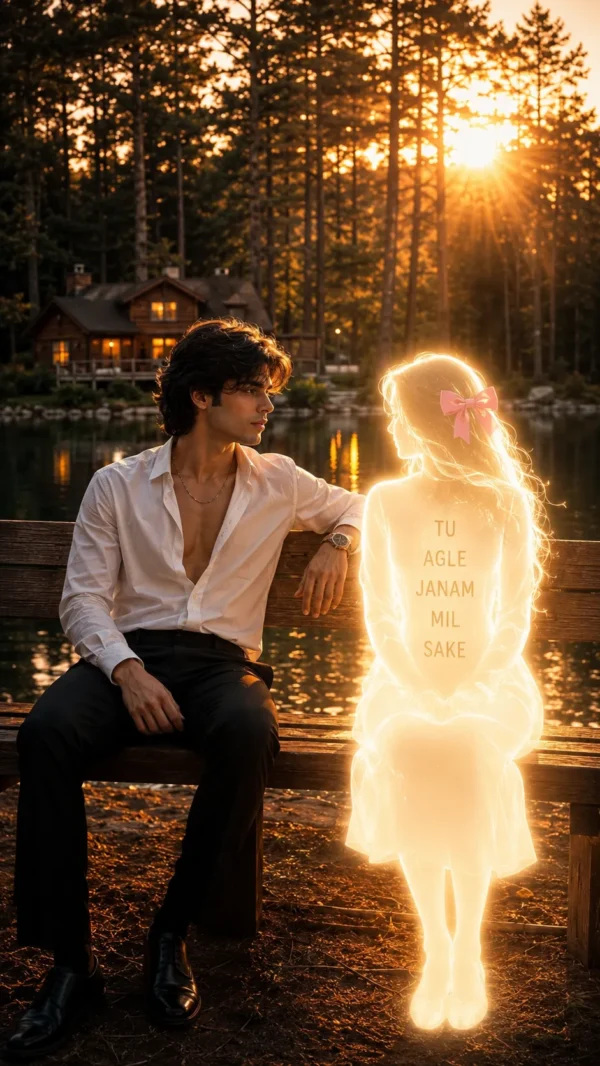 Couple Agle Janam Mil Sake Dobara Mujhe🎀
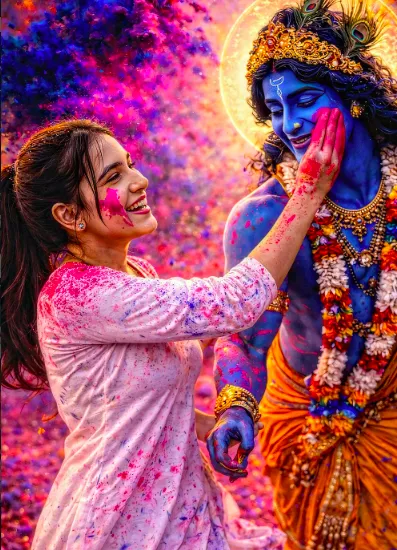 Couple Rang Leela — Krishna Holi Moment
 Couple Two children in calm
 Couple Realistic Intimate Couple Selfie AI Prompt
 Couple modern digital vector art style
 Couple Cricket Stadium with girl
 Couple Ultra-Realistic Photo With Payal Gaming
💬 Comments