Rang Leela — Krishna Holi Moment
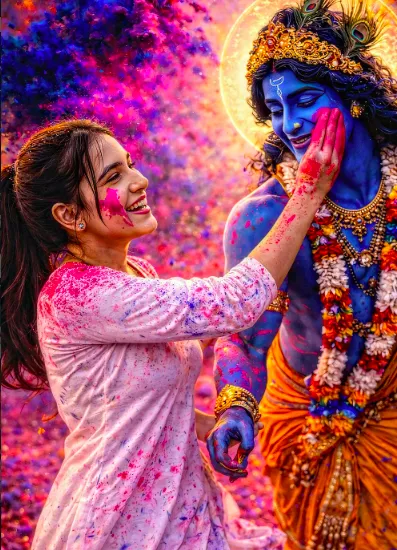
Om Editing Top के साथ Rang Leela — Krishna Holi Moment को कैसे समझें
Om Editing Top जैसे creative edit styles का सबसे बड़ा फायदा यह है कि ये ordinary photo को भी festival poster जैसी feel दे देते हैं। Rang Leela — Krishna Holi Moment एक ऐसा visual concept है जिसमें Holi की रंगीन energy, Krishna-inspired celebration, और crowd movement को एक single frame में capture किया जाता है।
Read Also: cinematic-style realistic portrait | 2026 New Year
यह style उन लोगों के लिए खास तौर पर useful है जो festive portrait, social media reel cover, AI photo edit, या dramatic Holi-themed poster बनाना चाहते हैं। अगर आप चाहते हैं कि आपकी image में सिर्फ colors नहीं, बल्कि emotion, motion, और celebration की real vibe दिखे, तो यह prompt-style look बहुत काम आता है।
इस तरह के edits में focus सिर्फ रंग डालने पर नहीं होता, बल्कि scene को alive दिखाने पर होता है। चेहरे की खुशी, हवा में उड़ते gulal, आसपास की crowd, और cinematic depth मिलकर फोटो को ऐसा बनाते हैं जैसे वह किसी festive movie still से लिया गया हो।
यह फोटो स्टाइल actually क्या देता है?
इस prompt style का सबसे strong point इसकी festival realism है। Image में Holi का energy-filled माहौल आता है, जहाँ subject और background दोनों dynamic लगते हैं। Color explosions, flying powder, और candid expressions scene को instantly lively बनाते हैं।
Lighting आम तौर पर bright but natural feel देती है, ताकि skin tones realistic रहें और colors over-saturated न लगें। Background में slightly blurred crowd रखने से main subject clearly highlight होता है, जबकि festive atmosphere भी बनी रहती है। यही balance इस look को visually rich बनाता है।
अगर बात composition की करें, तो यह style usually mid-shot या half-body framing में ज्यादा अच्छा काम करता है। Subject के चारों ओर motion, color clouds, और soft bokeh effect depth जोड़ते हैं। Resulting image cinematic भी लगती है और social media-friendly भी।
- Vibrant gulal clouds जो scene में instant Holi feel लाते हैं
- Motion freeze effect जिससे dance और celebration natural दिखते हैं
- Photorealistic lighting जो चेहरे और कपड़ों की details साफ रखती है
- Dynamic crowd background जो festive context को strong बनाता है
- Ultra-detailed skin texture जो image को AI-generated नहीं, बल्कि real-photo जैसा feel देता है
This Style photo edit को step-by-step कैसे use करें
अगर आप beginner हैं, तो इस तरह की edit को mobile पर भी आसानी से use कर सकते हैं। सबसे पहले आपको एक clear photo चुननी होगी, फिर उसे सही Holi-inspired festival look में transform करना होगा। Better result के लिए original photo जितनी साफ होगी, output उतना ही sharp आएगा।
कई लोग केवल colorful background जोड़ देते हैं, लेकिन सही result तब आता है जब subject pose, angle, light, और facial expression भी festive mood के साथ match करते हैं। नीचे दिए गए steps follow करके आप easy तरीके से strong Holi-style edit बना सकते हैं।
- एक साफ और sharp photo चुनें — blurry या dark image से शुरू न करें। Face clearly visible होना चाहिए।
- Portrait framing prefer करें — chest-up, half-body, या mid-shot pose इस style में ज्यादा अच्छा लगता है।
- Festival mood वाला pose रखें — smile, looking sideways, dancing pose, या slightly moving expression बेहतर effect देता है।
- Prompt style apply करें — Holi colors, crowd, motion, cinematic depth, और realistic lighting जैसे visual elements मांगें।
- Result preview करके adjust करें — अगर colors बहुत heavy हों, तो balance कम करें ताकि face natural रहे।
- Final output को save करें — high resolution में export करें, ताकि Instagram, WhatsApp status, या poster use में quality न गिरे।
Mobile users के लिए एक practical tip यह है कि editing से पहले image को crop करके subject को center में रखें। इससे AI effect या editing tool face पर properly focus करता है। साथ ही, अगर background पहले से crowded है, तो subject अलग और clean दिखाने के लिए simple frame चुनना बेहतर रहता है।
कौन-सी photos इस style में सबसे अच्छी लगती हैं?
इस तरह के Holi festival edits में हर photo equally अच्छा काम नहीं करती। सबसे अच्छे results तब मिलते हैं जब original photo में natural light हो, subject का face clear हो, और background बहुत ज्यादा messy न हो। Outdoor shots especially effective रहते हैं, क्योंकि उनमें festive realism automatically बढ़ जाता है।
Clothing भी बहुत important है। Light-colored कपड़े, festive kurta, or traditional wear इस look के साथ ज्यादा harmonious लगते हैं। अगर कपड़े बहुत dark हैं, तो color clouds कभी-कभी उतने vibrant नहीं दिखते। Background में open space या soft crowd हो तो subject ज्यादा prominent दिखाई देता है।
- Angle: front-facing या 3/4 angle best रहता है, क्योंकि face और expression clearly दिखते हैं
- Resolution: कम से कम clear HD photo use करें; low-resolution image में face details loss हो सकती हैं
- Lighting: natural daylight, soft sunlight, या evenly lit outdoor photo सबसे अच्छा काम करती है
- Background: simple outdoor background, festival ground, या हल्का crowd background better रहता है
- Clothing: traditional, light, festive, या movement-friendly कपड़े image को more authentic बनाते हैं
- Expression: joyful, candid, or mid-action expression इस concept को strongest बनाता है
अगर फोटो में motion already है, जैसे हाथ उठे हों, walking pose हो, या dance-like movement हो, तो result और भी expressive आता है। Static photos भी चलती हैं, लेकिन movement वाली image Holi energy को ज्यादा naturally capture करती है। इसी वजह से यह style celebratory portraits, reels thumbnails, और festival posters के लिए बेहद popular है।
Pro Tips for the Best Om Editing Top Results
अगर आप Om Editing Top style में सबसे अच्छा output चाहते हैं, तो सबसे पहले composition पर ध्यान दें। Subject को frame के center या rule-of-thirds के हिसाब से place करना image को instantly more polished बनाता है। Background में भी clutter कम हो, ताकि focus naturally main characters पर रहे और festive energy साफ दिखे।
Color balance भी बहुत important है। Holi visuals में bright gulal, warm skin tones, aur lighting ka harmony सही होना चाहिए, वरना image over-saturated लग सकती है। अगर आप cinematic feel चाहते हैं, तो contrast को moderate रखें, highlights को control करें, और shadows में थोड़ी detail बचाकर रखें।
Best results के लिए नीचे दिए गए practical tips follow करें:
- Main subject को clearly define करें ताकि Krishna Holi moment instantly recognizable लगे।
- Color splash ज्यादा हो, लेकिन skin tones और facial expressions natural रहें।
- Motion blur बहुत ज्यादा न हो; freeze-frame look festive action को stronger बनाता है।
- Background crowd को slightly soft रखें ताकि depth और subject separation बेहतर हो।
- Sharp focus चेहरे और हाथों पर रखें, क्योंकि यही emotion और energy convey करते हैं।
- Lighting को vibrant yet realistic रखें ताकि image clean, premium और shareable लगे।
अगर आप Om Editing Top के लिए multiple versions बना रहे हैं, तो हर variation में एक छोटा बदलाव करें—जैसे color palette, camera angle, या background density। इससे आपको better selection मिलता है और final image social media पर ज्यादा standout करती है।
Common Mistakes to Avoid in This Style
सबसे common mistake है scene को जरूरत से ज्यादा crowded बना देना। जब हर तरफ बहुत सारे elements आ जाते हैं, तो Krishna Holi moment की main story lose हो जाती है। Image में festival feel होना चाहिए, लेकिन attention distract नहीं होना चाहिए।
दूसरी बड़ी गलती है colors को extreme level तक push करना। Holi colors vibrant होने चाहिए, लेकिन अगर saturation बहुत बढ़ जाएगी, तो skin tones unnatural दिख सकते हैं और overall output cheap लग सकता है। इसी तरह, light और shadow के बीच balance न होने पर image flat या noisy दिख सकती है।
- Overcrowding: बहुत ज्यादा लोगों या objects से main subject दब जाता है।
- Harsh saturation: colors natural नहीं रहते और image less realistic लगती है।
- Weak facial detail: expressions साफ न हों, तो emotional impact कम हो जाता है।
- Poor background control: messy backdrop से cinematic depth कम हो जाती है।
- Unbalanced lighting: subject dull दिख सकता है, even if colors bright हों।
एक और mistake है movement को ignore करना। Holi scene में motion बहुत जरूरी है, लेकिन उसे सही तरीके से freeze करना चाहिए। अगर action too static लगे, तो festive excitement कम हो जाती है; और अगर motion too heavy हो, तो image blur होकर focus खो सकती है। this style style में energy और clarity दोनों साथ रखने चाहिए।
Best Use Cases and Ideas for This Style
this prompt images को कई जगह use किया जा सकता है, खासकर social media content और festival-themed visuals में। अगर आप Instagram post, story, या reel cover बना रहे हैं, तो ऐसा visual तुरंत attention grab करता है और festive mood set कर देता है।
Profile picture या cover design के लिए भी यह style काफी effective हो सकता है, खासकर जब subject clear और expressive हो। Creators, editors, photographers, और fan pages इसे portfolio showcase, festive campaigns, thumbnails, या event posters में use कर सकते हैं।
- Instagram posts: Holi-themed feed content और festive celebration posts के लिए।
- Profile pictures: Bright, expressive, and memorable personal branding के लिए।
- YouTube thumbnails: Festival edits या devotional story content पर strong visual impact के लिए।
- Reels covers: Colorful and dynamic cover frame के रूप में, ताकि clicks बढ़ें।
- Portfolios: Editing skills और creative storytelling दिखाने के लिए।
- Event promotions: Holi party invites, community posters, या cultural banners में।
अगर आपका goal engagement बढ़ाना है, तो ऐसी image use करें जिसमें emotion, movement, and color तीनों strong हों। यही combination this look visuals को scroll-stopping बनाता है और audience को instantly connect करने में मदद करता है।
Variations You Can Try with This Style
एक ही concept को अलग-अलग moods में present करके आप ज्यादा creative output पा सकते हैं। उदाहरण के लिए, अगर आप brighter festive mood चाहते हैं, तो vivid gulal, golden lighting, और cheerful expressions रखें। अगर slightly cinematic look चाहिए, तो cooler shadows, softer background blur, और more controlled color spread try करें।
Seasonal variations भी बहुत useful होती हैं। Holi scene को सुबह की soft light में, golden hour में, या evening celebration feel के साथ present किया जा सकता है। इसी तरह background setting बदलकर composition fresh बनाया जा सकता है—जैसे open courtyard, village celebration, temple-side atmosphere, या crowd-filled festival lane।
- Bright festive version: High-energy colors, joyful expressions, and maximum vibrance।
- Cinematic version: Controlled contrast, depth of field, and dramatic motion freeze।
- Soft devotional version: Gentler colors, calmer crowd, and warm emotional tone।
- High-action version: More dynamic movement and visible gulal clouds for impact।
- Seasonal version: Morning light, sunset glow, or slightly cooler festive ambience।
आप अलग-अलग crop sizes भी test कर सकते हैं, जैसे portrait format profile use के लिए, या wide composition thumbnail और banner style के लिए। इस तरह yeh style concept को सिर्फ एक image तक सीमित नहीं रखकर कई creative assets में convert किया जा सकता है।
Conclusion: Try This Style for a Vibrant Krishna Holi Look
अगर आप festival energy, cinematic depth, और joyful Krishna Holi mood को एक strong visual में capture करना चाहते हैं, तो this edit एक शानदार style है। सही composition, balanced colors, और expressive motion के साथ आपका output ज्यादा polished और share-worthy दिखेगा।
अब आप अलग-अलग variations try करके अपने पसंद का perfect festive look बना सकते हैं। बस clarity, color harmony, और subject focus को ध्यान में रखें, और this style style के साथ अपने Holi edit को next level पर ले जाएँ।
FAQ: Rang Leela — Krishna Holi Moment
How do I use the "Rang Leela — Krishna Holi Moment" prompt?
Copy the prompt above, open Gemini or ChatGPT, upload a clear photo of yourself and paste the prompt. Generate the image and adjust the outfit or background if you want a variation.
Is this prompt free?
Yes. This prompt is free to copy and use for Instagram, reels, WhatsApp DP and profile pictures.
Which photo works best?
A sharp, front-facing, well-lit photo with no filter. A clear face helps the AI keep your identity in the final image.
Last updated: 17 August 2026
More Couple AI photo prompts
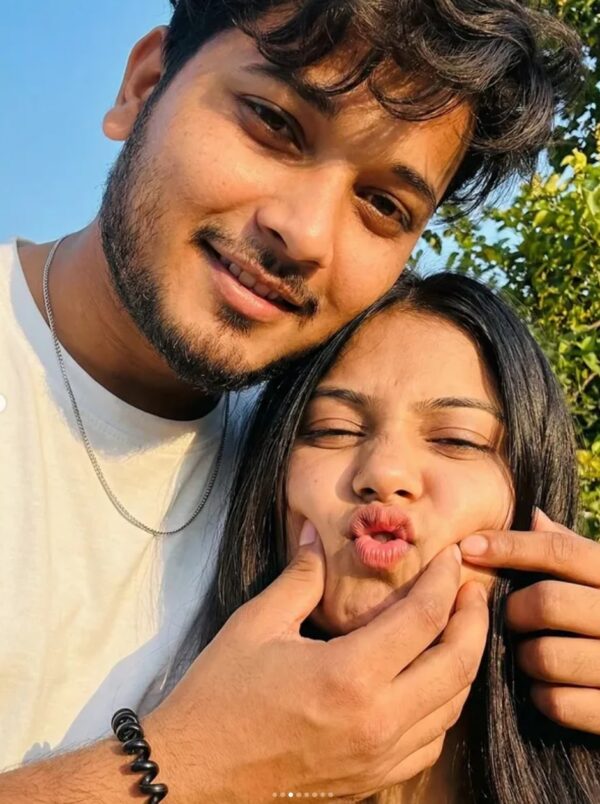 Couple Realistic Intimate Couple Selfie AI Prompt
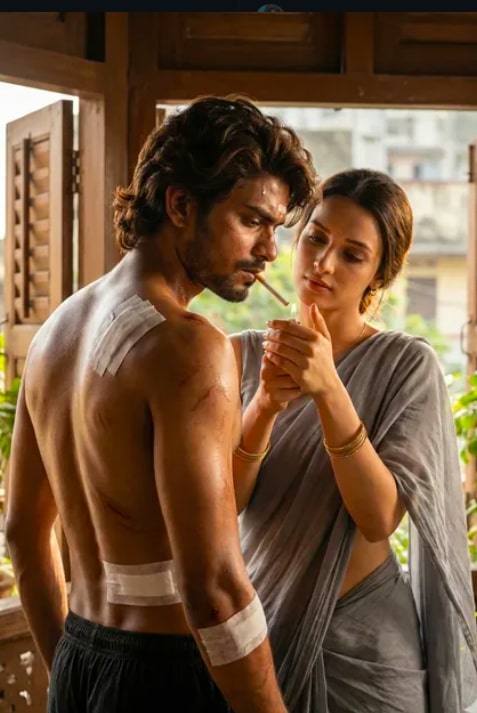 Couple Ultra-Realistic Bollywood Cinematic Injury Love Scene
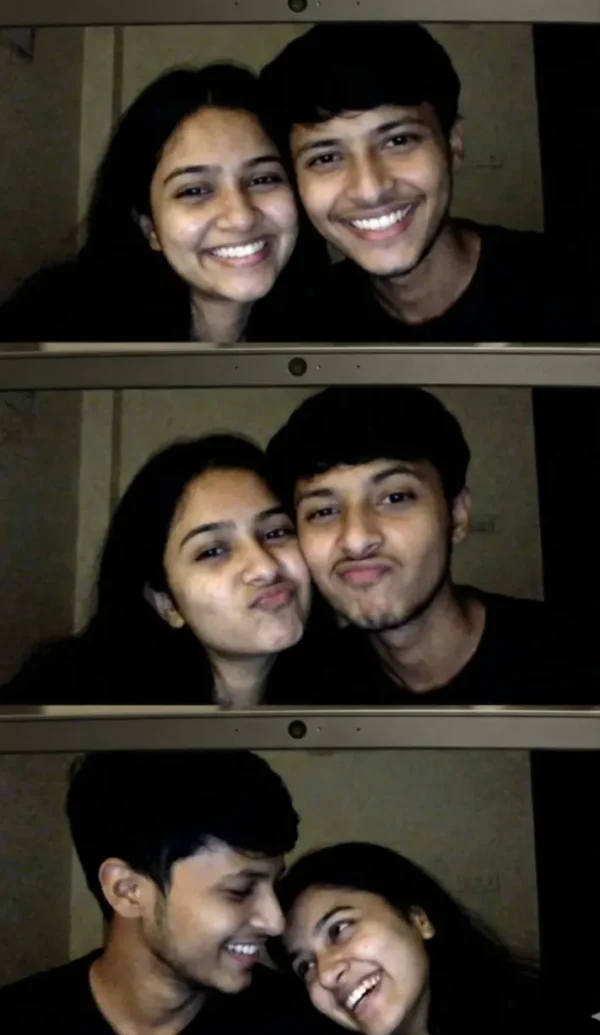 Couple selfie of a young Indian couple
 Couple Romantic Bollywood-Style Mustard Field Portrait
 Couple 1980s Vintage Couple AI Photo Prompt
 Couple 1991 Retro Couple AI Photo Editing Prompt
 Couple Shopping with Girl AI Prompt
 Couple Cinematic Tropical Couple Boat
💬 Comments