Nemo Ocean Trio Dive
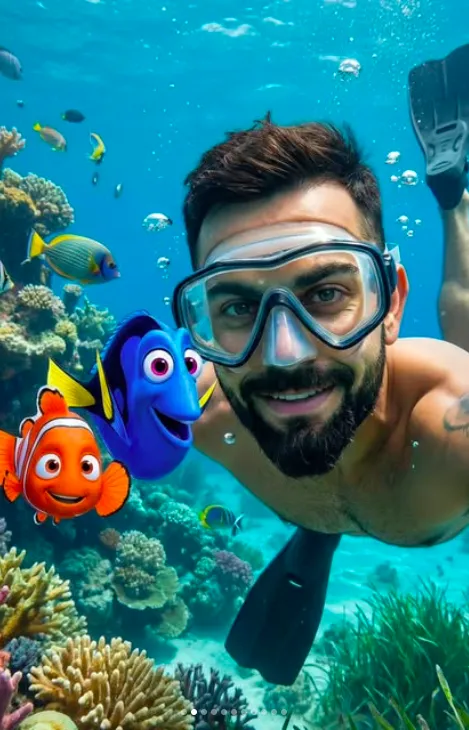
Om Editing Top के साथ Nemo Ocean Trio Dive स्टाइल क्या है?
Om Editing Top जैसी AI photo editing style का मकसद एक साधारण तस्वीर को cinematic underwater scene में बदलना है, जिसमें आपका चेहरा natural रहे और पूरा shot fantasy + realism का mix लगे। इस तरह की editing खासकर उन लोगों के लिए useful है जो social media, profile photos, reels thumbnails, या creative portrait posts के लिए एक standout image बनाना चाहते हैं।
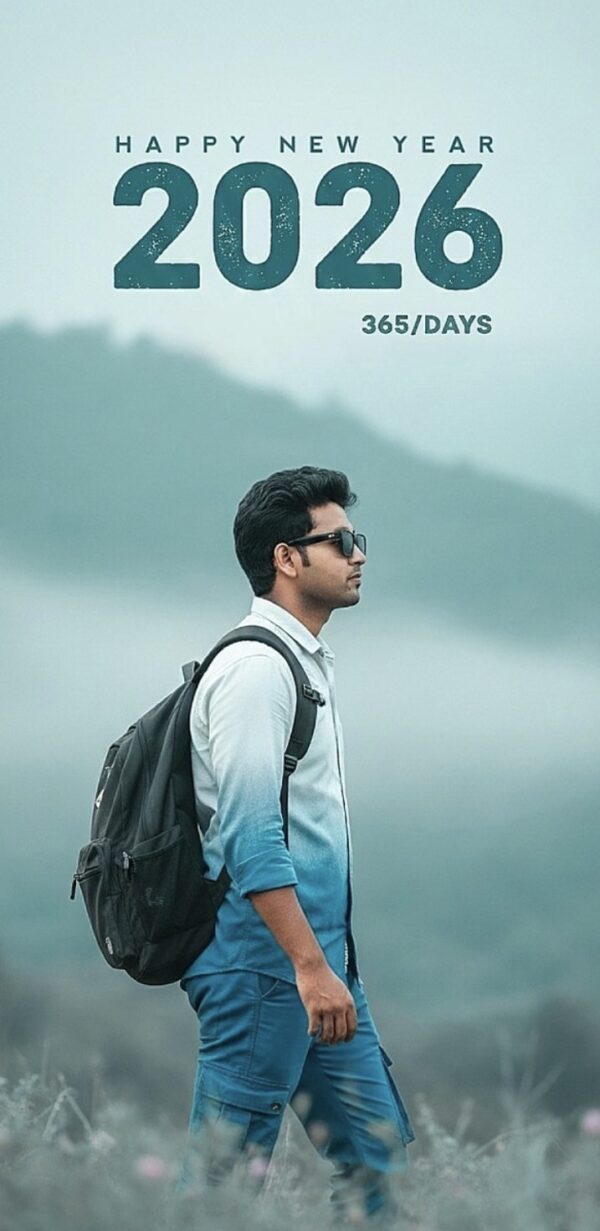
Read Also: cinematic-style realistic portrait | 2026 New Year
Nemo Ocean Trio Dive style में subject को underwater environment में दिखाया जाता है, जहां bright ocean colors, realistic water depth, और playful animated-inspired vibe एक साथ आती है। यह style उन users के लिए perfect है जो चाहते हैं कि उनकी photo unique लगे, लेकिन face distortion या over-editing न हो।
अगर आप beginner हैं, तो भी यह concept आसान है: आपको बस एक clear photo चाहिए, और सही prompt/style use करके image को ऐसा बनाया जाता है जैसे आप underwater adventure का हिस्सा हों। यही वजह है कि इस तरह की creative editing आज बहुत popular है।
यह prompt/photo style आपको क्या output देता है?
इस style का सबसे बड़ा फायदा है इसका realistic underwater look. Image में आम तौर पर soft cinematic lighting, blue-green ocean tones, coral reef textures, और natural depth दिखाई देती है। Subject का face sharp रहता है, जिससे portrait authentic लगता है, जबकि background में marine life scene को lively बनाती है।
Color palette usually vibrant होती है — aqua blue, sea green, coral pink, orange, और golden highlights. ये colors image को dreamy but believable बनाते हैं। साथ ही, wide-angle composition की वजह से subject, ocean creatures, और background elements एक ही frame में balanced नजर आते हैं।
इस तरह की edit में focus सिर्फ fantasy पर नहीं होता, बल्कि photo realism पर भी रहता है। यानी skin texture, mask reflection, clothing details, और underwater light falloff जैसे छोटे elements image को polished बनाते हैं।
- Soft underwater lighting for cinematic feel
- Bright coral reef and tropical fish background
- Natural face preservation without distortion
- Wide-angle, portrait-style framing
- Realistic ocean depth and color balance
This Style photo editing prompt को mobile पर कैसे use करें?
अगर आप mobile से edit करना चाहते हैं, तो process बहुत simple है। पहले अपनी best photo चुनें, फिर जिस app या AI editor में prompt-based editing available हो, वहां image upload करें। उसके बाद style effect apply करके result preview करें और जरूरत हो तो pose, brightness, या background intensity adjust करें।
Beginner के लिए सबसे अच्छा तरीका है कि एक clean, front-facing photo से start करें। इससे AI को facial features समझने में आसानी होती है और final result ज्यादा natural आता है। अगर आपका face turned है, बहुत dark है, या image blurry है, तो underwater transformation उतना sharp नहीं लगेगा।
Step-by-step process follow करें ताकि mobile पर भी professional result मिले:
- एक clear portrait photo select करें जिसमें चेहरा साफ दिखे।
- Photo editing app खोलें और image upload करें।
- Underwater or cinematic fantasy style choose करें।
- Prompt-based effect apply करें और preview देखें।
- अगर available हो, तो depth, color, and lighting sliders adjust करें।
- Face details preserve रखने वाला setting select करें।
- Final image save करें और social post के लिए export करें।
ध्यान रखें कि best results के लिए one-tap edit के बजाय थोड़ा custom tuning करें। इससे Nemo Ocean Trio Dive जैसा scene ज्यादा polished, balanced, और natural लगेगा।
कौन-सी photos इस style के लिए सबसे अच्छी रहती हैं?
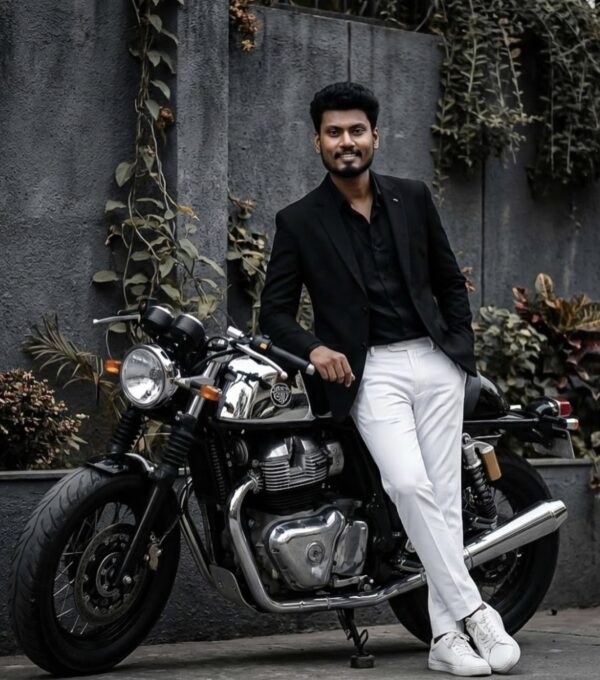
इस तरह की underwater edit के लिए सबसे अच्छी photo वह होती है जिसमें subject का face साफ हो, lighting even हो, और background बहुत cluttered न हो। Front-facing या slight 3/4 angle portraits सबसे अच्छे रहते हैं क्योंकि इनमें eyes, smile, और facial structure AI को clearly मिलते हैं।
Resolution भी बहुत important है। High-resolution image हमेशा better रहती है क्योंकि AI details preserve कर पाता है — जैसे skin texture, hair edges, और mask area। अगर photo बहुत compressed या low-quality होगी, तो final output blurry या artificial लग सकता है।
Clothing choice भी result पर असर डालती है। Simple, solid-color outfits या swimwear type looks underwater theme के साथ naturally blend करते हैं। Busy patterns, neon glare, या बहुत deep shadows वाले कपड़े avoid करना बेहतर होता है, क्योंकि वे ocean scene में distract कर सकते हैं।
- Angle: front-facing या slight side angle
- Resolution: high-quality, sharp portrait
- Lighting: soft daylight या evenly lit face
- Background: plain या low-clutter background
- Clothing: simple colors, clean textures, natural look
- Face visibility: eyes और facial features clearly visible
अगर आप best outcome चाहते हैं, तो ऐसी photo चुनें जिसमें subject centered हो और pose relaxed हो। इससे underwater composition में depth, realism, और character presence तीनों बेहतर दिखते हैं।
Pro Tips for the Best Results with Om Editing Top
Om Editing Top works best when you keep the scene idea clear and specific before you start. If you want a strong underwater look, make sure the main subject stays centered and the background details support the story instead of overpowering it. The more balanced the composition, the more natural and polished the final image feels.
For the best results, focus on small details like lighting, face clarity, and color harmony. A realistic ocean-style edit becomes much more convincing when the character placement, water tones, and visual depth all feel consistent. Om Editing Top can give you a much better finish when you guide it with clear visual priorities.
- Choose a clear subject pose so the face stays readable and the image feels intentional.
- Keep the background rich but not too crowded, so the main subject remains the hero of the frame.
- Use balanced underwater colors like blue, teal, coral, and soft green for a natural ocean mood.
- Ask for cinematic lighting if you want the image to look more dramatic and high-end.
- Keep the composition wide enough to show the characters, water life, and environment together.
Common Mistakes to Avoid in This Style
One of the biggest mistakes is making the scene too busy. If you add too many elements at once, the image can lose clarity and the main focus gets weak. In Om Editing Top, a clean and controlled composition usually looks much more professional than an overloaded one.
Another common issue is uneven realism. If the face, clothing, and background do not match in lighting or color tone, the edit may look artificial. It also helps to avoid vague instructions, because unclear direction can lead to random results instead of the exact style you want.
- Do not overload the frame with too many objects, because the subject can get lost in the scene.
- Avoid mismatched lighting, since it makes the final image look less believable.
- Do not ignore facial detail, because a clear face is essential for a strong portrait-style edit.
- Skip vague prompts or unclear scene ideas, as they often create weak and inconsistent outputs.
- Do not use clashing colors that break the underwater mood or reduce visual harmony.
Best Use Cases and Creative Ideas for This Style
Om Editing Top is a great choice for social media content, especially if you want a visually striking image that stands out quickly. A cinematic ocean-themed edit can work beautifully on Instagram posts, profile pictures, and story covers because it feels playful, colorful, and eye-catching at the same time.
It also fits well for creative branding and personal content. You can use this style for thumbnails, portfolio samples, reels covers, or even themed profile visuals when you want something fun but still polished. The mix of character energy and realistic underwater scenery makes the result suitable for many modern digital uses.
- Instagram posts: Great for eye-catching feed content with a cinematic or fantasy feel.
- Profile pictures: Works well when you want a memorable and unique display image.
- Thumbnails: Helpful for content that needs strong visual appeal and instant recognition.
- Portfolios: Useful for showcasing creative editing skills and style variety.
- Reels covers: Perfect for giving short-form videos a bold and attractive first impression.
Variations You Can Try with This Style
One of the best things about this style is how easily you can experiment with different moods. If you want a softer look, try bright daylight, gentle blue water, and calm facial expressions. If you want something more dramatic, go for deeper ocean tones, stronger contrast, and richer shadows to make the scene feel more cinematic.
You can also change the atmosphere through colour and setting. A tropical coral reef gives a vibrant and cheerful result, while a darker deep-sea background creates a more mysterious style. Seasonal ideas can work too, such as summer-style bright water, monsoon-inspired moody tones, or sunset-colored underwater lighting for a unique visual twist.
- Mood variations: playful, cinematic, dreamy, adventurous, or dramatic.
- Colour variations: turquoise, deep blue, aqua, coral pink, or sunset gold.
- Setting variations: coral reef, open ocean, kelp forest, or fantasy underwater world.
- Seasonal variations: bright summer water, moody rainy tones, or warm golden lighting.
- Style variations: realistic, film-inspired, wide-angle, or soft portrait focus.
Conclusion: Try This Style for a Fresh Underwater Look
This prompt is a simple way to create a standout underwater-style image with strong visual impact and a polished finish. When you keep the scene clear, the lighting balanced, and the composition natural, the final result can feel both realistic and exciting.
If you want a creative edit that looks fun, cinematic, and highly shareable, this look is worth trying. Experiment with different moods, colors, and backgrounds until you find the version that matches your style best.
FAQ: Nemo Ocean Trio Dive
How do I use the "Nemo Ocean Trio Dive" prompt?
Copy the prompt above, open Gemini or ChatGPT, upload a clear photo of yourself and paste the prompt. Generate the image and adjust the outfit or background if you want a variation.
Is this prompt free?
Yes. This prompt is free to copy and use for Instagram, reels, WhatsApp DP and profile pictures.
Which photo works best?
A sharp, front-facing, well-lit photo with no filter. A clear face helps the AI keep your identity in the final image.
Last updated: 17 August 2026
💬 Comments