Golden Coloured Choli
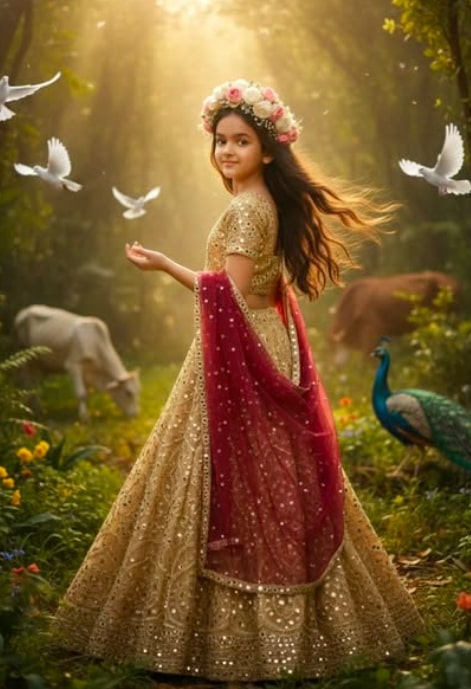
Om Editing Top के साथ Golden Coloured Choli लुक का मतलब क्या है?
Om Editing Top style में Golden Coloured Choli वाला एडिट एक ऐसा glamorous photo concept है जो plain portrait को cinematic, royal, and highly polished look में बदल देता है। यह खास तौर पर उन लोगों के लिए useful है जो अपने normal photo ko professional-looking fashion edit, bridal-style concept, ya AI-generated aesthetic portrait ki tarah present करना चाहते हैं।
Read Also: cinematic-style realistic portrait | 2026 New Year
इस तरह का look traditional outfit inspiration, festive photoshoot, wedding reel cover, Instagram profile photo, aur WhatsApp status design के लिए बहुत popular है। Golden blouse, mirror work details, rich dupatta, aur soft daylight ka mix image ko premium feel देता है. अगर आप mobile par simple photo se dramatic transformation चाहते हैं, तो यह style kaafi practical aur eye-catching है।
इस edit की सबसे बड़ी खासियत यह है कि यह feminine elegance, regal mood, aur vibrant cultural touch को एक साथ लाता है। Proper composition ke saath यह photo fashionable bhi लगती है aur artistic bhi, जिससे इसे fashion page, blog cover, ya social post ke liye आसानी से use किया जा सकता है।
यह Golden Coloured Choli photo style आपको क्या देता है?
Golden Coloured Choli edit आमतौर पर एक rich, warm, and cinematic visual बनाता है। इसमें golden tones, embroidered textures, soft highlights, aur subtle shadow depth मिलती है, जिससे subject का outfit more detailed और expensive-looking लगता है। Mirror work ya zari-like effect image में shimmer add करता है, जो frame को instantly attractive बना देता है।
Background भी इस style का बड़ा हिस्सा होता है। Jungle-inspired setting, natural daylight, animals, birds, ya open-air environment जैसे elements image ko fantasy-meets-reality look देते हैं। जब golden sunlight subject पर पड़ती है, तो skin tones soft दिखते हैं aur outfit ka metallic shine aur bhi prominent हो जाता है।
Composition की बात करें तो यह look अक्सर high-angle full-body frame, shoulder-over pose, aur flowing fabric movement पर best work करता है। इससे photo में depth आती है और subject का silhouette elegant लगता है। Floral jewellery, crown, ya ethnic accessories image ko festive and royal mood देते हैं, while keeping the overall result realistic enough for editing pages and creative posts.
- Lighting: warm daylight, golden hour, soft natural glow
- Mood: calm, regal, dreamy, cinematic
- Colors: gold, maroon, earthy greens, soft neutrals
- Composition: full-body framing, gentle pose, fabric flow
- Realism: detailed skin texture, natural shadows, believable outfit folds
How to use Golden Coloured Choli prompt on mobile step by step
अगर आप beginner हैं, तो भी इस तरह का edit बनाना मुश्किल नहीं है। सबसे पहले आपको एक clear reference photo चुननी होगी, फिर उसे editing app या AI image tool में upload करना होगा। उसके बाद style instructions apply करके output generate किया जाता है, और जरूरत पड़े तो final touch-up mobile editor से किया जाता है।
Mobile पर काम करते समय सबसे important बात है कि आप image quality और pose consistency पर ध्यान दें। अगर base photo सही होगी, तो final result भी ज्यादा natural और polished आएगा। नीचे दिए गए steps simple हैं और इन्हें कोई भी आसानी से follow कर सकता है।
- अपनी best reference photo चुनें, जिसमें face साफ दिख रहा हो।
- Photo ko gallery से open करके uska background simple aur uncluttered check करें।
- AI editor या image generation app में image upload करें।
- Golden choli, rich dupatta, floral jewellery, aur cinematic outdoor mood जैसी style settings select करें।
- Output generate होने दें और result ko closely inspect करें।
- Agar face ya hands unnatural लगें, तो दूसरा version generate करें।
- Final image ko brightness, contrast, aur sharpness se हल्का refine करें।
- Export करके social media, DP, reel cover, ya poster के लिए save करें।
अगर app में manual controls हैं, तो warm tones, soft glow, aur medium contrast को प्राथमिकता दें। इससे golden outfit ज्यादा real लगेगा और facial features over-edited नहीं दिखेंगे। शुरुआत में एक ही photo पर multiple versions बनाना helpful होता है, ताकि आप best pose aur best lighting वाला result choose कर सकें।
कौन सी photos इस style के लिए सबसे अच्छी रहती हैं?
Golden Coloured Choli edit का best result तब मिलता है जब original photo में subject का face sharp हो aur pose natural लगे। Half turned pose, shoulder-over look, ya slight side angle इस style में बहुत अच्छा काम करता है क्योंकि इससे lehenga aur dupatta flow more elegant दिखते हैं। Full-body shot भी ideal रहता है अगर outfit details दिखानी हों।
Resolution जितनी better होगी, final output उतना hi clean आएगा। Low-light या blurry photo में embroidery, jewellery, aur fabric texture loss हो सकता है। इसलिए daylight में ली गई photo, preferably soft natural light वाली, सबसे suitable रहती है। Background simple हो तो AI style elements easily integrate हो जाते हैं, वरना subject cut-out jaisa लग सकता है।
Clothing aur pose भी practical level पर matter करते हैं। Aapki photo में plain outfit ho sakta hai, लेकिन face orientation aur body posture strong होना चाहिए. अगर आप portrait se start कर रहे हैं, तो AI ya editor pose ko outfit ke साथ better blend कर सकता है, but clear outline honi chahiye.
- Angle: slight side angle, over-the-shoulder, or full-body standing pose
- Resolution: high-resolution image preferred, minimum blur
- Lighting: daylight, soft warm light, avoid harsh flash
- Background: clean, open, and not too crowded
- Clothing: simple reference outfit works, but clear body shape helps
- Face clarity: eyes, nose, and jawline should be visible and sharp
अगर आपकी photo indoor है, तो भी window light ke paas ली गई image बेहतर रहती है. Dark rooms, heavy shadows, aur messy background इस type ke glamorous edit ko weaken कर सकते हैं. Best practice यही है कि आप aisi photo चुनें जिसमें subject centered ho, expression calm ho, aur overall frame balanced लगे।
Pro Tips for the Best Om Editing Top Results
To get the most polished Om Editing Top look, start with a clear reference image and keep the pose simple and natural. A high-quality face reference helps preserve the subject’s identity while the outfit and background are enhanced beautifully. Since this style is all about rich traditional detail, even small changes in pose, lighting, or camera angle can completely change the final feel.
For the best results, focus on balance: the golden outfit, floral jewellery, and background should all work together without looking crowded. If the image is meant for social media, a clean composition with strong subject focus usually performs better than a busy frame. The goal is to make the edit look premium, realistic, and visually elegant.
- Use a sharp source image with good facial clarity so the final edit stays realistic.
- Keep the outfit details consistent, especially embroidery, fabric shine, and dupatta placement.
- Choose soft golden daylight or warm cinematic lighting to match the traditional mood.
- Make sure the background elements support the subject instead of distracting from her.
- Use natural hair flow and gentle body posture to make the composition feel more lifelike.
- Maintain clean edges around the face, hands, and clothing for a professional finish.
If you are creating an Om Editing Top style image for Instagram or a portfolio, think about how the final image will be viewed on a phone screen. Strong contrast, elegant colors, and a focused subject usually work better than overly complex scenes. A refined edit often looks more expensive and more shareable.
Common Mistakes to Avoid in This Edits
One of the biggest mistakes is overloading the frame with too many visual elements. While the jungle setting, cows, peacock, pigeons, and golden light can create a cinematic atmosphere, too much crowding can make the subject feel lost. In an Om Editing Top design, the girl and her traditional styling should remain the clear focus.
Another common issue is ignoring consistency between face, clothing, and lighting. If the lighting on the face looks different from the outfit or background, the edit can feel artificial. Small mismatches in skin tone, shadow direction, or fabric highlights often reduce the realism of the final output.
- Using a low-quality reference photo: This can blur facial details and make the edit less accurate.
- Over-editing the face: Too many changes can remove the natural look and weaken identity retention.
- Clashing colours: If the golden choli, maroon dupatta, and background tones do not harmonize, the image can look messy.
- Heavy background clutter: Too many objects can pull attention away from the subject.
- Unnatural pose or angle: A pose that feels stiff or forced can make the image look less believable.
- Weak fabric detailing: Missing mirror work, embroidery, or drape realism can reduce the premium feel.
For a strong Om Editing Top result, less confusion usually means more impact. Keep the visual story clear, preserve the face carefully, and make sure every element supports the traditional aesthetic. That way, the image feels refined instead of overdone.
Best Use Cases and Creative Ideas for These Images
The Om Editing Top style works especially well for Instagram posts where traditional fashion, beauty, and cinematic edits get good attention. The golden choli look, floral jewellery, and dramatic outdoor background make the image suitable for festive themes, cultural portraits, and stylized fashion content. It is also a strong choice for profile pictures when you want a regal and elegant vibe.
These edits can also be used as thumbnails, portfolio samples, or reels covers because they grab attention quickly. A polished traditional look stands out in crowded feeds, especially when the colors are rich and the composition is clean. If you want to build a themed visual identity, this style can help create a consistent and memorable aesthetic.
- Instagram posts: Perfect for fashion, festive, and traditional portrait uploads.
- Profile pictures: Works well when you want a graceful and eye-catching look.
- Thumbnails: Great for beauty edits, transformation content, or editing tutorials.
- Portfolios: Useful for showing creative portrait editing and character styling skills.
- Reels covers: Helps make short-form content look more premium and clickable.
You can also experiment with festival-based content, bridal-inspired portraits, or even editorial-style traditional shoots. The same this style concept can be adapted for different moods depending on the occasion and platform. That flexibility is one reason this style stays popular among creators.
Variations You Can Try with This Style
One of the best things about this prompt edits is how easily you can change the mood without losing the core look. You can keep the golden choli as the main outfit element and then switch the environment, lighting, or accessories to create a fresh version. This makes the style useful for multiple posts instead of only one image.
For example, you can create a softer romantic version with pastel tones, or a more royal version with deeper gold and rich shadows. Seasonal changes also work beautifully, such as a summer daylight scene, a monsoon-inspired green background, or a winter-style warm glow. Each variation gives the same concept a different emotional feel.
- Mood variations: Calm, royal, dreamy, festive, cinematic, or devotional.
- Colour variations: Deep gold, rose gold, warm amber, muted beige, or rich maroon accents.
- Setting variations: Jungle, palace garden, open field, sunset landscape, or temple-style backdrop.
- Season variations: Summer brightness, monsoon freshness, autumn warmth, or winter golden light.
- Styling variations: Different floral crowns, jewellery designs, dupatta drapes, or lehenga textures.
If you want more creative range, try adjusting the camera angle as well. A high-angle fashion portrait can feel elegant and dramatic, while a slightly lower angle can make the subject look more powerful and regal. These small changes help your this look images feel unique each time.
Conclusion: Try This Style for a Stunning Traditional Look
The yeh style style is a beautiful way to create elegant, photorealistic traditional portraits with rich color, graceful styling, and cinematic depth. When you combine a clear face reference, well-balanced lighting, and carefully chosen background elements, the final image can feel premium and memorable.
If you want your edits to stand out on social media or in a creative portfolio, this is a style worth experimenting with. Try different moods, backgrounds, and colour tones, and keep the composition clean so the subject remains the hero of the frame. With the right approach, this edit can give you a striking and timeless result.
FAQ: Golden Coloured Choli
How do I use the "Golden Coloured Choli" prompt?
Copy the prompt above, open Gemini or ChatGPT, upload a clear photo of yourself and paste the prompt. Generate the image and adjust the outfit or background if you want a variation.
Is this prompt free?
Yes. This prompt is free to copy and use for Instagram, reels, WhatsApp DP and profile pictures.
Which photo works best?
A sharp, front-facing, well-lit photo with no filter. A clear face helps the AI keep your identity in the final image.
Last updated: 17 August 2026
More Girls AI photo prompts
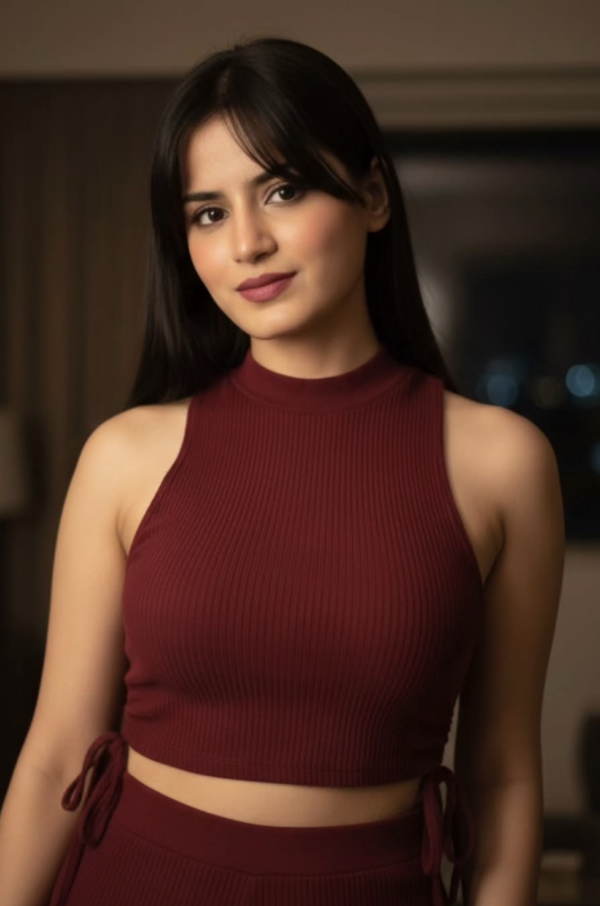 Girls Red Wear Beauty Girl AI Prompt
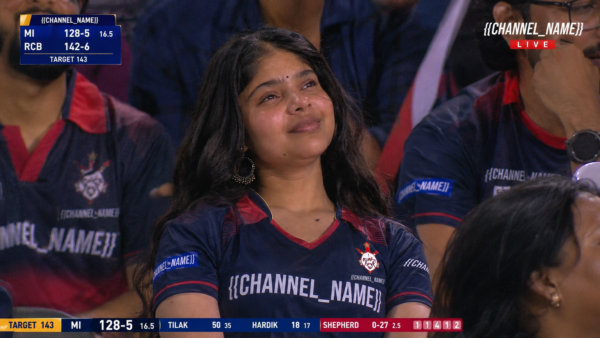 Girls IPL trend Video Generate prompt
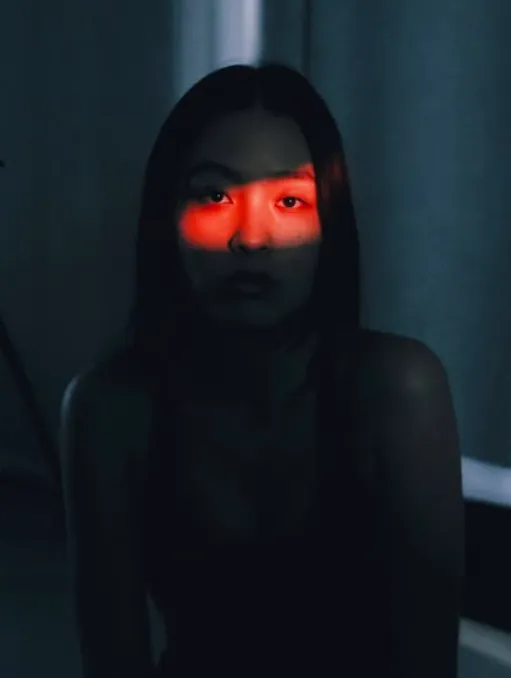 Girls Crimson Eye Line
 Girls Eyes close-up portrait
 Girls Blue Ribbed Winter Sweater AI Prompt
 Girls Real Person in Minecraft World Background
 Girls Sunlit Varanasi Ghat Portrait
 Girls High-Fashion Streetwear Studio Collage | 2000s Editorial Look
💬 Comments