← Back
Avatar
Gemini 📅 30 Jun 👁 28

Avatar

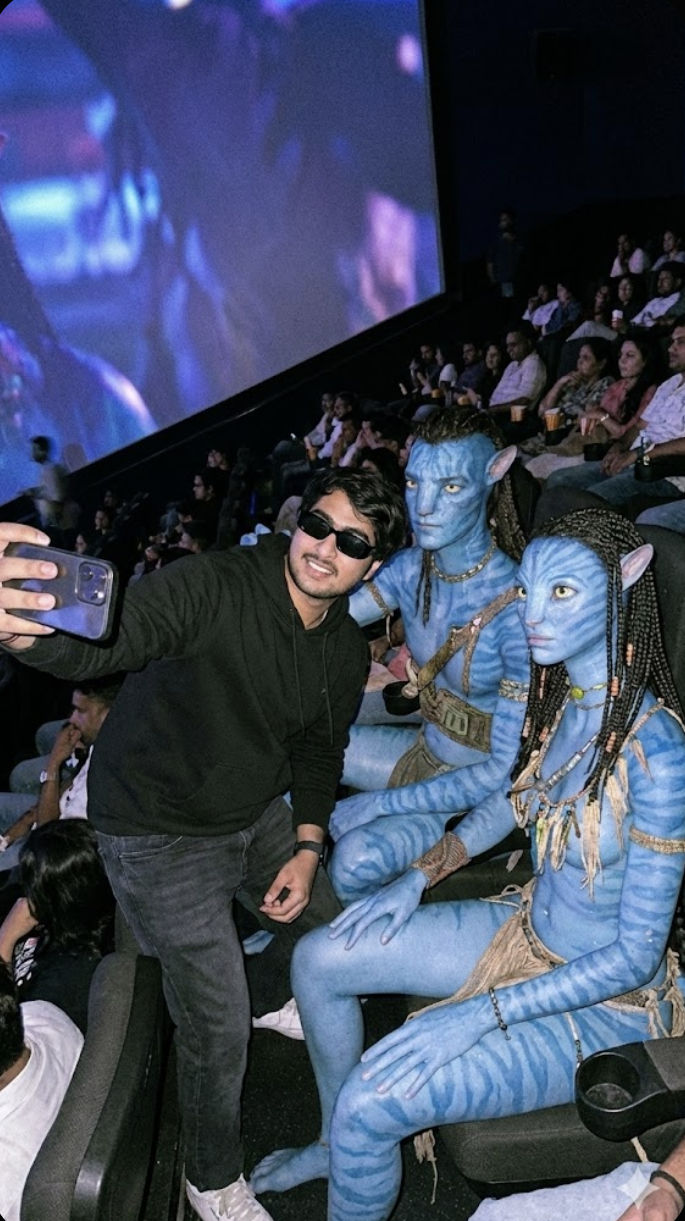
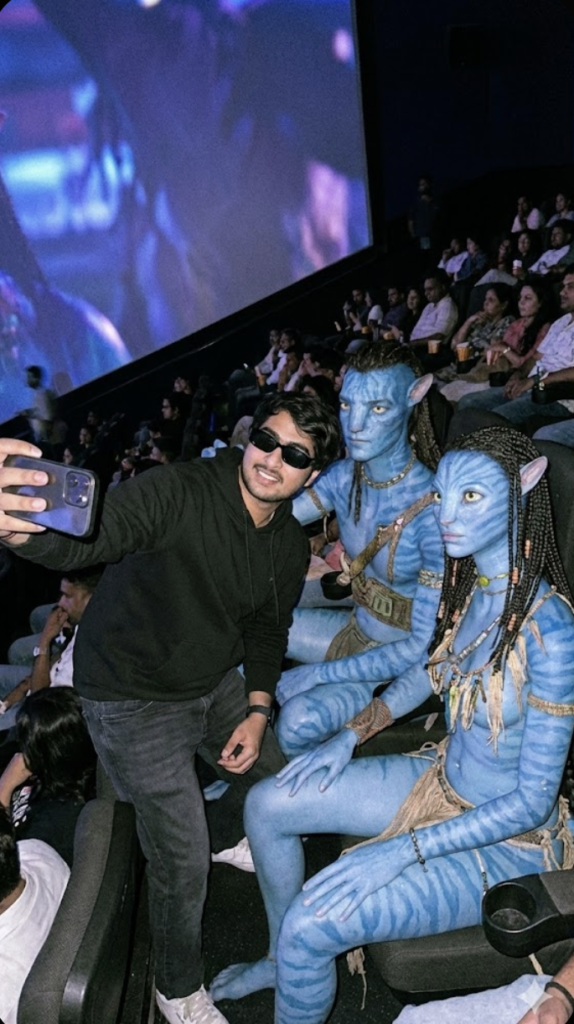
"Ultra-realistic cinematic photograph inspired by the attached reference image. The scene features a COMPLETELY NEW POSE: a slightly side-leaning candid selfie taken inside a large, dimly lit IMAX-style movie theater, with the camera held higher than eye level and angled diagonally downward for a natural cinematic candid feel. A young, lean, stylish man is seated, leaning slightly toward the aisle side, one shoulder closer to the camera, one hand casually holding the camera while the other rests on his thigh. He wears a clean black hoodie (hood down, no logos), realistic fabric folds and texture, paired with dark jeans and black sunglasses, calm confident expression, relaxed posture. Seated closely beside him are two tall blue-skinned alien humanoids inspired by an epic sci-fi universe, one male and one female. They feature elongated ears, soft striped skin patterns, natural tribal jewelry, handcrafted straps, and organic nature-inspired accessories. The female alien avatar.
⬇ Save Image

Om Editing Top Avatar Style Kya Hai?

Om Editing Top Avatar style ek cinematic, ultra-realistic photo-editing concept hai jo social media par instantly attention grab karta hai. Is type ke edit me subject ko ek dramatic, movie-like setting me place kiya jata hai, jahan lighting, pose, outfit, aur background milkar ek premium visual feel create karte hain. Agar aap avatar-inspired portraits, sci-fi themed selfies, ya high-end cinematic edits banana chahte hain, to Om Editing Top aapke liye kaafi useful style ho sakta hai.

Read Also: cinematic-style realistic portrait | 2026 New Year

Ye style un logon ke liye best hai jo apni normal photo ko ek bold, stylish, aur larger-than-life look dena chahte hain. Instagram reels cover, WhatsApp DP, YouTube thumbnail, ya fan-edit post ke liye aise visuals bahut engaging lagte hain. Isme focus sirf face par nahi hota, balki poora frame composition, mood, aur character-like presence create karta hai, jo photo ko simple snapshot se ek cinematic artwork me badal deta hai.

Avatar-style edits ka main appeal unki visual storytelling hai. Aapko ek aisa frame milta hai jo futuristic bhi lagta hai aur realistic bhi, jisme subject ka expression, seating pose, color harmony, aur environment sab kuch ek strong narrative build karta hai. Isi wajah se Om Editing Top avatar edits beginners aur advanced editors dono ke beech popular hain.

This Style Avatar Prompt Photo Style Kya Deta Hai?

Is photo style ka sabse bada feature uska ultra-realistic cinematic look hai. Lighting usually soft but dramatic hoti hai, jisme dim environment ke saath subject par controlled highlights aate hain. Isse face aur outfit ka texture clearly dikhta hai, aur image me depth feel hoti hai. Blue-toned fantasy characters ya sci-fi inspired elements ke saath frame aur bhi visually striking ban jata hai.

Composition ki baat karein to ye style mostly candid selfie feel deta hai, lekin professionally staged lagta hai. Camera angle slightly high aur diagonal hota hai, jisse image me natural perspective aata hai. Subject ka relaxed body language, stylish clothing, aur background me theater-like atmosphere milkar ek rich, premium mood create karte hain. Yeh typical flat edit nahi hota, balki ek story-driven portrait hota hai.

Colour palette me dark, cool, aur cinematic tones dominate karte hain. Black outfit, deep shadows, blue skin tones, aur subtle ambient light frame ko high-contrast aur filmic banate hain. Realism ka effect pose details, fabric texture, skin lighting, aur accessories ke through aur strong hota hai.

This Style Use Kaise Karein? Step-by-Step Guide

Agar aap beginner hain aur mobile se kaam kar rahe hain, to sabse pehle ek clear reference photo select karein. Photo aisi honi chahiye jisme aapka face visible ho, lighting decent ho, aur pose too blurry na ho. Phir editing app ya AI image tool me image upload karke prompt style apply karein. Yahan par sabse important cheez consistency hai, yani aapki original photo aur final scene ke colors aur angle ek dusre se match karne chahiye.

Next step me outfit aur background ko cinematic direction me shift karein. Agar aap black hoodie, dark clothes, ya minimal styling use karte hain, to final result aur zyada believable lagega. Camera angle, expression, aur pose ko natural rakhen; overacting ya too much smile se cinematic vibe weak ho sakti hai. Aim ye hona chahiye ki photo candid लगे, but still composed ho.

Final step me output ko zoom karke check karein. Face edges, hands, sunglasses, aur background characters ke around koi unnatural blur ya distortion to nahi hai, ye dekhein. Agar edit thoda soft lag raha hai, to contrast, shadows, aur sharpness ko lightly adjust karein. Mobile users ke liye ye small corrections image ko professional bana dete hain.

  1. Apni best clear photo choose karein.
  2. Image ko editing app ya AI tool me upload karein.
  3. Scene ka cinematic avatar style apply karein.
  4. Pose aur angle ko natural candid selfie jaisa rakhein.
  5. Dark outfit aur realistic lighting match karein.
  6. Preview me face aur background details check karein.
  7. Light sharpening aur contrast adjustment ke baad export karein.

This Style Avatar Ke Liye Kaunsi Photos Best Rehti Hain?

Best result ke liye aapko aisi photo choose karni chahiye jisme subject ka face clear ho aur photo high resolution me ho. Blurry ya low-light images me detailed cinematic edit banana difficult hota hai. Side-angle ya slightly angled selfie is style ke liye kaafi achchi rehti hai, kyunki isse final frame me depth aur realism dono aate hain.

Lighting bhi important hai. Soft indoor light, window light, ya evenly lit face photo zyada useful hoti hai. Agar background clean ho ya simple ho, to AI-style transformation ya editing me subject pe focus bana rehta hai. Busy background se final result messy lag sakta hai, isliye plain wall, room light, ya simple indoor setting better hoti hai.

Clothing ke case me dark hoodie, black T-shirt, denim, ya minimal stylish outfit sabse achche lagte hain. Accessories jaise sunglasses ya subtle jewelry photo ko more character-like bana sakte hain. Agar aap avatar-inspired frame chahte hain, to expression calm, confident, aur relaxed hona chahiye. Too much movement, extreme selfie distortion, ya harsh shadows se cinematic feel kam ho sakti hai.

Pro Tips for the Best Results with Om Editing Top

अगर आप Om Editing Top से consistently sharp, cinematic, और eye-catching results चाहते हैं, तो सिर्फ prompt डालना काफी नहीं है। Composition, lighting, pose, background mood, और subject placement—ये सब मिलकर final output को believable बनाते हैं. खासकर avatar-style edits में छोटे changes image को बहुत premium feel दे सकते हैं.

सबसे अच्छा output तब आता है जब आप subject को simple but clear direction देते हैं। Pose natural रखिए, colors limited रखिए, और background को scene ke mood ke saath match कराइए. इससे image overdone नहीं लगती और face plus outfit दोनों clean दिखते हैं.

Ek aur useful trick है subject hierarchy maintain करना। पहले main person describe करें, फिर side characters या companions, और आखिर में environment. इस order से model समझता है कि किस detail को ज्यादा importance देनी है। यही छोटा सा structure Om Editing Top prompts को ज्यादा reliable बना देता है.

Common Mistakes to Avoid

कई बार image खराब इसलिए नहीं होती क्योंकि model weak है, बल्कि इसलिए होती है क्योंकि prompt too crowded होता है। बहुत सारे action words, too many colors, या confusing lighting instructions output को muddy कर सकते हैं. Simple और focused direction हमेशा ज्यादा effective रहती है, खासकर जब आप avatar edits या cinematic portraits बना रहे हों.

एक और common mistake है subject details में inconsistency. अगर एक जगह casual selfie style है और दूसरी जगह highly formal studio portrait vibe दी गई है, तो model mixed signals लेता है। इसी तरह, outfit, mood, and setting एक-दूसरे से logically connected होने चाहिए.

अगर आप output को premium रखना चाहते हैं, तो हर prompt में एक clear visual goal रखें: realistic selfie, cinematic theater vibe, sci-fi companions, या minimal portrait depth. जब goal clear होता है, तो Om Editing Top style edits ज्यादा clean, balanced, और share-worthy बनते हैं.

Best Use Cases and Ideas for This Style

इस तरह के avatar-based edits कई जगह use किए जा सकते हैं। सबसे common use Instagram posts और stories में होता है, जहाँ cinematic selfie look तुरंत attention grab करता है. Profile pictures में भी यह style बहुत अच्छा लगता है, especially अगर आप futuristic, stylish, or fantasy-inspired identity show करना चाहते हैं.

Thumbnails के लिए भी यह format strong रहता है, क्योंकि bold character contrast और dramatic lighting viewer की नजर तुरंत खींच लेते हैं। Reels covers, highlight covers, and portfolio posters में भी this style style images बहुत useful होती हैं, खासकर creators, editors, gamers, और sci-fi fans के लिए.

अगर आप content creator हैं, तो same concept के multiple versions बना सकते हैं—एक darker mood के साथ, एक brighter cinematic tone में, और एक minimal portrait style में. इससे आपके पास अलग-अलग platforms के लिए ready-made visual set होगा. यही flexibility this prompt को practical भी बनाती है और creative भी.

Variations You Can Try

एक ही idea को अलग moods और settings में बदलना बहुत effective होता है। इससे आप देख सकते हैं कि कौन सा version ज्यादा realistic, emotional, या viral-ready लगता है. Seasonal changes, color palettes, and location shifts image को नया personality दे सकते हैं, बिना core concept बदलें.

For example, अगर theater setting पसंद है, तो same avatar concept को rainy night, neon city, desert sunset, or winter cold-light mood में भी try किया जा सकता है. इसी तरह, outfit को slightly change करके image को casual, premium, futuristic, या adventure-style बनाया जा सकता है. यही experimentation this look edits को fresh रखती है.

अगर आप audience के हिसाब से content बना रहे हैं, तो same avatar concept को कई niches में adapt करें। Gaming audience के लिए darker, high-energy version, fashion audience के लिए polished minimal version, और fantasy audience के लिए more detailed world-building version अच्छा काम कर सकता है. इसी तरह yeh style prompts को आप repeatedly use करके variety भी बना सकते हैं और consistency भी.

Final Thoughts on This Style

this edit style edits तब सबसे अच्छे लगते हैं जब आप subject, mood, and composition को साफ़ तरीके से balance करते हैं। एक strong cinematic scene, natural pose, and well-chosen details image को सिर्फ attractive नहीं, बल्कि believable भी बनाते हैं. यही realism और style का combination AI edits को next level पर ले जाता है.

अगर आप अलग-अलग variations try करेंगे, तो आपको जल्दी समझ आ जाएगा कि कौन सा mood, color, और framing आपके content के लिए सबसे अच्छा काम करता है। Experiment करते रहिए, details refine करते रहिए, और अपने visuals को platform के हिसाब से adjust कीजिए. सही approach के साथ this style आपको unique, polished, and scroll-stopping avatar edits बनाने में मदद कर सकता है.

💬 Comments