Pixel Reality Clash
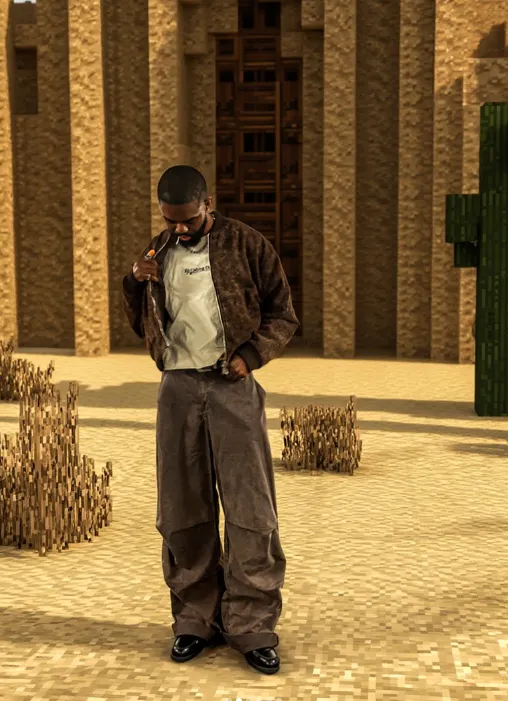
Om Editing Top: Pixel Reality Clash Style Ka Kya Matlab Hai?
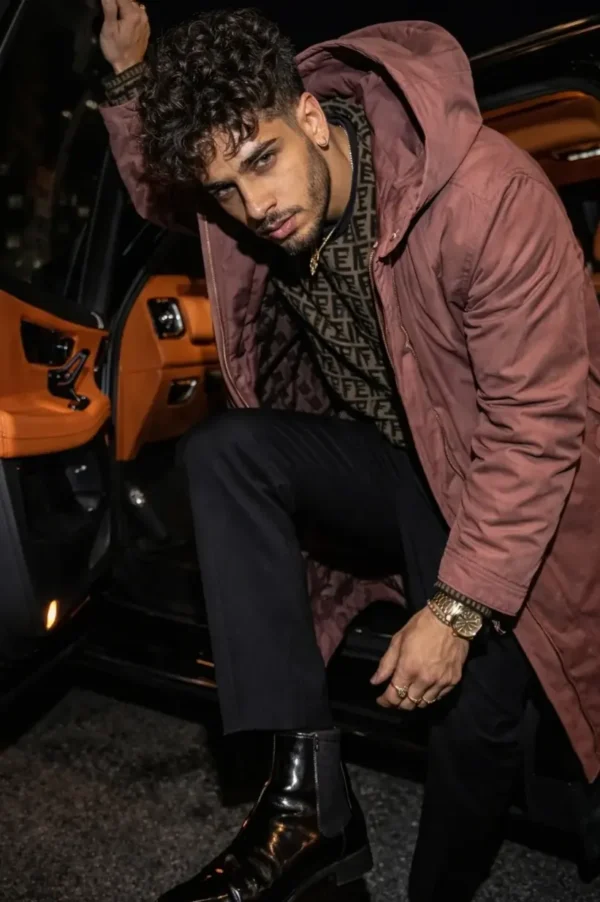
Om Editing Top ka Pixel Reality Clash style un creators ke liye hai jo ek hi frame me do alag duniyaon ka contrast dikhana chahte hain: ek taraf real, photorealistic subject, aur dusri taraf voxel-style Minecraft background. Is type ka edit social media reels, thumbnail art, AI photo editing, aur creative profile posts ke liye kaafi popular hai.
Read Also: cinematic-style realistic portrait | 2026 New Year
Is style ka main appeal ye hai ki viewer ko ek instant “wow” effect milta hai. Human subject bilkul natural rehta hai, lekin surroundings ek blocky, game-like world me change ho jaate hain. Isse image cinematic bhi lagti hai aur fantasy-inspired bhi, jo gaming audience, AI art fans, aur experimental editors ko especially attract karti hai.
Agar aap beginner hain aur mobile par photo editing karte hain, to ye style samajhna easy hai kyunki concept clear hai: subject ko same rakhna hai, background ko Minecraft-inspired banana hai. Isi balance ki wajah se Om Editing Top ka ye prompt-style edit modern, sharp aur highly shareable lagta hai.
Ye Photo Style Aapko Kya Deti Hai?
Is style ka sabse strong point hai visual contrast. Person real, detailed aur natural dikhta hai, jabki background me blocky terrain, cubic trees, stone textures, grass blocks, aur voxel structures aate hain. Is contrast se image me depth aur storytelling dono add ho jaate hain.
Lighting generally cinematic aur soft rakhi jaati hai, taaki real subject aur game-style background ek hi scene ka hissa lagein. Agar shadows, perspective aur atmosphere sahi match karein, to edit zyada believable lagti hai. Soft fog, subtle glow, aur clean block edges background ko polished look dete hain.
Colour palette bhi bahut important hoti hai. Minecraft-style world me green grass, brown dirt, grey stone, aur wooden textures ka use hota hai. Ye colours tab aur better lagte hain jab subject ke outfit aur background tones me thoda harmony ho. Result ek high-quality hybrid image hota hai jo realistic bhi lagta hai aur imaginative bhi.
- Realistic person with unchanged face and body
- Blocky voxel background inspired by Minecraft visuals
- Cinematic depth and atmospheric lighting
- Sharp edges, clean geometry, and game-like terrain
- Instagram-friendly high-contrast composition
Om Editing Top Style Ko Use Kaise Karein: Beginner-Friendly Guide
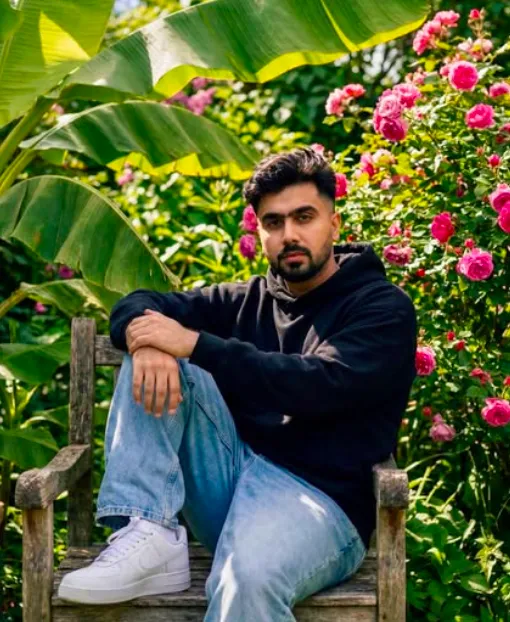
Agar aap mobile se kaam kar rahe hain, to sabse pehle original photo choose karein jisme person clearly visible ho. Face, clothes aur pose jitne sharp honge, edit utni clean lagegi. Dhyan rahe ki background simple ho, taaki environment change karna easy ho.
Phir editing app ya AI workflow me background transformation ka option use karein. Aapko subject ko preserve rakhna hai aur sirf surroundings ko change karna hai. Is stage par prompt ka concept same hota hai: person unchanged, background Minecraft-style. Agar app me masking feature ho, to subject ko carefully isolate karna bahut helpful hota hai.
Last step me lighting, shadow, aur colour balance ko match karein. Real person ko blocky world me naturally blend karne ke liye contrast, brightness, aur warmth thoda adjust karna padta hai. Ye small tweaks image ko fake-looking se professional-looking bana dete hain.
- Ek clear portrait ya full-body photo select karein.
- Ensure karein ki subject sharp ho aur motion blur na ho.
- Background ko replace karne ke liye AI edit ya masking tool open karein.
- Sirf environment ko Minecraft-style voxel world me transform karein.
- Person ke face, skin, hair, clothes aur pose ko untouched rakhein.
- Lighting aur shadow direction ko original photo ke saath match karein.
- Final image ko zoom karke check karein ki edges clean hain ya nahi.
- Agar needed ho to saturation aur contrast lightly enhance karein.
Kaunsi Photos Is Style Ke Liye Sabse Achhi Rehti Hain?
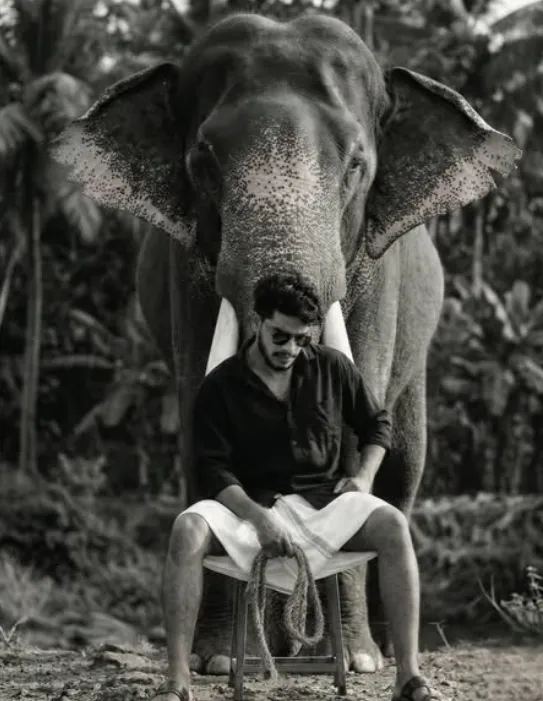
Best results un photos se milte hain jisme subject medium ya wide composition me ho. Agar face bahut chhota hai ya frame too crowded hai, to subject aur background ka separation weak ho sakta hai. Clean framing edit ko zyada premium look deta hai.
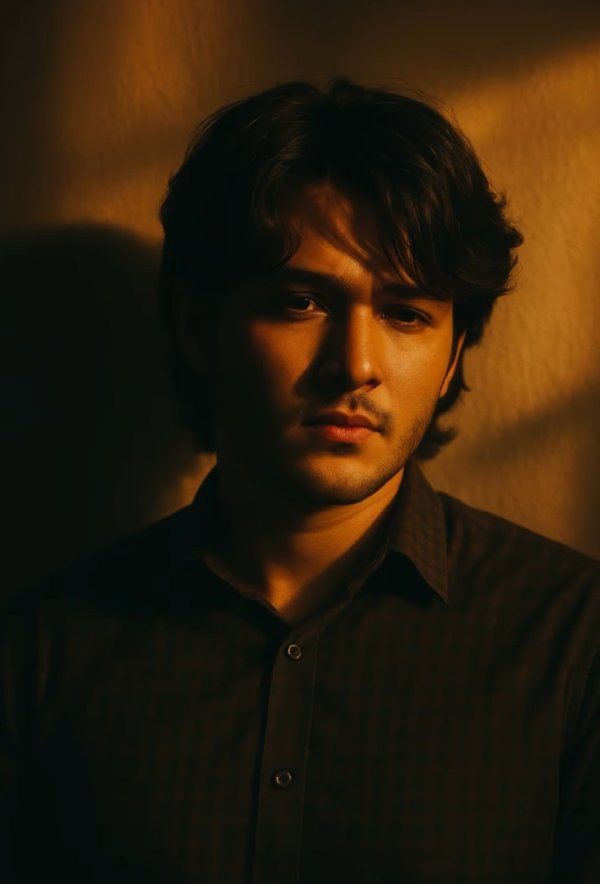
Lighting ke case me natural daylight ya soft indoor light sabse better hoti hai. Harsh shadows ya overexposure avoid karein, kyunki background replace karne ke baad mismatch clearly dikh sakta hai. Achi lighting se person environment me naturally merge ho jaata hai.
Background simple hona chahiye, jaise plain wall, outdoor open area, ya low-detail scene. Clothing ke liye solid colours aur neat outfits zyada effective hote hain, kyunki overly busy patterns voxel background ke saath clash kar sakte hain. Agar aap gaming vibe chahte hain, to casual streetwear bhi achha lagta hai.
- Angle: front-facing ya slightly side angle best rehta hai
- Resolution: high-resolution photo use karein, blurry images avoid karein
- Lighting: soft natural light ya evenly lit indoor shot
- Background: simple, uncluttered, aur easy-to-isolate area
- Clothing: clean colours, simple textures, aur clear outfit details
- Pose: stable pose jo Minecraft scene me naturally fit ho
Om Editing Top ka Pixel Reality Clash style isi liye popular hai kyunki ye simple photo ko ek fantasy-gaming hybrid look me badal deta hai. Sahi photo aur sahi balance ke saath, result sharp, cinematic aur highly engaging lagta hai.
Pixel Reality Clash: Pro Tips for the Best Results
Om Editing Top style results look best when the contrast between the real subject and the voxel background feels intentional, not accidental. The key is to keep the person crisp and photorealistic while making the Minecraft-style world look fully built around them. That balance is what makes Pixel Reality Clash edits feel premium and eye-catching on first glance.
If you want a stronger final image, pay close attention to lighting, depth, and background structure. A clean blocky environment with believable shadows can make the whole edit feel more cinematic, especially for social media posts, reels covers, and thumbnails. The more the environment matches the subject’s perspective, the more natural the final result looks.
- Use clear, high-resolution source photos so the person stays sharp after editing.
- Choose backgrounds with visible ground, trees, buildings, or open terrain for a more dramatic Minecraft transformation.
- Keep the subject centered or slightly offset so the voxel background has room to breathe.
- Match the shadow direction in the Minecraft-style world to the original photo lighting.
- Use subtle atmospheric fog or depth effects to make the environment feel more immersive.
- Prefer simple, uncluttered scenes when you want the person to remain the main focus.
Another smart tip is to think about the final platform before creating the edit. A version meant for Instagram may need bolder colors and stronger contrast, while a profile picture should feel cleaner and easier to read at small size. For a thumbnail, the background can be more detailed and dramatic so it grabs attention immediately.
Common Mistakes to Avoid in Om Editing Top
One of the biggest mistakes is changing the person too much while trying to transform the background. The whole point of Pixel Reality Clash is that the subject remains completely real, while only the environment becomes Minecraft-inspired. If the face, clothes, pose, or skin tone are altered, the image loses the effect and starts to look inconsistent.
Another common issue is using a background that does not match the original perspective. If the voxel terrain, plants, or structures do not align with the camera angle, the edit can look pasted on instead of blended naturally. Good Om Editing Top results depend on a believable relationship between the subject and the environment.
- Do not stylize the person into a Minecraft character, because it breaks the photorealistic contrast.
- Do not overuse heavy effects on the subject, since too much glow or blur can reduce realism.
- Do not make the block scale inconsistent, because mismatched proportions look fake.
- Do not ignore shadows, because missing shadow direction makes the scene feel flat.
- Do not clutter the background with too many objects, because it can distract from the subject.
- Do not shift colors too aggressively, because extreme saturation can ruin the natural look of the edit.
It also helps to avoid random placement of lanterns, trees, or buildings. In a Minecraft-style composition, every element should feel like it belongs in the same world. When the details are arranged with care, the edit becomes more polished and more shareable.
Best Use Cases and Ideas for Pixel Reality Clash
Pixel Reality Clash works especially well for Instagram posts because the visual contrast instantly catches attention while still looking stylish. A realistic person standing in a blocky Minecraft environment creates a unique pop-culture crossover vibe that feels fun, modern, and highly clickable. It is a strong choice when you want something more creative than a normal portrait edit.
This style is also great for profile pictures, especially if you want your image to stand out in gaming, creator, or fan communities. The real subject stays recognizable, while the background adds personality and a clear digital identity. It can also work very well for thumbnails, where the sharp difference between real and pixel art helps the image read quickly on mobile screens.
- Instagram posts: Use it for feed posts, announcement graphics, or creative showcase edits.
- Profile pictures: Keep the background bold but clean so the subject remains the main focus.
- Thumbnails: Use the Minecraft-style world to create a strong gaming or tech-inspired visual hook.
- Reels covers: Make the scene dramatic and readable so viewers know the content is creative at a glance.
- Portfolios: Add it as a concept piece to show experimental editing skills and visual storytelling.
Creators can also use this look for fan pages, event posters, reaction edits, and content branding. If your niche includes gaming, AI art, digital design, or transformation edits, Om Editing Top style visuals can help you build a memorable visual identity. The mix of realism and voxel fantasy makes the image feel fresh without becoming overly complex.
Variations You Can Try with Om Editing Top
One of the best things about this concept is how easy it is to customize. You can keep the same photorealistic subject and experiment with different Minecraft-style moods to create multiple versions from a single photo. Small changes in color, weather, and scene design can completely change the personality of the final edit.
If you want a warmer look, try a sunset-inspired environment with golden light, orange skies, and soft shadows. For a cooler aesthetic, use blue tones, mist, and stone-heavy terrain. You can also make the scene feel adventurous by adding hills, forests, wooden structures, caves, or lantern-lit paths that give the background more story and depth.
- Mood variations: Bright daytime, sunset glow, rainy atmosphere, foggy morning, or nighttime fantasy.
- Colour variations: Green forest tones, earthy brown terrain, icy blue landscapes, or warm autumn palettes.
- Setting variations: Village, open plains, forest edge, mountain top, cave entrance, or riverside area.
- Season variations: Spring greenery, summer brightness, autumn leaves, or winter snow blocks.
- Style variations: Clean minimalist voxel world, detailed survival-style terrain, or cinematic fantasy build.
You can also adjust the energy of the image depending on the goal. A calm setting works better for profile images and portfolio pieces, while a more dramatic landscape is ideal for reels covers and attention-grabbing posts. Trying multiple versions is often the best way to find the exact Om Editing Top look that fits your content.
Conclusion: Try Om Editing Top for a Powerful Pixel Reality Clash
Om Editing Top gives you a creative way to blend a real person with a Minecraft-style environment without losing the natural look of the subject. That contrast is what makes Pixel Reality Clash so effective: the person stays real, the world becomes blocky and imaginative, and the final result feels visually striking.
If you want an edit that stands out on Instagram, works for thumbnails, or adds something fresh to your portfolio, this style is worth experimenting with. Try different backgrounds, moods, and seasonal versions to see how far you can push the concept while keeping the same strong photorealistic subject.
FAQ: Pixel Reality Clash
How do I use the "Pixel Reality Clash" prompt?
Copy the prompt above, open Gemini or ChatGPT, upload a clear photo of yourself and paste the prompt. Generate the image and adjust the outfit or background if you want a variation.
Is this prompt free?
Yes. This prompt is free to copy and use for Instagram, reels, WhatsApp DP and profile pictures.
Which photo works best?
A sharp, front-facing, well-lit photo with no filter. A clear face helps the AI keep your identity in the final image.
Last updated: 31 July 2026
💬 Comments