Mahashivratri special
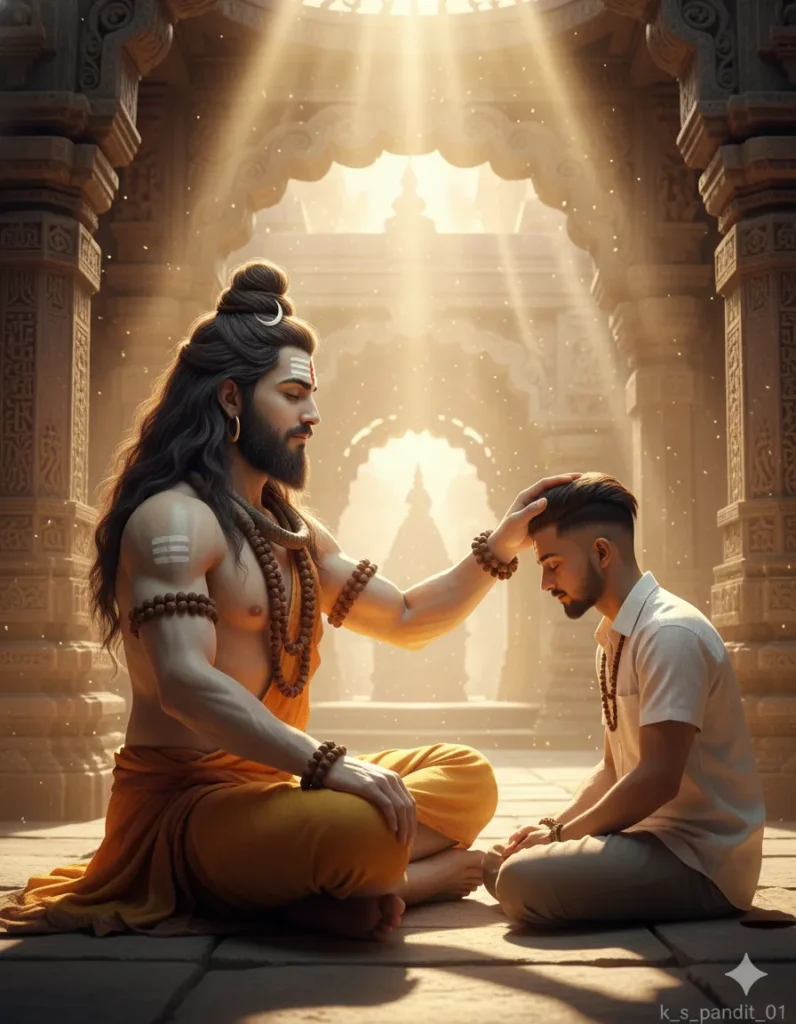
Mahashivratri special: Om Editing Top style mein divine portrait kaise banता hai
Om Editing Top style ka Mahashivratri special prompt un logon ke liye hai jo ek simple photo ko spiritual, cinematic aur hyper-realistic artwork mein convert karna chahte hain. Is tarah ka prompt खासकर un users ke liye useful hota hai jo festival posts, devotional profile photos, YouTube thumbnails, Instagram reels covers, ya personalized Lord Shiva themed edits banana chahte hain.
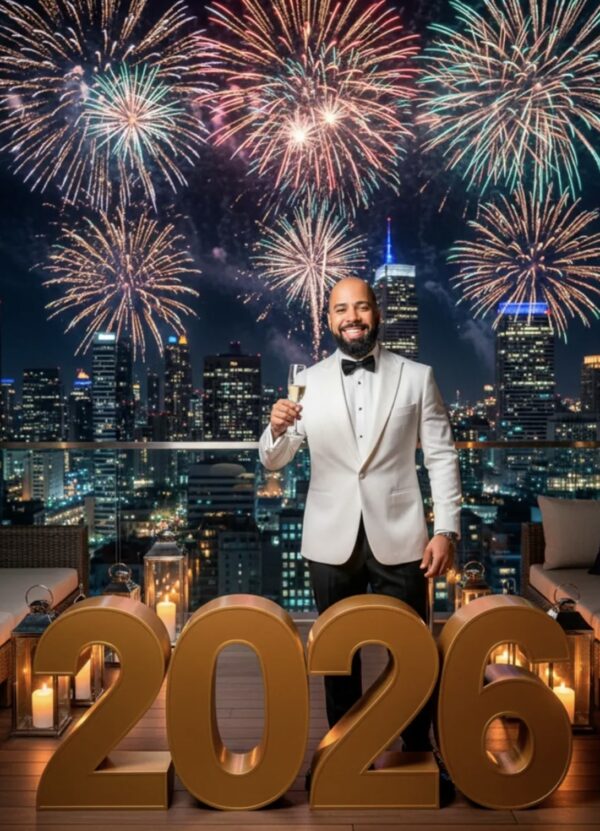
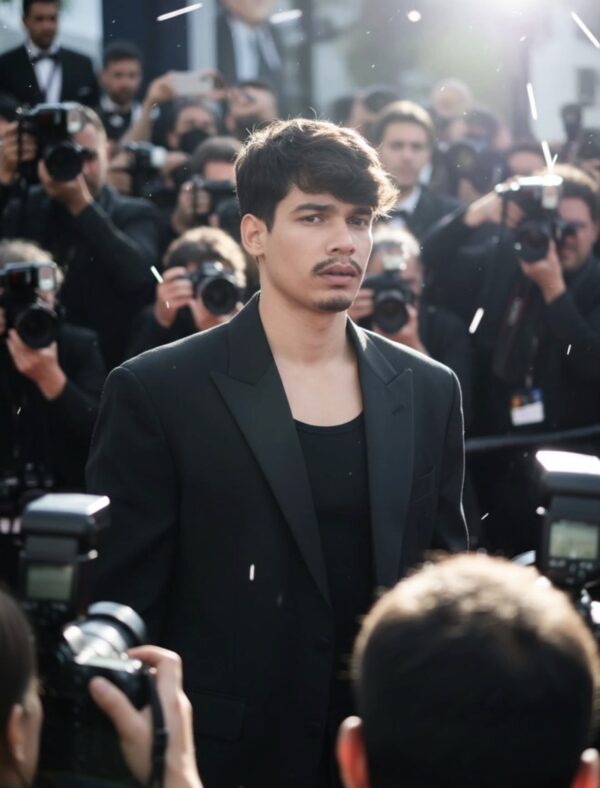
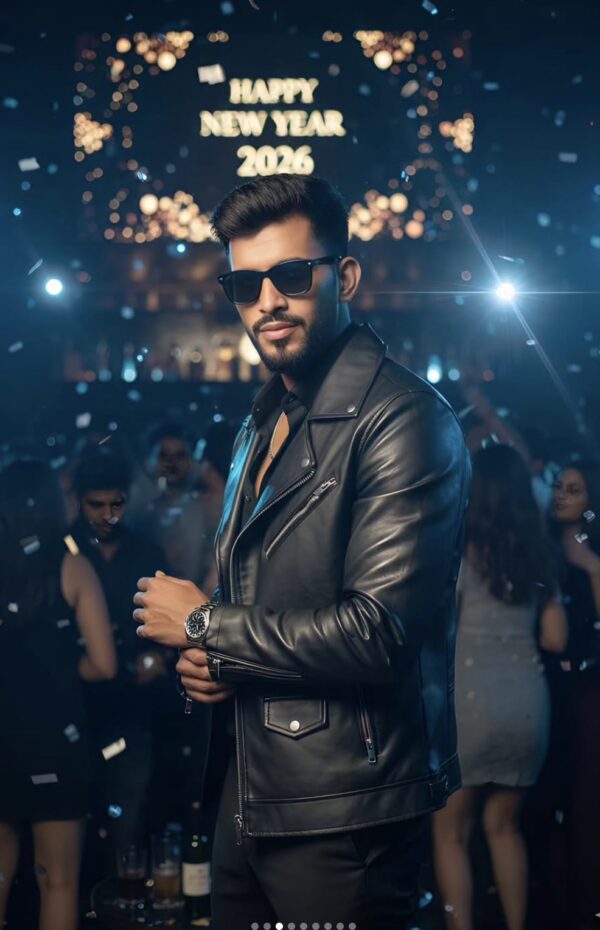
Read Also: cinematic-style realistic portrait | 2026 New Year
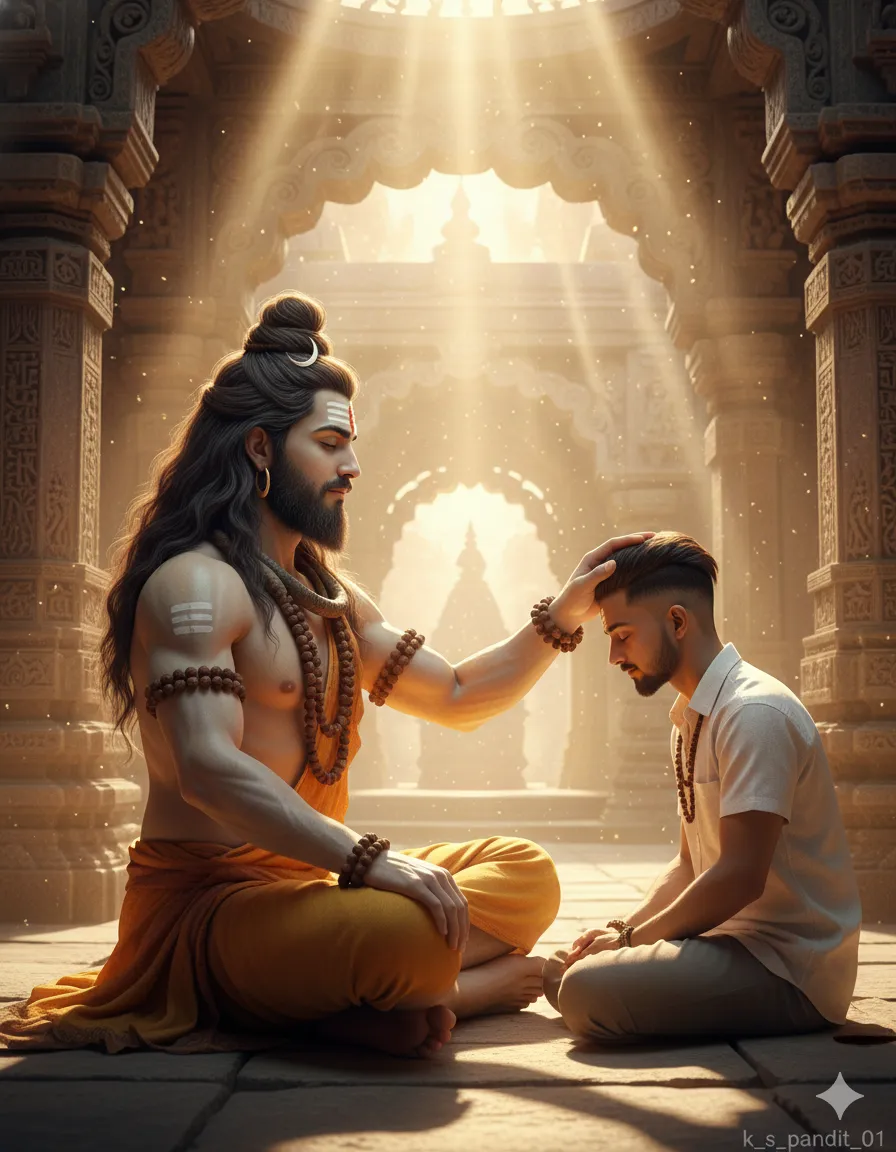
Is style ki sabse badi khasiyat ye hai ki ye sirf ek image generate nahi karta, balki ek poori devotional mood create karta hai. Aapko aisa visual milta hai jisme ancient temple ka mahaul, warm golden light, serene expression, aur divine presence sab ek saath feel hoti hai. Mahashivratri ke liye ye look kaafi popular hai kyunki ismein bhakti aur premium cinematic quality dono ka balance hota hai.
अगर aap beginner hain, to bhi is style ko samajhna easy hai. Aapko bas apni reference photo, proper pose, aur thoda sa attention detail dena hota hai. Baaki prompt-style editing ka kaam AI karta hai, jisse face realistic lagta hai aur overall frame ek powerful Mahashivratri special poster jaisa feel deta hai.
This Style prompt photo style actually kya deta hai
Ye style usually ek highly detailed spiritual portrait deta hai jisme visual focus Lord Shiva aur saamne baithe devotee par hota hai. Composition ka center devotional interaction hota hai, isliye image emotionally strong lagti hai. Temple ke stone textures, arches, aur background light rays photo ko cinematic depth dete hain.
Lighting is style ka bahut important part hai. Warm golden sunlight ya soft divine glow image ko sacred aur premium banata hai. Colors zyada harsh nahi hote; unmein golden, earthy, brown, saffron, aur subtle blue tones ka use hota hai, jo overall frame ko peaceful aur powerful banate hain. Realism ke saath fantasy ka blend is style ko special banata hai.
Ye prompt style un logon ke kaam aata hai jo social media par festive aur devotional visuals share karna chahte hain. Aap ise personal photo ke saath bhi use kar sakte hain agar aap chahte hain ki aapka face devotional scene mein naturally blend ho. Isse image AI-generated lagne ke bajay ek high-end poster ya album-cover jaisi lagti hai.
- Divine temple background with ancient stone details
- Warm sunlight and soft glowing atmosphere
- Hyper-realistic facial features and skin texture
- Spiritual, calm, and meditative mood
- Premium cinematic framing for festival posts
- High-detail look suitable for thumbnails and profile pictures
How to use This Style Mahashivratri special style on mobile
Agar aap mobile se edit kar rahe hain, to process simple rakhna best hota hai. Sabse pehle aapko ek clear reference photo select karni chahiye. Photo seedhi, sharp, aur face visible honi chahiye. Blurry ya dark image use karenge to result utna clean nahi aayega.
Uske baad prompt box mein sirf wahi style use karein jo aapke editing tool ya app mein diya gaya hai. Aksar aapko image upload karni hoti hai, prompt paste karna hota hai, aur style intensity set karni hoti hai. Mobile par crop aur aspect ratio ka dhyan rakhein, kyunki devotional portrait mein face aur upper body ka framing bahut matter karta hai.
Final result generate hone ke baad, image ko zoom karke check karein. Face shape, eyes, hair, aur lighting ka natural blend dekhna important hai. Agar app allow kare, to slight enhancement ya face restoration on karke output aur better ban sakta hai. Mahashivratri post ke liye aap 1:1 ya 4:5 format choose kar sakte hain.
- Ek clear and bright reference photo upload karein.
- Image ko crop karke face aur shoulders ko properly frame karein.
- Prompt/style option mein Mahashivratri special devotional look select karein.
- Agar setting available ho to high detail, realism, aur cinematic mode on karein.
- Generate button tap karein aur output aane tak wait karein.
- Result ko check karke best version save karein.
- Instagram, WhatsApp status, ya festival DP ke liye export karein.
Kaunsi photos This Style ke liye sabse achchi rehti hain
Is type ke edit mein photo selection bahut important hoti hai. Best results tab milte hain jab photo ka angle front ya slight 3/4 ho. Seedha face dikhe to AI facial structure ko accurately transform kar pata hai. Side profile ya heavily tilted photo mein devotional blend utna natural nahi lagta.
Resolution bhi matter karta hai. High-quality, sharp image use karne se beard, hairstyle, eyes, aur skin details clearly preserve hote hain. Agar photo mein face shadow mein hai, to output dull aa sakta hai. Natural daylight ya soft indoor light best rehti hai, kyunki isse facial features easily read hote hain.
Background simple hona chahiye, taaki AI ko main subject par focus karne mein help mile. Plain wall, lightly blurred room, ya clean outdoor background best hai. Clothing bhi simple aur non-distracting rakhein, especially agar aap chahte hain ki final image devotional scene ke saath seamlessly blend ho. Solid colors usually pattern-heavy clothes se better kaam karte hain.
- Front-facing ya slight-angle portrait photo
- High-resolution image with sharp facial details
- Natural light or evenly lit indoor photo
- Simple background without heavy clutter
- Clean clothing in solid or muted colors
- Face unobstructed by hands, sunglasses, or harsh shadows
अगर aap Mahashivratri special edit mein powerful aur devotional look chahte hain, to photo quality aur pose par thoda extra dhyan dena hi sabse bada difference laata hai. Achchi reference photo ke saath Om Editing Top style image zyada realistic, zyada cinematic, aur zyada divine feel hoti hai.
Pro Tips for the Best Results with Om Editing Top
Om Editing Top style images look best when you keep the composition clean and the subject clearly visible. If you want a cinematic Mahashivratri edit, focus on strong facial reference, balanced lighting, and a background that supports the devotional mood without overpowering the main subject.
Try to use a clear portrait reference for the face, because that helps the final result look more natural and polished. For a spiritual look, soft golden light, temple textures, and calm expressions usually work better than overly busy elements. This makes the image feel devotional, premium, and visually strong for social media.
Here are a few practical do’s that can improve the output:
- Use a sharp reference image with good facial clarity so the details look more realistic.
- Keep the pose simple and centered when you want a powerful devotional portrait.
- Choose warm lighting for a holy, cinematic atmosphere.
- Use stone temple, divine glow, and sacred accessories to add depth and authenticity.
- Keep the background detailed but not too crowded, so the main subject stays the focus.
Common Mistakes to Avoid in This Style Prompts
One common mistake is adding too many visual elements at once. When the prompt becomes overloaded, the final image can lose its clarity and feel confusing. A strong Om Editing Top edit usually works better when the scene has one clear emotional direction, especially for festival-based portraits like Mahashivratri special designs.
Another mistake is ignoring the quality of the reference photo. If the face is blurry, tilted badly, or too dark, the final output may not capture the details properly. Lighting mismatch is also a problem, because if the subject and background do not match, the edit can look artificial instead of cinematic.
- Do not use low-quality reference photos, because facial details may come out weak or distorted.
- Avoid too many background objects, since they can distract from the spiritual main subject.
- Do not mix conflicting lighting styles, because the image may lose its natural flow.
- Avoid changing the devotional mood too much, or the Mahashivratri theme may feel less meaningful.
- Do not overuse effects, because too much glow or sharpness can make the image look unreal.
Best Use Cases and Ideas for These Images
These kinds of Om Editing Top images are perfect for social media posts where you want a devotional yet premium look. They work especially well for festival greetings, spiritual profile updates, and Mahashivratri special uploads that need to stand out in a crowded feed.
You can also use this style for creative branding or personal pages where you want a strong divine identity. The temple background, meditative pose, and glowing atmosphere create an emotional connection that makes the edit suitable for both festive and inspirational content.
Some popular places to use this style include:
- Instagram posts: for festive devotional uploads and spiritual aesthetic content.
- Profile pictures: for a calm, powerful, and divine impression.
- Thumbnails: for YouTube or reel covers related to Mahashivratri, Shiva, or spiritual edits.
- Portfolios: to show creative editing skills in cinematic religious artwork.
- Reels covers: to make short devotional videos look more polished and eye-catching.
Variations You Can Try with This Style
If you want to experiment, Om Editing Top edits can be adapted in many creative ways without losing the sacred feeling. You can change the mood, color tone, season, or background setting and still keep the same devotional spirit. This is useful when you want one idea but multiple different versions for posts or stories.
For example, a warmer golden version can feel more divine and traditional, while a cool blue version can create a calm and mystical vibe. You can also adjust the scene for sunrise, evening temple light, snowfall, or a moonlit atmosphere depending on the style you want to share.
Try these variation ideas:
- Mood variations: serene, powerful, peaceful, spiritual, cinematic, or blessing-focused.
- Colour variations: golden saffron, deep blue, soft white, earthy brown, or glowing orange.
- Setting variations: ancient temple, mountain shrine, riverbank meditation spot, or palace-style stone hall.
- Season variations: winter mist, monsoon haze, spring glow, or festive night lighting.
- Pose variations: seated meditation, blessing gesture, prayer pose, or close devotional portrait.
Conclusion: Try This Style for a Powerful Mahashivratri Look
Om Editing Top is a great style choice when you want a Mahashivratri special image that feels devotional, cinematic, and visually rich. With the right lighting, strong composition, and a calm spiritual mood, you can create an image that looks meaningful and highly shareable.
Whether you want it for Instagram, a profile picture, a reel cover, or a festive thumbnail, this style gives you plenty of room to create something beautiful. Try different moods and colour tones, and keep the sacred atmosphere at the center for the best results.
FAQ: Mahashivratri special
How do I use the "Mahashivratri special" prompt?
Copy the prompt above, open Gemini or ChatGPT, upload a clear photo of yourself and paste the prompt. Generate the image and adjust the outfit or background if you want a variation.
Is this prompt free?
Yes. This prompt is free to copy and use for Instagram, reels, WhatsApp DP and profile pictures.
Which photo works best?
A sharp, front-facing, well-lit photo with no filter. A clear face helps the AI keep your identity in the final image.
Last updated: 17 August 2026
💬 Comments