Studio Portrait With Ganesha Idol AI Prompt For Boys
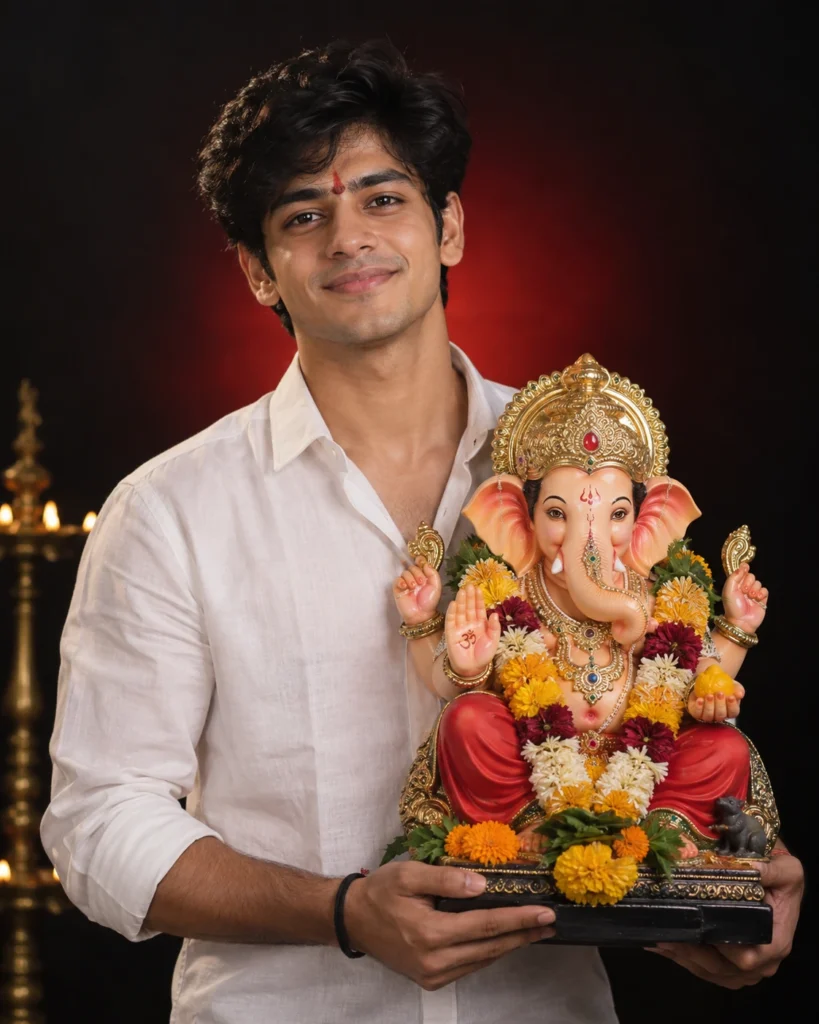
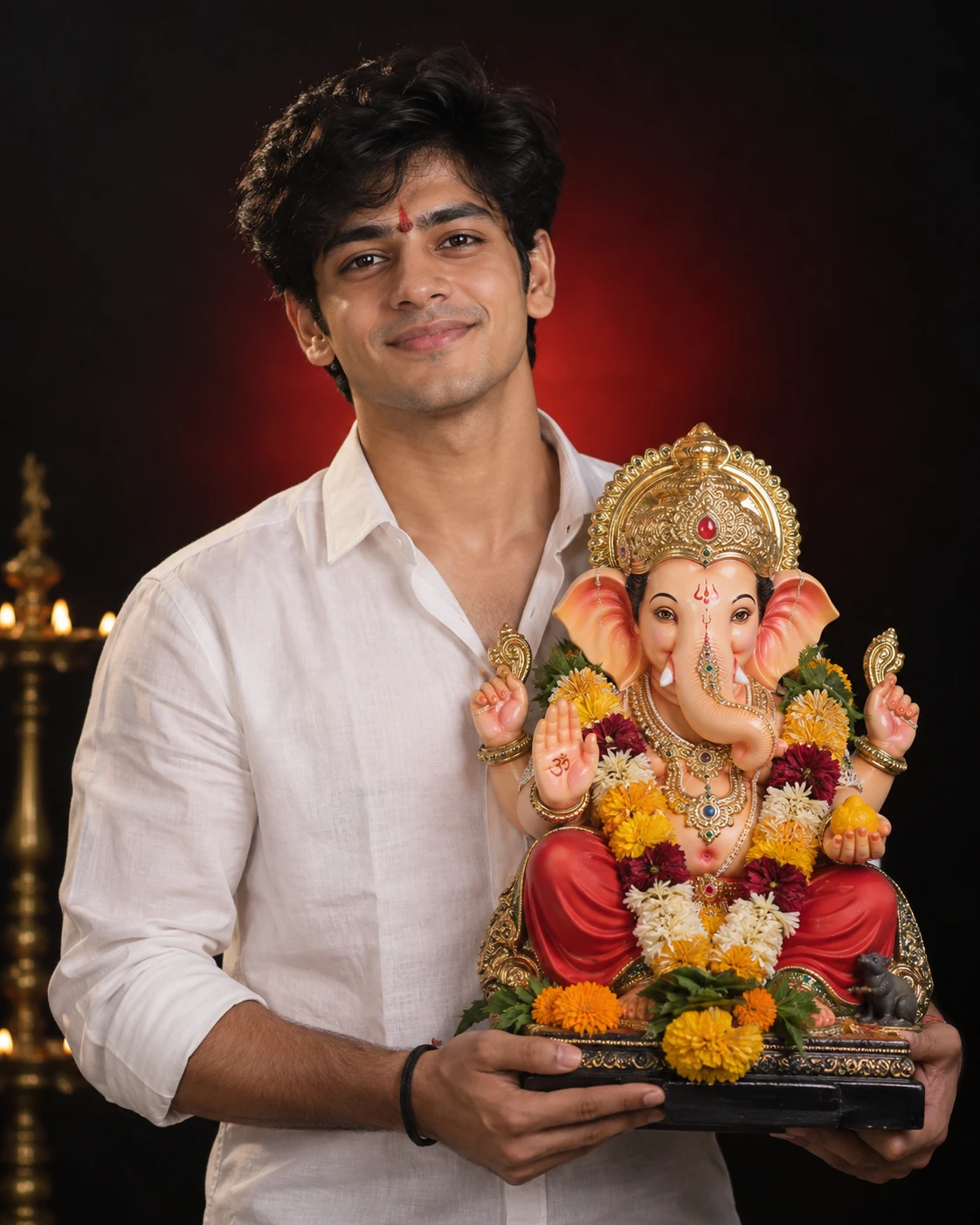
A high-quality studio portrait of a young Indian man, same person as uploaded image, holding a colorful Lord Ganesha idol during Ganesh Chaturthi celebration. The man is wearing a white shirt, standing against a dramatic dark background with a soft red light glow behind him. He has a natural smile, a small red tilak on his forehead, and an expression of devotion and joy.
🌐 Language:
Studio Portrait With Ganesha Idol AI Prompt For Boys
This studio-style Ganesh Chaturthi prompt creates a clean, professional-looking portrait holding a Ganesha idol against a dramatic dark background with a soft red glow — a premium, gallery-ready look rather than a busy pandal scene.
What This AI Photo Prompt Delivers
- Dark studio backdrop: with a soft red light glow for a dramatic feel.
- Colourful Ganesha idol: held naturally in your hands.
- Simple white shirt: easy for the AI to render cleanly.
- Devotional expression: a natural smile with a small red tilak.
How to Use This Prompt: Step-by-Step
- Choose a clear, front-facing photo with good lighting.
- Upload it to your AI image tool.
- Paste the prompt exactly as written.
- Generate and adjust the glow intensity if needed.
Which Photos Work Best
- Background: a plain background in the original photo helps the AI generate a cleaner studio backdrop.
- Lighting: even lighting on your face gives the sharpest facial match.
Pro Tips
- If the red glow looks too intense or too subtle, ask the AI to adjust it.
- A slightly angled pose can add extra depth to the studio look.
Common Mistakes to Avoid
- Busy or cluttered original backgrounds: can confuse the AI’s studio backdrop generation.
- Skipping a regenerate if the glow looks unevenly distributed.
Best Use Cases
- Profile pictures and printed photos for home display.
- Polished Instagram posts for the festival.
Variations to Try
- Different glow colours instead of red.
- A different outfit colour instead of white.
Conclusion
This prompt gives your Ganesh Chaturthi photo a premium studio finish. Use a plain-background photo for the cleanest result.

💬 Comments