Holi Gulal Festival AI Photo Prompt for Boys
Om Editing Top के साथ Happy Holi Photo Edit क्या है?
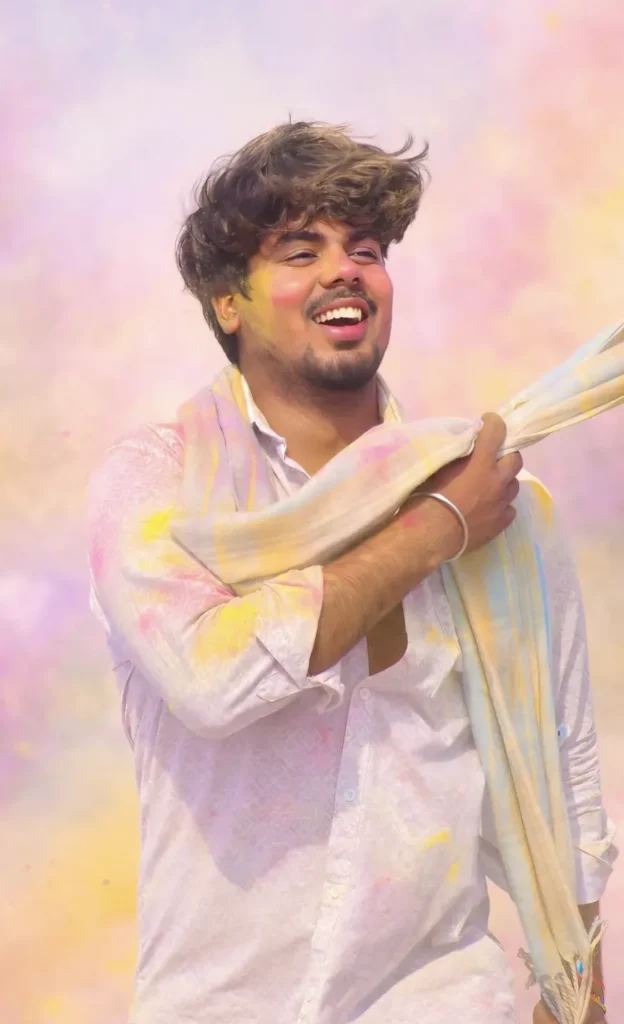
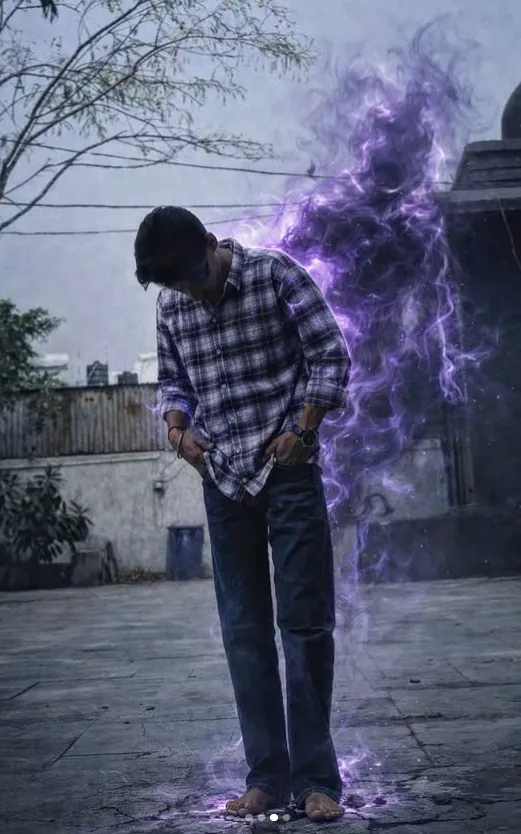
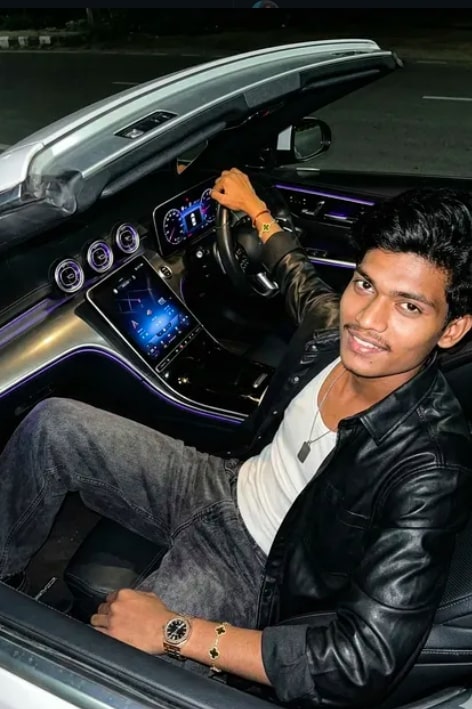
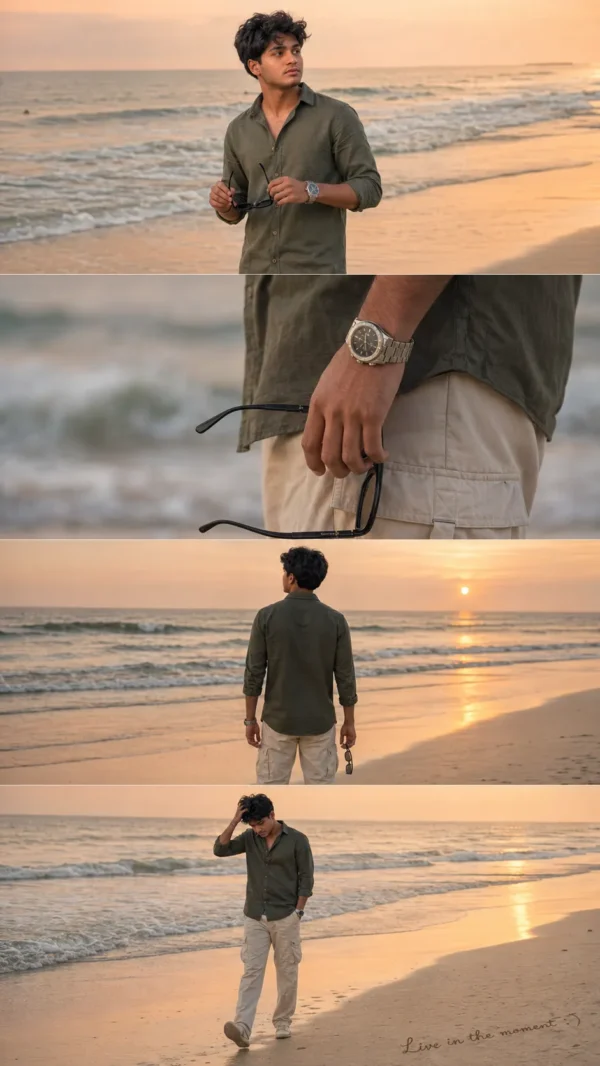
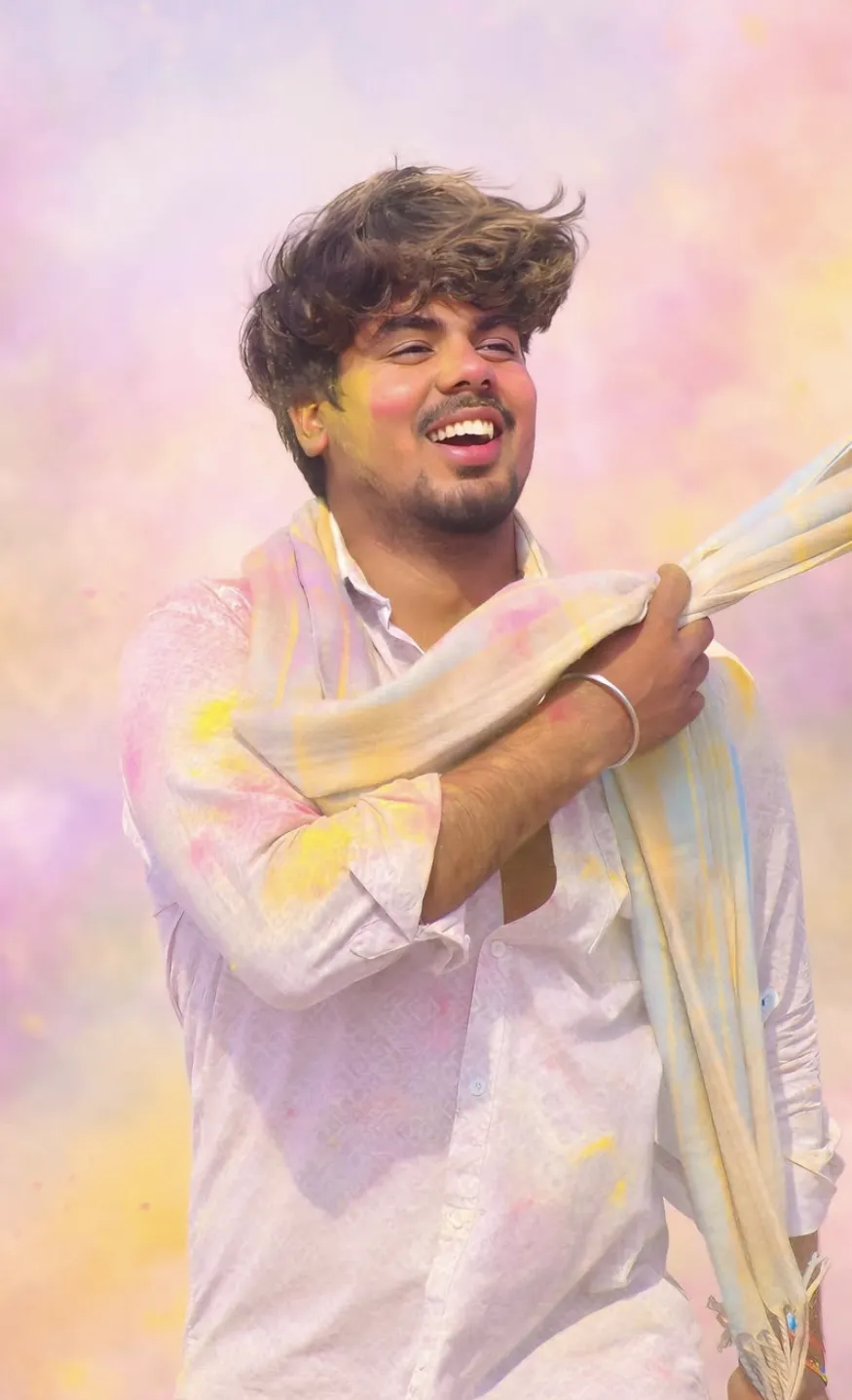
Om Editing Top style का Happy Holi photo edit उन लोगों के लिए है जो अपनी normal portrait photo को festival mood में बदलना चाहते हैं, लेकिन subject की original look को safe रखना चाहते हैं। इस तरह की editing में face, pose, outfit और overall identity almost same रहती है, जबकि Holi ke rang, festive haze aur soft powder effects image ko celebration feel देते हैं।
Read Also: cinematic-style realistic portrait | 2026 New Year
यह style खासकर social media posts, profile photos, festival greetings, reels thumbnails, और personal memories ke लिए useful है। अगर aap beginner हैं और phone se editing करते हैं, तो यह concept बहुत easy समझ आता है: original photo ko natural rakhkar usme holi ka realistic touch add किया जाता है. इससे image overdone नहीं लगती और clean, premium, festive output मिलता है।
इस style में आपको क्या look मिलता है?
Om Editing Top category का यह Happy Holi edit bright, soft, aur realistic festival atmosphere देता है। Usually subject ke face par हल्का gulal effect, cheeks aur forehead par subtle color dust, aur shoulders ya outfit par minimal festive smudges add किए जाते हैं। Background bhi plain nahi रहता; usme pastel haze, soft color smoke, aur airy Holi vibe दिखाई देती है, जिससे photo instantly celebratory लगती है।
इस तरह की editing ka main goal dramatic transformation नहीं, बल्कि natural festival enhancement होता है। Lighting direction, skin tone feel, aur camera angle ko preserve रखते हुए image mein colors ko balanced रखा जाता है. Result mein photo vibrant दिखती है, लेकिन artificial या plastic effect नहीं आता. यही reason है कि लोग इस prompt style को realistic Holi portrait edit, festive photo manipulation, aur soft color splash edit जैसे names se भी खोजते हैं।
- Soft pink, yellow, aur light orange tone ka natural look
- Face par हल्का gulal, heavy paint effect नहीं
- Clothes par minimal smudge, texture loss नहीं
- Background me pastel Holi mood, clutter-free feel
- Subject sharp रहता है, background airy aur festive बनता है
Mobile par This Style Holi edit kaise use karein?
Agar aap beginner hain, to is style ko phone par use karna bhi simple hai. Sabse pehle ek clear portrait photo select करें. Phir image ko us editing app ya AI tool me open करें jahan aap background change ya festival effect apply kar sakte hain. Yahan sabse important step prompt ko sahi tarah use karna hota hai, taaki subject unchanged rahe aur sirf Holi effects add हों।
Beginner ke liye best approach ye hai ki ek time par sirf ek high-quality photo choose करें aur result ko preview karke check करें. Agar colors too strong लगें, तो effect intensity कम करें. Agar background too busy लगे, to pastel aur soft haze वाला version prefer करें. Is style ka magic subtle balance mein hai, na ki over-saturation mein.
- Apni best portrait photo choose karein. Face clear ho, blur na ho, aur subject center ya slightly off-center mein ho.
- Photo ko app mein upload karein. Mobile par same image ko open karke editing mode ya prompt-based tool select karein.
- Festival/Holi style apply karein. Aisa option choose karein jo realistic color powder, soft smoke, ya festive background support karta ho.
- Preview carefully dekhein. Check karein ki face shape, pose, outfit, aur skin tone unnatural to nahi lag rahe.
- Fine-tune settings. Agar possible ho to color intensity, background blur, ya particle amount adjust karein.
- Final image save karein. High resolution mein export करें ताकि Instagram, WhatsApp, ya story post mein quality crisp rahe.
Kaunsi photos is style ke liye sabse achhi hoti hain?
Om Editing Top ke Happy Holi look ke liye wahi photos best kaam karti hain jisme subject ka face clearly visible ho aur lighting already balanced ho. Front-facing ya slight side-angle portraits most natural result dete hain, kyunki Holi powder aur background haze in frames mein achhe se blend ho jate hain. Agar image already dark ya heavily filtered hai, to festive colors utne realistic nahi lagenge.
Clothing bhi important role play karta hai. Black jacket, dark top, ya solid-color outfit par light gulal smudges bahut clean aur visible lagte hain. Background simple ho to AI/edited Holi environment aur bhi smooth add hota hai. Outdoor daylight photos, soft shadow वाली images, aur medium-close portraits is look ke लिए सबसे practical hote hain।
- Angle: Front, half-side, ya eye-level portrait sabse better
- Resolution: High-resolution image use karein, taaki face details clear रहें
- Lighting: Natural daylight ya soft indoor light best रहता है
- Background: Plain, clean, ya lightly blurred background ideal hai
- Clothing: Dark solid outfit par Holi colors zyada realistic dikhenge
- Subject clarity: Face, hair, aur shoulders clearly visible hone chahiye
Realistic Happy Holi edit ko professional kaise banayein?
Agar aap चाहते hain ki result beginner-level na लगे aur professional Holi portrait जैसा दिखे, तो focus subtle details पर hona chahiye. Color powder ka effect mild rakhein, particles ko soft रखें, aur background ko over-crowded na banayein. Om Editing Top style ka best output tab aata hai jab subject ki original identity intact rahe aur festive elements sirf enhancement ki tarah kaam karein.
Photo ko natural touch dene ke liye shadows aur lighting balance par dhyan देना ज़रूरी है. Agar face par gulal add ho रहा hai, to uska tone skin lighting ke साथ match hona chahiye. Clothing par powder smudge bhi fabric texture ko hide nahi करना चाहिए. Ye small details hi image ko realistic, premium, aur share-worthy बनाते हैं।
- Powder effect ko heavy mat rakhein
- Skin tone ko unnaturally red ya orange na hone दें
- Background me festive mood ho, but subject par focus rahe
- Particles soft aur thin hone chahiye
- Final image ko zoom karke edges verify karein
Pro tips for the best These results
अगर आप Om Editing Top style से happy Holi edit चाहते हैं, तो सबसे पहले source image को clean और sharp चुनें. अच्छी lighting, clear face visibility, और proper framing editing result को बहुत natural बनाते हैं.
Best output के लिए subject का face front या slightly angled होना चाहिए. इससे gulal effect, skin detail, और festive background सब ज्यादा balanced दिखते हैं. Simple outfit भी मदद करता है, क्योंकि Holi colours उस पर ज्यादा realistic दिखते हैं.
Editing करते समय subtle approach सबसे important है. Overdone powder या बहुत heavy background haze image को artificial बना सकता है, इसलिए soft colour placement और realistic shadow retention पर focus करें.
- High-resolution photo use करें ताकि face details clear रहें.
- Natural daylight वाली image चुनें, क्योंकि Holi colours उसमें better blend होते हैं.
- Cheeks, forehead, hair strands, और shoulders पर light colour touch रखें.
- Background को pastel और airy रखें ताकि subject highlight हो.
- Outfit texture intact रखें, खासकर jacket या dark clothing पर.
- Colour powder को soft edges के साथ apply करें, hard patches नहीं.
- Subject की expression और eye contact को unchanged रखें.
Common mistakes to avoid in This edits
सबसे common mistake है subject को जरूरत से ज्यादा colour से cover कर देना. जब gulal बहुत dense हो जाता है, तो face shape, skin tone, और original expression दब जाते हैं, जिससे edit less realistic लगती है.
दूसरी गलती है background को बहुत bright या highly saturated बनाना. Holi theme festive जरूर होनी चाहिए, लेकिन subject से attention नहीं छीननी चाहिए. Soft haze और light smoke ज्यादा professional look देते हैं.
Clothing details को ignore करना भी output को weak बना देता है. अगर jacket, top, या fabric texture blur या overwrite हो जाए, तो whole image artificial दिख सकती है. Same way, lighting direction बदलना edit को instantly fake बना सकता है.
- Too much gulal लगाना output को messy और unnatural बनाता है.
- Face shape बदलना identity loss जैसा feel देता है.
- Lighting mismatch से subject background में cut-out जैसा दिखता है.
- Heavy saturation Holi mood को festive की जगह cartoonish बना सकती है.
- Skin tone को over-edit करने से natural realism कम हो जाता है.
- Background में too many elements add करने से image cluttered लगती है.
Best use cases and ideas for This Style Holi images
Om Editing Top Holi edits का use कई तरह से किया जा सकता है, खासकर social media पर. Instagram posts, stories, and reels covers के लिए ये look instantly festive vibe देता है और audience का attention जल्दी पकड़ता है.
Profile pictures के लिए भी यह style काफी popular है, क्योंकि इसमें face clear रहता है लेकिन Holi celebration feel भी add हो जाती है. अगर आप personal branding, event promotion, या festive greeting content बना रहे हैं, तो यह edit बहुत useful हो सकती है.
Creators और photographers इसे portfolios में भी use कर सकते हैं, especially जब उन्हें seasonal editing samples दिखाने हों. YouTube thumbnails, festival invitations, WhatsApp status, और digital greeting cards में भी यह aesthetic strong impact देती है.
- Instagram festive posts और carousel images
- Profile pictures with subtle Holi colour effects
- YouTube thumbnails for Holi-related content
- Reels covers and short-form video banners
- Photography portfolios and editing showcases
- Event posters, invitations, and digital wishes
Variations you can try with This Style
अगर आप same basic edit को different feel देना चाहते हैं, तो mood और colour palette बदलकर बहुत variations create कर सकते हैं. Soft pink and yellow tones friendly और cheerful look देते हैं, जबकि orange highlights ज्यादा energetic और festive feel देते हैं.
Seasonal variations भी interesting लगती हैं. Spring-inspired Holi background, warm sunset lighting, or cool daylight haze — हर version image को अलग mood देता है. आप setting को minimal, urban, outdoor, या dreamy pastel style में भी experiment कर सकते हैं.
Subject के emotion के हिसाब से भी edit change की जा सकती है. Smiling portrait में brighter colours अच्छे लगते हैं, जबकि calm expression वाले shot में soft, dusty gulal ज्यादा elegant feel देता है. इसी तरह, close-up portraits और medium shots दोनों के लिए different colour intensity काम करती है.
- Soft pastel Holi look with light pink and yellow haze
- Warm festive version with orange and peach tones
- Outdoor celebration look with subtle colour smoke
- Minimal clean portrait with just light gulal dusting
- More energetic style with slightly stronger powder highlights
- Daylight version versus golden-hour festive version
- Urban background or open-field background options
Conclusion: try This Style for a natural Holi look
this style style edits are a simple way to turn an ordinary photo into a festive Holi visual without losing the original identity of the subject. When colours stay soft, background remains airy, and the face stays sharp, the final result looks both realistic and eye-catching.
अगर आप Holi content, profile photo, या social post के लिए clean festive transformation चाहते हैं, तो this prompt approach जरूर try करें. Soft gulal, balanced lighting, और natural background blend के साथ आप a beautifully polished Holi edit बना सकते हैं.
FAQ: Holi Gulal Festival
How do I use the "Holi Gulal Festival" prompt?
Copy the prompt above, open Gemini or ChatGPT, upload a clear photo of yourself and paste the prompt. Generate the image and adjust the outfit or background if you want a variation.
Is this prompt free?
Yes. This prompt is free to copy and use for Instagram, reels, WhatsApp DP and profile pictures.
Which photo works best?
A sharp, front-facing, well-lit photo with no filter. A clear face helps the AI keep your identity in the final image.
Last updated: 8 October 2026

💬 Comments