Protest Crowd AI Prompt
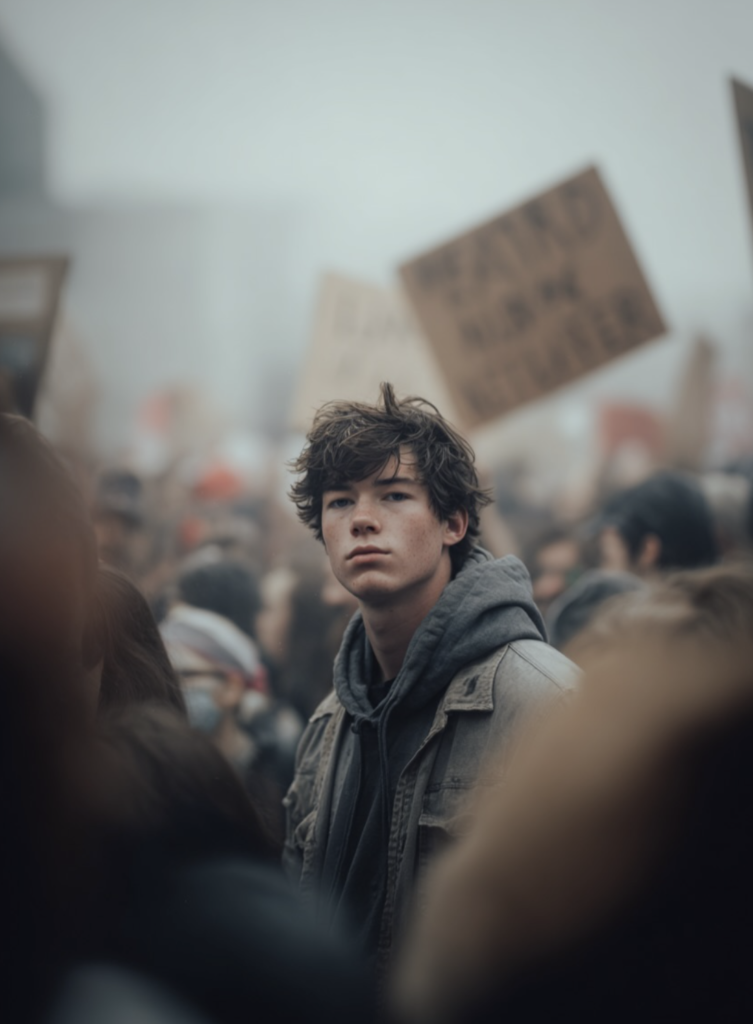
Protest Crowd AI Prompt: What Is This Style?
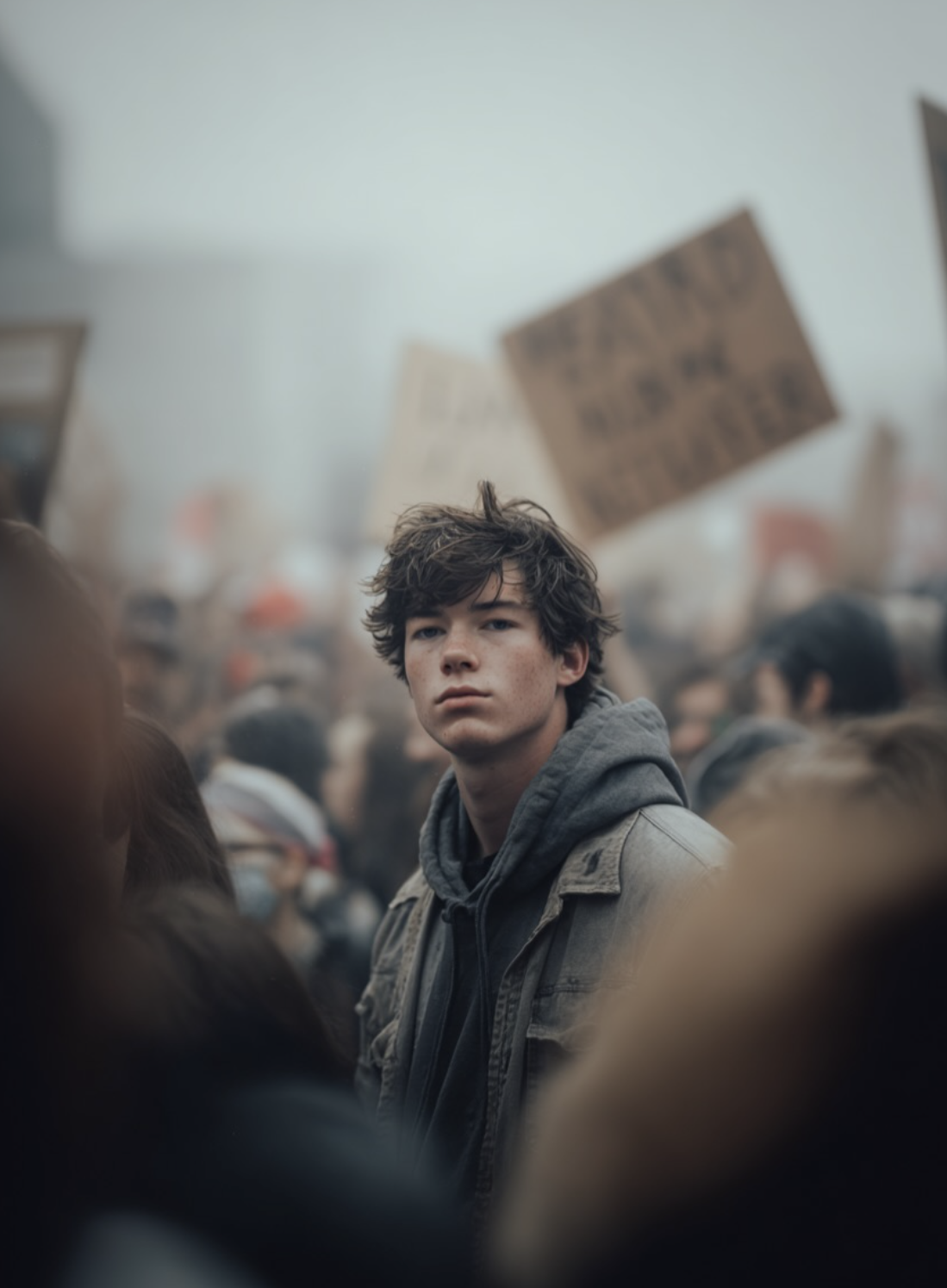
This cinematic, documentary-style prompt turns a portrait into a realistic protest scene, shot with a muted color palette inspired by classic film photography. The subject holds a placard with a sharp, focused expression while the crowd behind them chants and moves in soft motion blur.
Read Also: Cinematic Realistic Portrait AI Prompt | 2026 New Year AI Prompt
This style is ideal for those who want a grounded, editorial visual for social commentary content, documentary-inspired portraits, or dramatic poster-style images that feel “captured,” not generated.
What This Photo Style Gives You
The output has cinematic realism with muted greys, dirty whites, and flat daylight. The subject stays sharp with visible skin texture, while the crowd behind blurs into abstract motion, creating an image that is serious, restrained, and story-driven.
- Flat daylight look for natural realism
- Smoke haze or soft atmospheric depth
- Muted grey and off-white color palette
- Sharp face details with visible skin texture
- Motion blur in the crowd for dynamic storytelling
How to Use This Style: Step-by-Step
- Choose a clear portrait with the face visible and a natural expression.
- Apply the cinematic protest-crowd direction with a mid-profile framing.
- Keep the aspect ratio vertical or portrait-friendly.
- Check face clarity after generating the output.
- Reduce stylization if the background feels too busy.
Which Photos Work Best
- Angle: mid-profile or slight side-angle portrait
- Resolution: high-resolution with visible facial detail
- Lighting: soft daylight or overcast
- Background: simple street or plain wall
- Clothing: everyday casual wear, non-flashy colors
- Expression: calm, serious, or determined
Pro Tips for the Best Results
- Keep the subject slightly off-center for a more natural shot.
- Prioritize face sharpness, since it carries the emotion.
- Keep background crowd blur soft and natural, not overpowering.
- Use muted greys and low-saturation tones for cinematic realism.
- Add smoke haze or atmospheric softness for extra intensity.
Common Mistakes to Avoid
- Making the image too polished, which removes its documentary rawness.
- Ignoring or overdoing crowd blur.
- Over-saturating colors, which breaks the muted, cinematic mood.
- Weak subject separation, where the subject blends too much into the crowd.
- Poor lighting balance that damages facial detail.
Best Use Cases
- Instagram posts: editorial, awareness-focused visuals.
- Profile pictures: serious, impactful personal branding.
- Thumbnails: activism or social-commentary topics.
- Portfolios: documentary realism and portrait work.
Variations You Can Try
- Moods: calm conviction, tense urgency, reflective silence.
- Colours: cold grey, dusty beige, faded blue, warm documentary tones.
- Settings: street intersections, open grounds, hazy public squares.
Conclusion
This is a strong style for anyone who wants protest-crowd images that feel cinematic, realistic, and emotionally grounded. The mix of sharp subject detail, blurred crowd motion, and muted tones creates a visual story that feels both powerful and believable.
FAQ: Protest Crowd
How do I use the "Protest Crowd" prompt?
Copy the prompt above, open Gemini or ChatGPT, upload a clear photo of yourself and paste the prompt. Generate the image and adjust the outfit or background if you want a variation.
Is this prompt free?
Yes. This prompt is free to copy and use for Instagram, reels, WhatsApp DP and profile pictures.
Which photo works best?
A sharp, front-facing, well-lit photo with no filter. A clear face helps the AI keep your identity in the final image.
Last updated: 8 October 2026
💬 Comments