MINIMALIST BRANDING
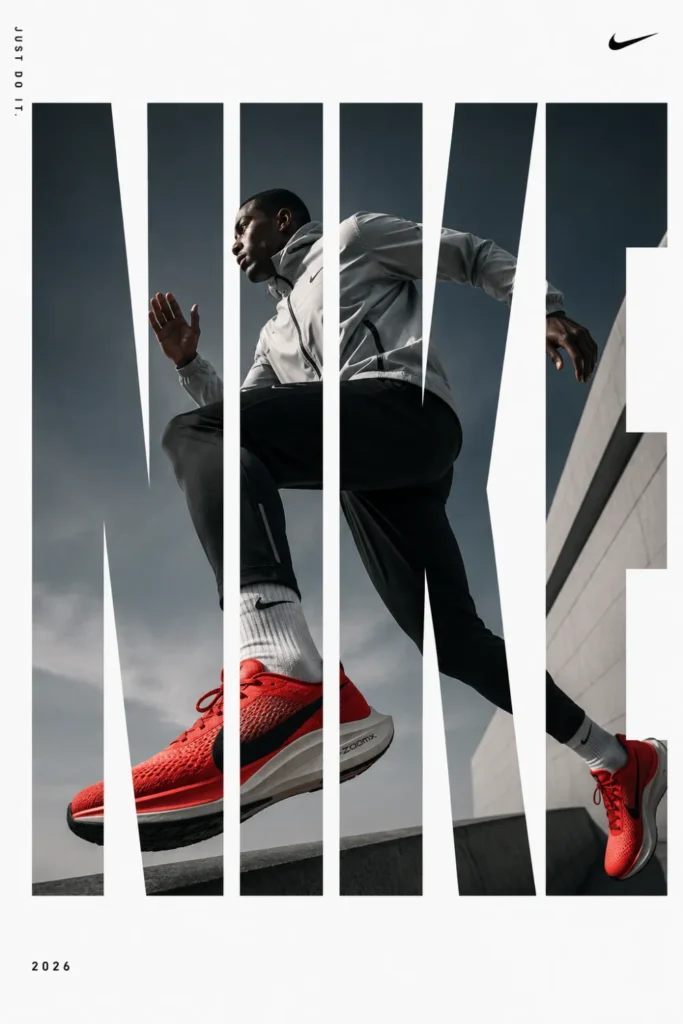
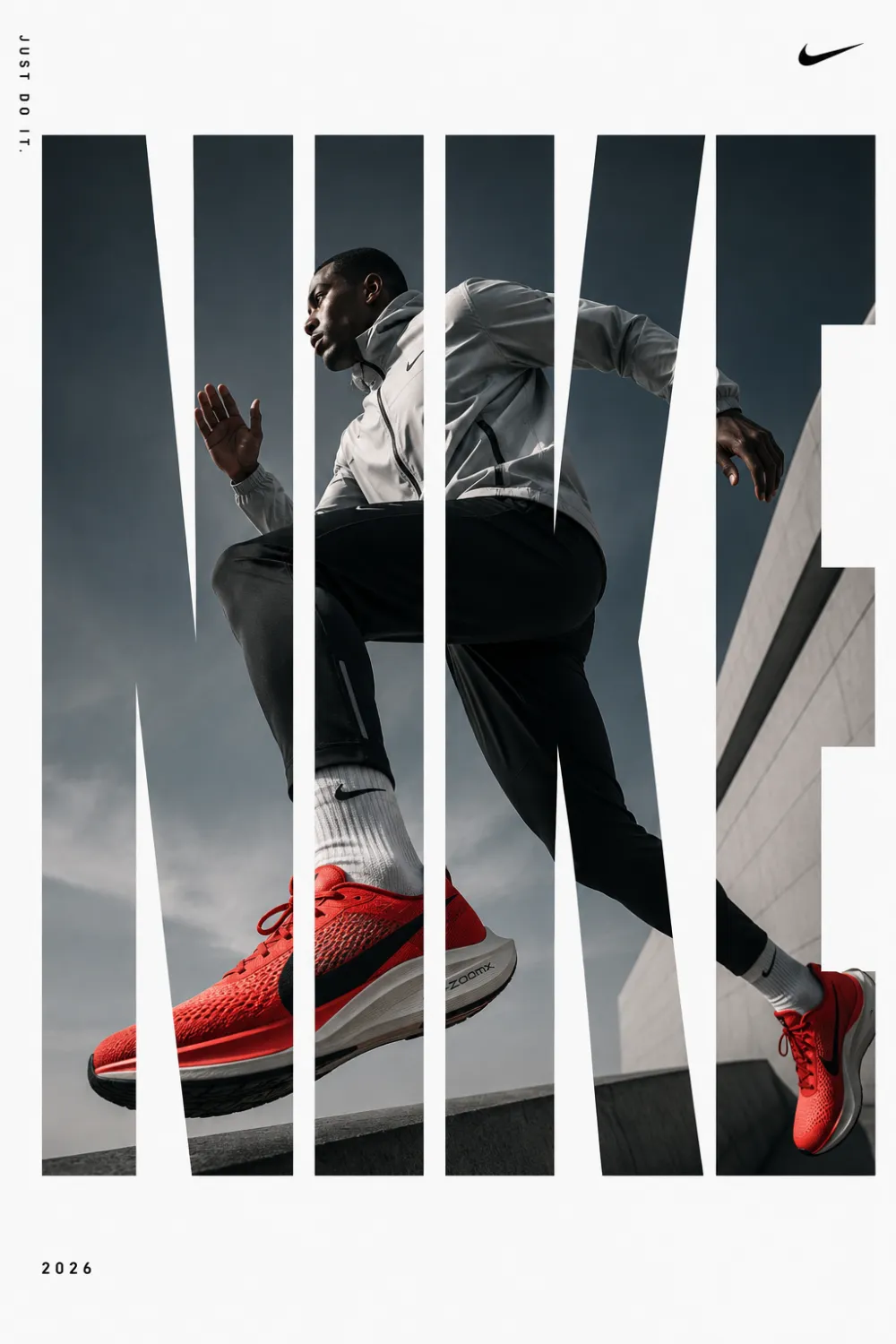
[BRAND NAME]. Act as a Senior Editorial Designer and Typographer. PHASE 1: TYPOGRAPHIC MASK (THE "WINDOW" EFFECT). - Core Element: Use the most iconic slogan or the name of [BRAND NAME] as a massive, ultra-bold, heavy sans-serif typographic mask. - Layout: The letters must be giant, filling the entire vertical frame from edge to edge with tight kerning. - Concept: The text acts as a "cut-out" window. The background is solid white, and the photographic subject is visible ONLY through the letterforms. PHASE 2: DYNAMIC SUBJECT LOGIC. - Subject Selection: - Detail: Ensure a high-contrast element (like a red shoe or a glowing headlight) is visible through one of the letters as a focal point. PHASE 3: SOPHISTICATED MUTED PALETTE. - Atmosphere: Use a "Refined Muted" color scheme. - Tones: Soft slate blues, charcoal greys, and creamy off-whites for the photography inside the mask. - Accent: Identify one sharp, saturated accent color belonging to [BRAND NAME] and apply it to a single key object visible through the text. PHASE 4: PHOTOGRAPHY & LIGHTING. - Lighting: Soft-box studio lighting. Diffused shadows and gentle highlights to create a cinematic, high-end editorial feel. - Finish: Clean, matte texture with zero visual noise. High-definition photographic quality. PHASE 5: MINIMALIST BRANDING. - Accents: Add a tiny minimalist logo and a small vertical tagline in a clean, microscopic sans-serif font near the corners. - Year: Include the year "2026" in a subtle, elegant font to mimic a limited-edition look. Om Editing Top में MINIMALIST BRANDING style क्या है?
Om Editing Top का यह MINIMALIST BRANDING prompt उन creators के लिए है जो अपनी normal photo को एक polished, share-करने लायक edit में बदलना चाहते हैं. ऊपर दिया गया prompt आप सीधे ChatGPT में paste कर सकते हैं — कोई paid software या editing experience ज़रूरी नहीं है.
यह style आपको क्या देता है?
इस look की खासियत यह है कि face और identity same रहती है, सिर्फ lighting, colour aur background का treatment बदलता है. Result एक ऐसी image होती है जो professional shoot जैसी लगती है लेकिन बनती सिर्फ आपकी एक photo से है.
Realistic face preservation — आपके features नहीं बदलतेCinematic lighting और depthInstagram-ready 4:5 या 9:16 framingHigh-resolution output जो zoom करने पर भी साफ़ रहे
Mobile पर इसे कैसे use करें — step by step
ऊपर दिया गया पूरा prompt copy करें.ChatGPT app या website खोलें.अपनी reference photo upload करें — साफ़, अच्छी रोशनी वाली photo चुनें.Prompt paste करें और generate करें.अगर पहली बार में result ठीक न लगे तो prompt में lighting या angle वाला हिस्सा थोड़ा बदलकर दोबारा try करें.Final image download करके Instagram पर 4:5 ratio में post करें.
कौन-सी photos इस style के लिए सबसे अच्छी रहती हैं?
सबसे अच्छे result तब आते हैं जब source photo में चेहरा साफ़ दिखे और background ज़्यादा busy न हो. Blurry, बहुत dark या group photos में AI को face पहचानने में दिक्कत होती है, इसलिए single-subject photo चुनें.
Om Editing Top ke Pro Tips
Reference photo natural light में लें — window light सबसे अच्छा काम करती है.Prompt में "same face, same outfit" जैसी lines को हटाएँ नहीं, यही identity lock करती हैं.एक ही prompt को 2-3 बार generate करें और सबसे अच्छा variation चुनें.Output को किसी भी editor में हल्का contrast boost दें — final polish आ जाता है.
Common Mistakes जो avoid करनी चाहिए
Low-quality या screenshot photo upload करनाPrompt को आधा copy करना — पूरा text चाहिएबहुत ज़्यादा filters पहले से लगी photo देनाएक ही बार में perfect result की उम्मीद रखना
Variations जो आप try कर सकते हैं
Prompt में colour palette, time of day या background का ज़िक्र बदलकर आप इसी style के कई versions बना सकते हैं — जैसे golden hour warmth, monochrome look, या studio backdrop. Brand category के बाकी prompts भी इसी तरह mix किए जा सकते हैं.
Conclusion
This style पर यह MINIMALIST BRANDING prompt बिल्कुल free है और copy-paste के लिए तैयार है. ऊपर दिए steps follow करें और अपनी photo को एक ready-to-post edit में बदलें. नए prompts के लिए this prompt पर दोबारा आते रहें.
💬 Comments