Public Vibe Model AI Prompt
Public Vibe Model AI Prompt: What Is It?
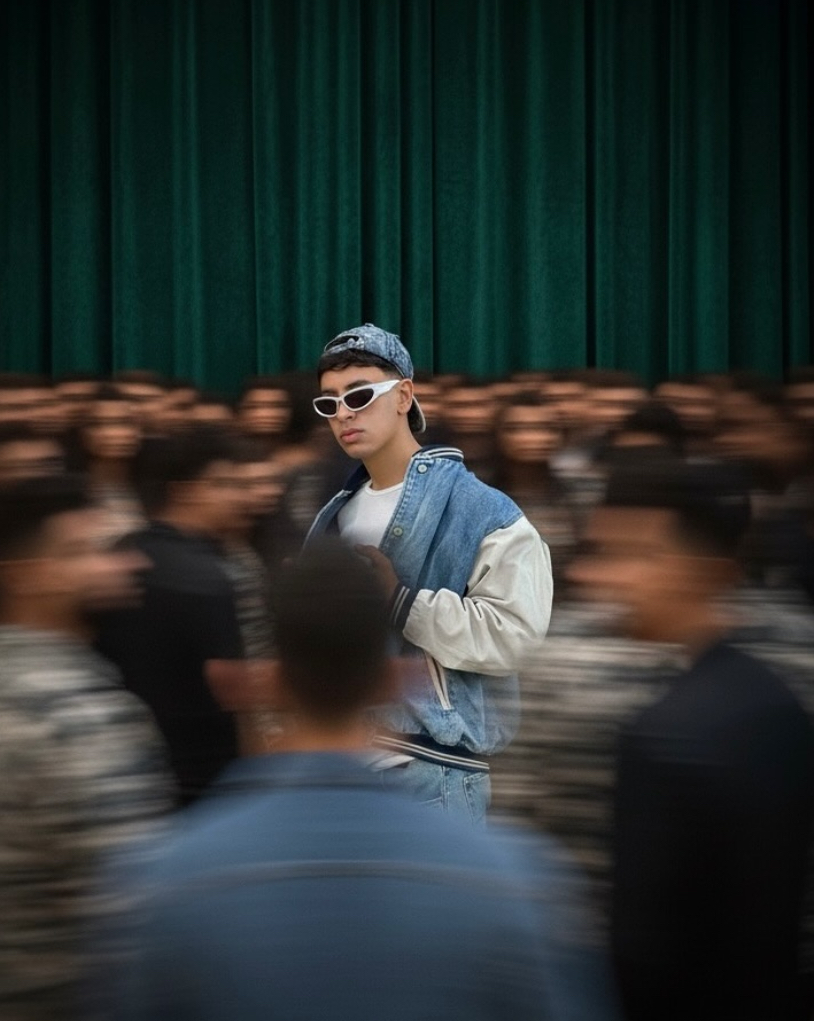
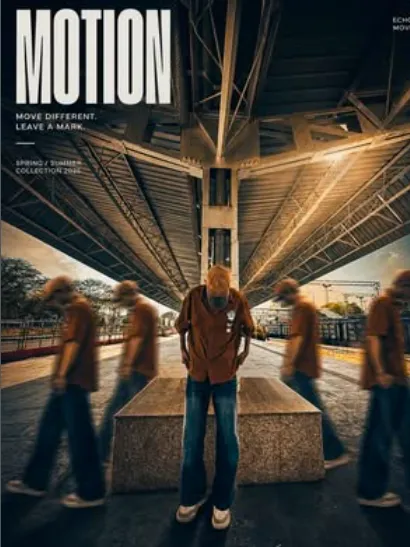
This public vibe model AI prompt blends an editorial portrait, cinematic mood, and real-life motion together. The subject stays in sharp focus while a crowd or movement blurs in the background, giving the photo a modern fashion-shoot feel.
Read Also: Cinematic Realistic Portrait AI Prompt | 2026 New Year AI Prompt
This look is best for anyone who wants their photo to feel classier, more dramatic, and more premium than a simple selfie. If you want a strong visual for Instagram, a profile photo, a digital poster, or a creative portrait, this prompt-style concept is genuinely useful.
The purpose of this kind of editing isn’t just showing a clear face — it’s creating a story across the whole image. A contemplative expression, moody shadows, rich colors, and motion blur combine for an editorial-cover effect.
What Visual Result This Prompt Style Gives
The subject is usually the center of attention, but the overall frame feels highly polished. The contrast between a sharp subject and a blurred crowd adds depth, so the photo feels like a captured moment rather than something static.
Lighting is generally soft and cinematic. Dark tones combined with warm highlights and cool shadows make the photo feel premium. An emerald or deep green background, ochre floor tones, and subtle reflection give the image a rich, editorial aesthetic.
The biggest strength of this style is the balance between realism and artistic mood — the result looks natural yet carefully styled. A painterly quality, soft vignette, and controlled contrast make the photo feel even more sophisticated.
- Sharp subject focus: face and expression stay clean and clear.
- Motion blur background: gives a realistic feel of crowd movement.
- Cinematic lighting: adds depth and emotion to the image.
- Rich color palette: an editorial mix of dark, warm, and cool tones.
- Modern magazine look: the photo reads as professional and stylish.
How to Use This Style on Mobile: Step-by-Step
This look can be used carefully even on mobile — photo selection and prompt placement just need to be right. Small details matter a lot here, so check first whether your image fits the editorial mood.
A simple mobile workflow: pick the best photo, keep it clean, then apply the style. A natural pose with proper lighting gets you a more realistic, attractive final result.
- Select a clear portrait. Choose a photo where the face is properly visible and not overexposed.
- Check the background. A frame with a crowd, corridor, street, or public-place feel works best.
- Crop the photo. Keep the face and upper body in focus for a strong editorial composition.
- Upload the image on mobile in the editor or app where you apply the style.
- Use the prompt/style instruction — follow visual cues like public vibe, cinematic mood, motion blur, and sharp focus.
- Preview the result and check that the subject’s face is sharp, the background is blurring, and colors are balanced.
- Make final tweaks — if the image looks too dark or harsh, lightly adjust brightness, contrast, or warmth.
Consistency matters most for beginners — try different settings on the same photo to see which look feels cleanest and most natural. A balanced, subtle, realistic finish beats excess effects every time.
Which Photos Work Best
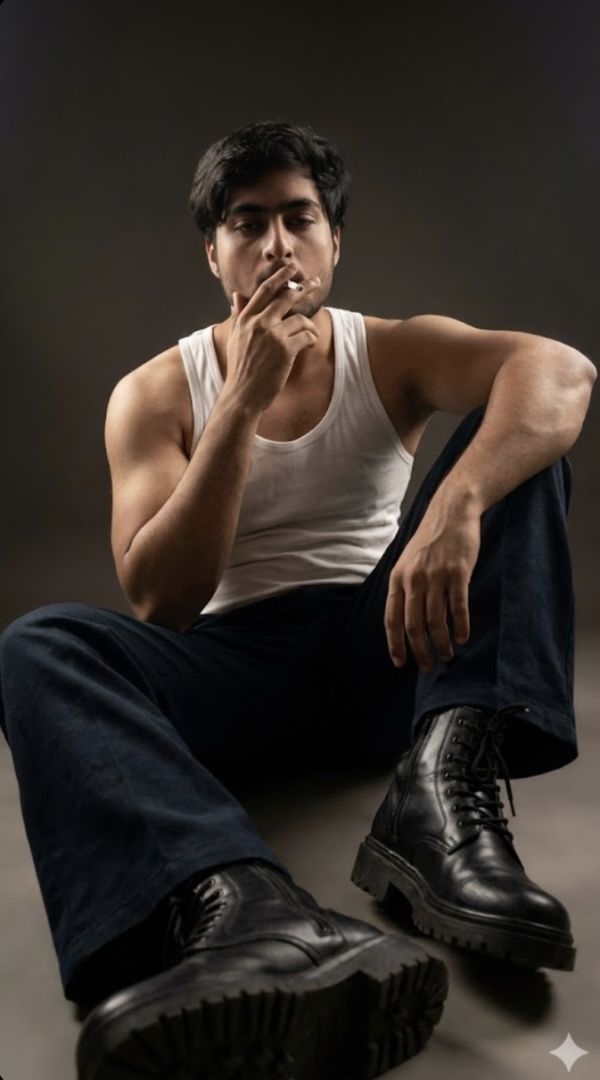
This look works best when the base photo is already strong. A side angle, slight front angle, or relaxed standing pose boosts the editorial feel. The face should be clear, but the expression shouldn’t look over-posed.
Resolution matters too — a high-quality image keeps details sharp and handles motion blur, shadows, and color grading better. A low-quality or pixelated photo can loosen the cinematic look, so a clean source image is the better choice.
Soft natural light or diffused indoor light works best for lighting. Hard flash or very dark images weaken face details. A crowd, public space, curtain, wall texture, or simple open environment in the background makes the style feel stronger.
- Angle: slight side angle or centered editorial pose
- Resolution: clear, high-resolution portrait
- Lighting: soft daylight, evening glow, or diffused indoor light
- Background: public place, crowd blur, plain wall, or textured backdrop
- Clothing: solid, classy, minimal outfits that match the cinematic mood
- Expression: calm, thoughtful, natural
Clothing changes the final feel a lot too — dark colors, neutral tones, or simple stylish outfits support the editorial mood, while very noisy prints or overly bright clothing can break the focus.
Pro Tips for the Best Results
The best output comes from thinking about subject, background, and lighting together. Face clarity, motion blur, and color balance all play an important role — keep composition simple and make the subject the clear hero of the frame.
- Keep the subject centered or slightly off-center so focus stays strong.
- Maintain clean depth in the background — clutter weakens the editorial effect.
- Balance the motion blur, or face detail can get lost.
- Keep the contrast between warm highlights and cool shadows soft for a more premium feel.
- Use a natural expression — an over-posed look reduces authenticity.
- Carry the same color mood across repeated variations for a cohesive feed.
Common Mistakes to Avoid
Over-editing is the most common mistake. When skin smoothing, contrast, or blur go too far, the editorial portrait’s realistic quality disappears — this style’s charm lives in that balanced cinematic feel, so detail needs to be preserved.
- Too much blur: throws off the subject-to-crowd blur ratio and loses the focal point.
- Over-saturated colors: makes the image feel artificial and heavy instead of rich.
- Harsh sharpening: skin texture can look unnatural, hurting the editorial softness.
- Bad crop: wrong headroom or framing reduces the portrait’s impact.
- Mixed lighting: a warm/cool light mismatch makes the subject look flat or confusing.
- Ignoring expression: expression is what tells the story in a public-vibe portrait; a blank face weakens the image.
Best Use Cases
This visual style is highly versatile — more than just a portrait edit, it’s a brandable aesthetic. For a premium Instagram feed, this look feels instantly scroll-stopping, blending cinematic mood with editorial polish.
- Instagram posts: a stylish feed grid and aesthetic carousel slides.
- Profile pictures: a clean editorial face focus for premium personal branding.
- Thumbnails: an attention-grabbing cover image that instantly feels like a story.
- Reel covers: a modern, cinematic preview look with motion energy.
- Portfolios: a strong visual identity for fashion, portrait, or creative work.
Variations You Can Try
To make the same base style more interesting, try small changes in mood and color palette — the foundation stays editorial, but the emotion inside it can shift: moody, elegant, dramatic, soft, or luxury-inspired.
- Moody variation: darker shadows, low-key lighting, deeper contrast.
- Luxury variation: rich emerald, gold, or brown tones for a premium feel.
- Soft cinematic variation: gentle highlights, smooth blur, calm expression.
- Fashion editorial variation: sharper framing, strong pose, polished color grading.
- Seasonal variation: summer warmth, autumn richness, winter coolness, or monsoon-inspired depth.
Conclusion: Try This Style for a Premium Public Vibe
This edit turns a simple photo into an editorial statement. Strong subject focus, cinematic lighting, and a motion-filled background combine for a modern, expressive image. If you want your content to feel more premium, stylish, and memorable, this look is worth trying.
Keep the details balanced, use a natural expression, and keep experimenting with variations — that’s where this style’s real power lies.
FAQ: Public Vibe Model
How do I use the "Public Vibe Model" prompt?
Copy the prompt above, open Gemini or ChatGPT, upload a clear photo of yourself and paste the prompt. Generate the image and adjust the outfit or background if you want a variation.
Is this prompt free?
Yes. This prompt is free to copy and use for Instagram, reels, WhatsApp DP and profile pictures.
Which photo works best?
A sharp, front-facing, well-lit photo with no filter. A clear face helps the AI keep your identity in the final image.
Last updated: 10 September 2026
💬 Comments