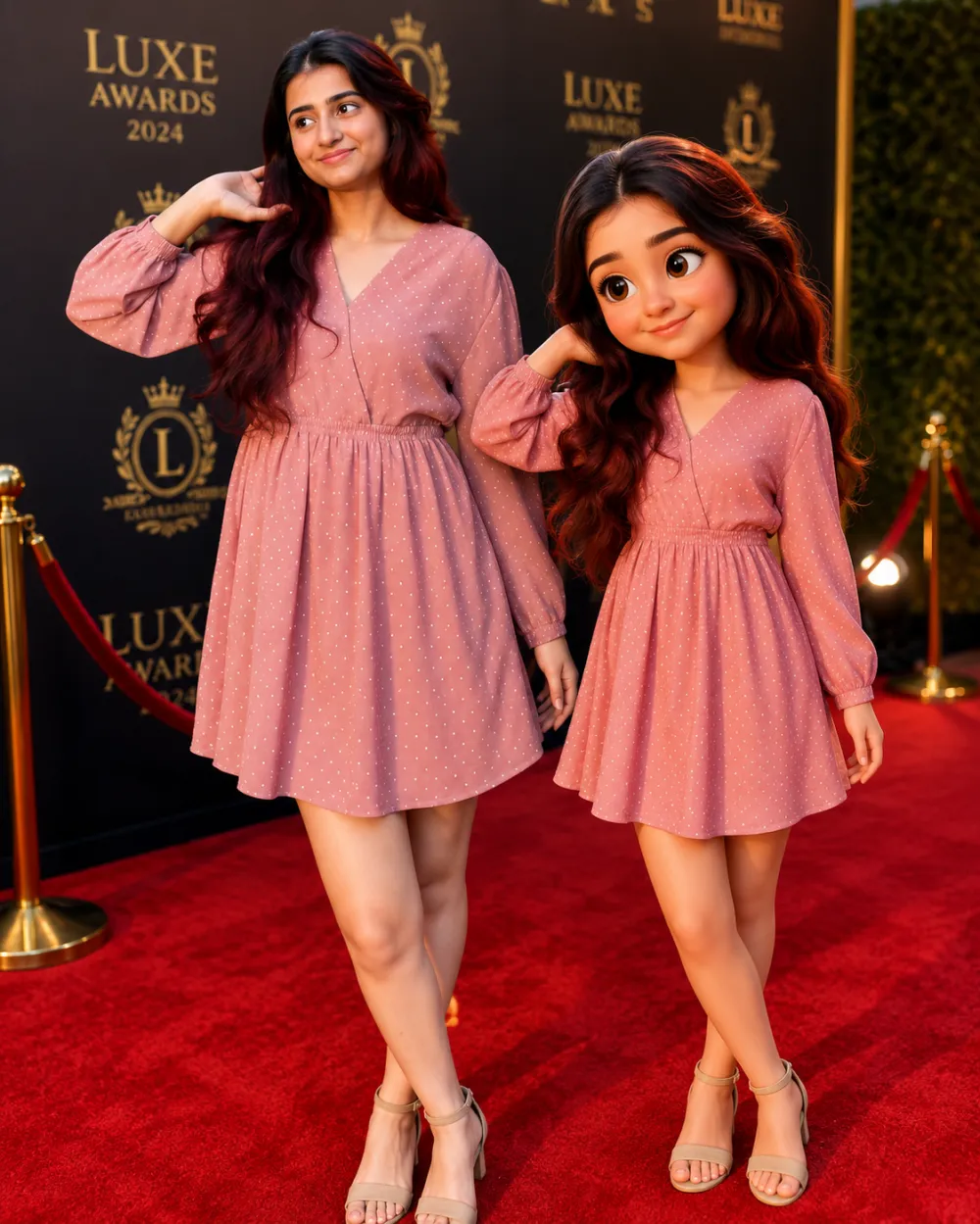
3D cartoon caricature
Turn the person in the reference photo into a high-quality 3D cartoon caricature standing next to their realistic self. Keep the same outfit, hairstyle, pose and facial expression from the original image. The caricature should have an oversized head, big expressive eyes, smooth skin, tiny body proportions and Pixar/Disney-inspired features while still clearly nesernbling the real person. Place both versions side by side interacting naturally in a glamorous red carpet or event setting. Add cinematic lighting, luxury event atmosphere, polished reflections, realistic shadows and soft depth of field. The realistic version should remain highly detailed and editorial-looking, while the caricature version should look like a premium 3D animated character. Ultra detailed, hyper realistic mixed with stylized 3D animation, vibrant colors, luxury fashion aesthetic, clean background, professional photography composition, high-end Al render, trending social media style. Om Editing Top में 3D cartoon caricature style क्या है?
Om Editing Top का यह 3D cartoon caricature prompt उन creators के लिए है जो अपनी normal photo को एक polished, share-करने लायक edit में बदलना चाहते हैं. ऊपर दिया गया prompt आप सीधे ChatGPT में paste कर सकते हैं — कोई paid software या editing experience ज़रूरी नहीं है.
यह style आपको क्या देता है?
इस look की खासियत यह है कि face और identity same रहती है, सिर्फ lighting, colour aur background का treatment बदलता है. Result एक ऐसी image होती है जो professional shoot जैसी लगती है लेकिन बनती सिर्फ आपकी एक photo से है.
Realistic face preservation — आपके features नहीं बदलतेCinematic lighting और depthInstagram-ready 4:5 या 9:16 framingHigh-resolution output जो zoom करने पर भी साफ़ रहे
Mobile पर इसे कैसे use करें — step by step
ऊपर दिया गया पूरा prompt copy करें.ChatGPT app या website खोलें.अपनी reference photo upload करें — साफ़, अच्छी रोशनी वाली photo चुनें.Prompt paste करें और generate करें.अगर पहली बार में result ठीक न लगे तो prompt में lighting या angle वाला हिस्सा थोड़ा बदलकर दोबारा try करें.Final image download करके Instagram पर 4:5 ratio में post करें.
कौन-सी photos इस style के लिए सबसे अच्छी रहती हैं?
सबसे अच्छे result तब आते हैं जब source photo में चेहरा साफ़ दिखे और background ज़्यादा busy न हो. Blurry, बहुत dark या group photos में AI को face पहचानने में दिक्कत होती है, इसलिए single-subject photo चुनें.
Om Editing Top ke Pro Tips
Reference photo natural light में लें — window light सबसे अच्छा काम करती है.Prompt में "same face, same outfit" जैसी lines को हटाएँ नहीं, यही identity lock करती हैं.एक ही prompt को 2-3 बार generate करें और सबसे अच्छा variation चुनें.Output को किसी भी editor में हल्का contrast boost दें — final polish आ जाता है.
Common Mistakes जो avoid करनी चाहिए
Low-quality या screenshot photo upload करनाPrompt को आधा copy करना — पूरा text चाहिएबहुत ज़्यादा filters पहले से लगी photo देनाएक ही बार में perfect result की उम्मीद रखना
Variations जो आप try कर सकते हैं
Prompt में colour palette, time of day या background का ज़िक्र बदलकर आप इसी style के कई versions बना सकते हैं — जैसे golden hour warmth, monochrome look, या studio backdrop. Girls category के बाकी prompts भी इसी तरह mix किए जा सकते हैं.
Conclusion
This style पर यह 3D cartoon caricature prompt बिल्कुल free है और copy-paste के लिए तैयार है. ऊपर दिए steps follow करें और अपनी photo को एक ready-to-post edit में बदलें. नए prompts के लिए this prompt पर दोबारा आते रहें.
💬 Comments